

Best Automation Software? A Complete Guide to Types, Benefits, and Uses
Automation software helps businesses complete repetitive tasks faster, reduce manual work, and improve daily operations. Instead of handling every activity manually, companies can use business automation tools to manage processes such as data entry, customer communication, reporting, and task assignments. These platforms connect different applications and create automated workflows that run based on specific triggers and rules.
Some solutions also use artificial intelligence (AI) to analyze information, make recommendations, and support smarter decisions. From small businesses to large enterprises, workflow automation can improve productivity, reduce errors, and save valuable time. Understanding how automation software works helps businesses choose the right tools for their needs.
What Is Automation Software?
Automation software refers to applications and digital systems that perform repetitive tasks with minimal human involvement. It follows predefined instructions, connects different applications, and processes information automatically. Businesses use it to handle activities such as sending emails, updating records, approving requests, and generating reports. Instead of completing every step manually, employees can let software manage routine work. This approach makes Business automation easier and creates more consistent business operations.
According to IBM’s explanation of automation, automation uses technology, programs, robotics, or processes to achieve outcomes with minimal human input. Modern solutions combine Automation tools, integrations, and intelligent technologies to handle increasingly complex activities. Some systems follow simple instructions, while advanced platforms interpret information and support decisions. For example, an online store can automatically confirm purchases, update inventory, generate invoices, and notify customers without requiring employees to manage every step.
How Does Automation Software Differ From Traditional Software?
Traditional software usually requires users to perform actions manually through its interface. For example, an employee might open a spreadsheet, enter customer information, and save the updated file. Automation systems take this process further by performing predefined actions without repeated instructions. They can transfer information, trigger notifications, and complete several connected activities automatically. However, traditional applications and automation systems often work together rather than replace each other.
What Does Automation Software Actually Do?
The main purpose of automation is to reduce manual effort and improve how work moves between people and systems. It can collect information, validate records, assign responsibilities, and notify employees when action becomes necessary. For instance, when someone submits a contact form, the system can create a customer record and send a confirmation email. These automated workflows reduce delays and keep information organized across business applications.
Automation Software vs. Automation Tools: What’s the Difference?
Individual automation tools usually solve specific problems, such as scheduling social media posts or sending automatic email responses. Broader Automation platforms connect multiple applications and manage complete processes through one environment. A business might use a simple scheduling tool for social media while relying on an integrated platform for sales, marketing, and customer communication. The right choice depends on the number of tasks, required integrations, and complexity of daily operations.
How Does Automation Software Work?
Most automation systems follow a structured sequence of events, conditions, and actions. First, a specific event triggers the process, such as receiving an email or submitting an online form. The system then checks its configured instructions and determines what should happen next. These Automation rules control how information moves between applications and which actions take place. Microsoft explains this structure in its documentation about triggers and actions.
After completing the required actions, the system records activity and monitors the workflow for errors. Some processes finish without human involvement, while others require employee approval at important stages. For example, an invoice might move automatically through data extraction and validation before reaching a manager for final approval. This combination of automated execution and human review creates reliable Workflow management across different departments.
Triggers and Events
A trigger is an event that tells an automation system to begin a particular process. Common triggers include website form submissions, new customer purchases, incoming emails, payment confirmations, and scheduled times. For example, a customer registering on a website can trigger an automatic welcome email. Triggers help businesses respond quickly without requiring employees to monitor every application continuously.
Rules, Conditions, and Actions
After a trigger occurs, the system follows conditions that determine its next action. A sales workflow might check whether a customer meets specific requirements before assigning that person to a sales representative. If the customer qualifies, the system can create a CRM record and schedule a follow-up. Otherwise, it might send additional information or request missing details. These conditional processes make Task automation more flexible and useful.
Integrations and Data Exchange
Business applications often store information in separate systems, creating unnecessary work when employees transfer records manually. Automation platforms solve this problem through application programming interfaces (APIs), connectors, and integration services. For example, a website form can send customer information directly into a CRM platform. The same workflow might notify a sales team through email or a messaging application. Reliable integrations help maintain accurate information across connected systems.
Monitoring and Workflow Optimization
Automation requires ongoing monitoring to ensure every step works as expected. Activity logs help administrators identify failed actions, delayed processes, and unusual system behavior. Performance dashboards can also reveal how frequently workflows run and where employees still perform manual work. These insights help businesses improve their Automation processes and maintain dependable operations as requirements change.
What Are the Different Types of Automation Software?
Businesses use different automation technologies depending on their operational needs. Some systems handle individual activities, while others coordinate complete processes involving several departments. Understanding these Automation software types helps organizations select suitable solutions without paying for unnecessary capabilities. Common categories include workflow automation, business process automation, robotic process automation, marketing automation, CRM automation, and intelligent automation.
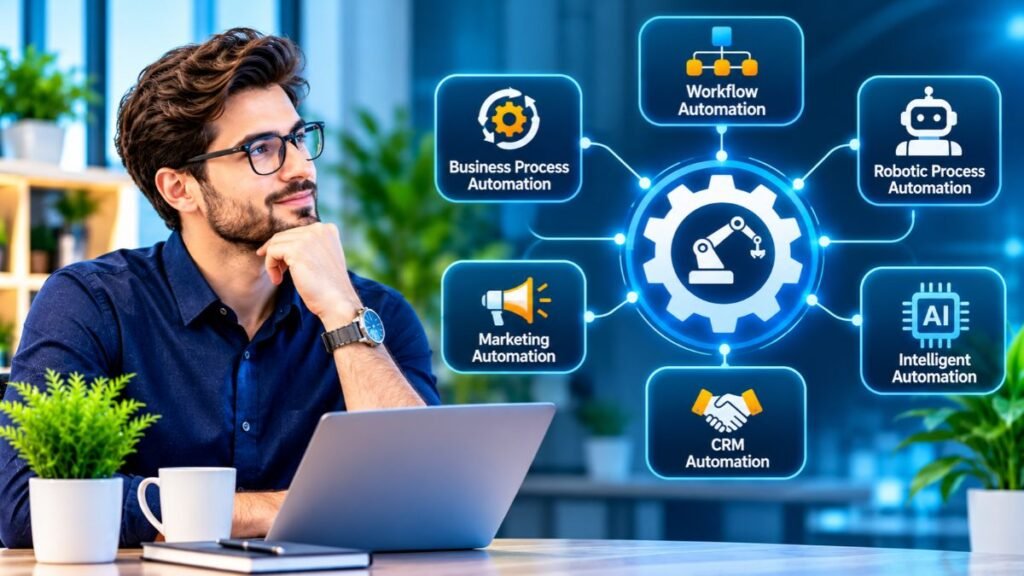
Although these categories sometimes overlap, each serves a different purpose. Business process automation focuses on larger operational activities, while Robotic process automation (RPA) handles repetitive digital actions. Meanwhile, intelligent automation (IA) combines AI with automation technologies to manage more complex tasks. The following comparison explains their main functions and practical applications.
Automation type | Main purpose | Common business example |
| Workflow automation | Connect tasks and actions | Approval requests |
| Business process automation | Manage complete business processes | Employee onboarding |
| Robotic process automation | Perform repetitive computer actions | Data entry |
| Marketing automation | Manage marketing activities | Email campaigns |
| CRM automation | Streamline customer management | Lead assignment |
| IT automation | Manage technical operations | System monitoring |
| Document automation | Process business documents | Invoice extraction |
| Intelligent automation | Combine AI and automation | Document classification |
Workflow Automation Software
Workflow automation connects individual tasks and moves work between different stages automatically. It can send notifications, assign responsibilities, update records, and request approvals. For example, a purchase request might move from an employee to a department manager and then to the finance team. Each person receives the information needed to complete their part. This approach reduces unnecessary communication and keeps business activities organized.
Business Process Automation (BPA) Software
Business process automation handles larger operations that involve multiple activities, applications, or departments. It can manage customer onboarding, order processing, employee recruitment, and financial operations. Unlike simple task automation, BPA focuses on improving an entire business process. According to IBM’s BPA guide, these solutions can connect different systems through APIs and coordinate activities across organizational workflows.
Robotic Process Automation (RPA) Software
Robotic process automation (RPA) uses software bots to imitate repetitive actions that people normally perform on computers. These bots can open applications, copy information, complete forms, and move files between systems. For example, an insurance company might use RPA to transfer customer details from submitted documents into an existing database. RPA works especially well when tasks follow clear rules and involve structured information.
Desktop Automation Software
Desktop automation focuses on repetitive activities performed within computer applications. It can launch programs, enter information, move files, and execute routine actions on an employee’s computer. For example, an accounting employee might use desktop automation to organize downloaded invoices and transfer specific details into a spreadsheet. Some desktop solutions operate with employee supervision, while others execute scheduled tasks independently.
AI-Powered Automation Software
Artificial intelligence (AI) makes automation more capable by helping systems interpret information and recognize patterns. Instead of relying entirely on fixed instructions, AI-powered systems can classify documents, understand customer messages, and generate useful summaries. For example, a support platform can analyze incoming requests and recommend suitable responses. However, organizations should review important outputs because AI systems can misunderstand information or produce inaccurate results.
Marketing Automation Software
Marketing automation helps businesses manage repetitive promotional activities across different communication channels. It can organize email campaigns, segment audiences, schedule messages, and track customer interactions. For example, an online retailer can send different product recommendations based on previous purchases. These Automation solutions help marketing teams maintain consistent communication while spending less time managing individual campaigns.
CRM Automation Software
Customer relationship management automation simplifies activities related to sales and customer records. It can assign incoming leads, update contact information, schedule reminders, and track sales opportunities. For example, when someone requests a product demonstration, the system can create a lead record and notify the appropriate salesperson. This improves follow-up consistency and helps sales teams manage larger customer databases.
IT and Infrastructure Automation Software
IT automation handles routine technical activities that support business systems and digital infrastructure. Common applications include server monitoring, software deployment, backups, security updates, and network management. These systems help IT teams maintain reliable environments without manually checking every operation. For example, monitoring software can detect unusual server activity and notify administrators before an issue causes major disruption.
Document and Data Automation Software
Document automation helps businesses create, collect, organize, and process digital documents. It can extract information from invoices, application forms, contracts, and other records. Optical character recognition (OCR) converts text within scanned documents or images into machine-readable information. More advanced intelligent document processing (IDP) combines document recognition with AI to classify information and extract relevant details.
What Are the Key Features of Automation Software?
The right platform should make repetitive work easier while giving employees control over important business activities. Useful Automation software features include visual workflow builders, application integrations, conditional logic, reporting dashboards, security controls, and customization options. These capabilities determine how easily a business can create workflows and manage them over time. A simple tool may only need basic triggers, while larger organizations require advanced controls and centralized management.
When comparing platforms, businesses should examine both current requirements and future operational needs. A solution that handles a few email notifications might become unsuitable when the company expands into several departments. Strong Enterprise automation systems often provide reusable workflows, detailed permissions, centralized monitoring, and support for complex integrations. Choosing flexible features early can prevent costly changes later.
Workflow Builder and Visual Process Designer
A visual workflow builder allows users to create automated processes through graphical interfaces. Instead of writing extensive code, employees can connect triggers, actions, and conditions using drag-and-drop components. Low-code automation provides additional customization while reducing development work. Similarly, No-code automation allows nontechnical employees to build simple workflows without programming knowledge. These features support Citizen Development, where trained employees create solutions for everyday operational problems.
Third-Party Integrations and API Connectivity
Integrations allow automation platforms to exchange information with external applications. Businesses commonly connect CRM systems, email platforms, accounting software, payment gateways, and project management applications. APIs help these systems communicate through defined technical rules. For example, a completed online purchase can update inventory, generate an invoice, and notify a shipping team. Reliable connectivity prevents information from becoming trapped in separate applications.
Conditional Logic and Automated Triggers
Conditional logic allows workflows to respond differently depending on available information. A system can check customer locations, order values, payment status, or approval requirements before continuing. For example, a purchase exceeding a company’s spending limit might require additional authorization. These conditions make automated processes more adaptable while keeping important decisions within established business policies.
Reporting and Performance Analytics
Reporting features help managers understand how automated processes perform. Dashboards can display completed tasks, processing times, error rates, and workflow activity. Audit logs provide records of important actions and changes within a system. These records support troubleshooting and help businesses maintain accountability. Performance reports also reveal which processes need further improvements or additional employee involvement.
Security, Permissions, and Compliance
Security features protect sensitive business information from unauthorized access. Role-based permissions allow administrators to control which employees can view, edit, or approve specific activities. Encryption protects information during storage and transfer, while access logs help identify unusual activity. Businesses operating in regulated industries should also examine relevant Compliance and governance requirements before selecting a platform.
Scalability and Customization
Scalable platforms allow businesses to expand automation as their workloads increase. A company might begin with automated customer emails before connecting sales, accounting, and inventory operations. Customization helps organizations adjust workflows according to their internal processes. However, expansion should include proper testing and monitoring because additional integrations can introduce new dependencies.
What Are the Benefits of Using Automation Software?
Automation can improve how businesses manage time, money, information, and employee responsibilities. One of its biggest advantages is Operational efficiency, because repetitive activities move through established processes with less manual effort. Employees can spend more time solving customer problems, developing strategies, and improving products. Businesses also gain more consistent operations because systems follow the same instructions every time.
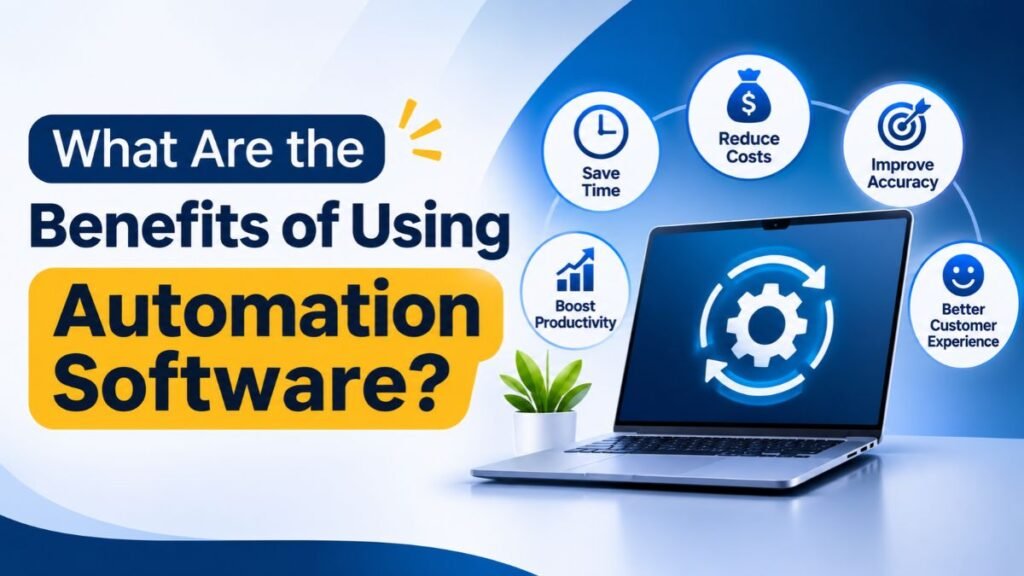
The wider Automation software benefits include reduced errors, faster processing, improved customer experiences, and better resource management. These improvements can support Cost savings and stronger Employee productivity when organizations select suitable processes. However, results depend on implementation quality, maintenance, and employee adoption. Automation does not automatically improve a poorly designed process. Businesses should first understand their existing operations before introducing new technology.
Increased Productivity and Operational Efficiency
Employees often lose valuable time switching between applications and completing repetitive administrative work. Automation reduces these interruptions by handling routine activities in the background. For example, a sales representative can receive automatically updated lead information instead of collecting details from several spreadsheets. This allows teams to manage more work without spending additional hours on basic administration.
Reduced Operational Costs
Manual processes can create expenses through additional labor, repeated data entry, processing delays, and avoidable mistakes. Automation can reduce these costs by improving how existing resources are used. For example, automated invoice processing may reduce the time finance employees spend reviewing and organizing routine documents. However, businesses must also consider subscription fees, implementation expenses, and ongoing maintenance when calculating actual savings.
Improved Accuracy and Fewer Human Errors
Repeated manual work increases the chance of missing information, incorrect entries, and inconsistent records. Automated systems follow established instructions and can validate information before processing it. For example, an order management workflow can check required customer details before confirming a purchase. This improves consistency, although employees must still review unusual cases and incorrect source information.
Faster Business Processes and Turnaround Times
Delays often occur when employees wait for approvals or transfer information between departments. Automation can move requests forward immediately when predefined conditions are satisfied. For example, a customer refund request can reach the appropriate manager as soon as the system verifies its details. Faster processing helps businesses respond to customers and internal requests more efficiently.
Better Customer Experience and Satisfaction
Customers expect quick responses and clear communication throughout their interactions with a business. Automated notifications, appointment reminders, and support routing can improve the overall experience. For example, an online retailer can confirm orders immediately and send shipping updates automatically. These improvements can support Customer satisfaction by reducing uncertainty and keeping customers informed.
Easier Business Scalability
Growing businesses often face higher workloads as customer numbers and transactions increase. Manual processes can become difficult to manage when teams handle more orders, inquiries, and administrative requests. Automation allows organizations to expand repeatable processes without increasing manual work at the same rate. This supports Scalability, provided the platform can handle higher activity and maintain reliable performance.
Better Compliance and Process Visibility
Businesses must maintain accurate records and follow applicable industry requirements. Automation can standardize approvals, record completed actions, and preserve important documentation. For example, a financial department can maintain transaction histories and approval records through a controlled workflow. These capabilities improve visibility and make internal reviews easier, although automation cannot guarantee regulatory compliance by itself.
Improved Employee Satisfaction
Employees usually prefer meaningful work over repetitive administrative activities. Automation can reduce routine workloads and create more time for communication, planning, and problem-solving. For example, HR professionals can spend less time organizing interview schedules and more time evaluating suitable candidates. Proper training also helps employees develop technical skills and adapt to changing workplace responsibilities.
What Are Common Uses of Automation Software in Business?
Businesses across the United States use automation in departments that handle large amounts of repetitive work. Sales teams manage leads, marketing departments coordinate campaigns, and finance employees process invoices. Healthcare organizations also automate administrative activities, while retailers use connected systems to manage orders and inventory. These applications demonstrate how Process automation can improve everyday operations across different industries.
The most effective applications usually begin with predictable tasks that follow clear instructions. A company might automate appointment reminders before introducing more advanced customer service workflows. Similarly, a growing retailer can connect its website, payment system, inventory database, and shipping platform. This type of connected approach creates smoother operations and supports broader Digital transformation initiatives.
| Department | Common automated activity | Expected improvement |
| Sales | Lead assignment and follow-ups | Faster customer response |
| Marketing | Email campaigns and segmentation | Consistent communication |
| Human resources | Interview scheduling and onboarding | Less administrative work |
| Finance | Invoice processing and approvals | Faster transactions |
| Customer service | Ticket routing and notifications | Quicker support |
| Healthcare | Appointment reminders | Better scheduling |
| IT | System monitoring and backups | More reliable operations |
| Retail | Inventory and order updates | Better stock visibility |
Sales and Lead Generation Automation
Sales teams receive potential customer information from websites, advertisements, referrals, and other channels. Managing every inquiry manually can create delays and missed opportunities. Automation can capture leads, organize customer records, assign representatives, and schedule follow-up reminders. For example, a software company can automatically send a product guide when someone requests information. The sales team can then focus on qualified prospects instead of organizing every incoming inquiry.
Marketing and Customer Engagement
Marketing departments use automation to deliver relevant messages throughout the customer journey. Email sequences can welcome new subscribers, share educational content, and remind customers about unfinished purchases. Audience segmentation helps businesses send messages according to interests and previous interactions. However, marketers should monitor campaign performance and avoid sending excessive messages that damage customer relationships.
Human Resources and Employee Management
HR departments handle recruitment, employee onboarding, scheduling, and document management. Automation can organize applications, schedule interviews, send onboarding instructions, and remind employees about required documents. For example, a new employee can receive account setup instructions and training information before their first working day. Sensitive hiring decisions should still involve qualified human reviewers to maintain fairness and appropriate oversight.
Finance, Accounting, and Invoice Processing
Finance teams often process invoices, expenses, payments, and financial records. Document automation can extract invoice details and transfer them into accounting applications. Approval workflows can route expenses to the correct managers based on spending limits. Payment reminders can also reach customers automatically when invoices approach their due dates. These processes reduce repetitive administration and improve financial visibility.
Customer Service and Support
Customer support departments manage questions through email, websites, phone systems, and messaging channels. Automation can categorize incoming requests, assign support tickets, and send confirmation messages. AI-powered chatbots can answer common questions or direct customers toward relevant resources. More complex issues should reach human agents because automated responses may not fully understand unusual situations or sensitive complaints.
Healthcare Administration
Healthcare organizations handle appointment scheduling, patient registration, billing, and medical documentation. Automation can reduce administrative pressure by sending reminders and organizing routine records. For example, appointment software can notify patients about upcoming visits and alert staff when schedules change. However, clinical decisions and sensitive patient interactions require appropriate professional oversight and strong privacy protections.
IT Operations and Data Management
IT departments maintain the systems that employees depend on every day. Automation can monitor servers, schedule backups, manage software updates, and send security alerts. It can also synchronize information between databases and business applications. These activities help IT teams identify technical problems sooner and maintain more reliable systems.
Inventory, Retail, and Supply Chain Management
Retail businesses need accurate information about products, orders, and stock levels. Automation can update inventory after purchases and notify managers when products approach predefined reorder points. Connected systems can also generate shipping labels and send delivery updates. For example, an online retailer can connect its store with inventory and shipping applications to manage orders more consistently.
How Is AI Changing Automation Software?
Traditional automation mainly follows predefined rules and instructions. AI adds capabilities that help systems interpret information, identify patterns, and support decisions. Machine learning (ML) allows systems to learn from data and improve certain predictions over time. Meanwhile, Generative AI can create text, summarize documents, and draft responses. Together, these technologies expand the range of tasks businesses can automate.

Modern Enterprise AI initiatives increasingly combine existing applications with intelligent automation capabilities. Some systems use large language models (LLMs) to understand and generate natural language, while smaller specialized models can support focused business tasks. Small language models (SLMs) may be suitable for certain controlled environments where efficiency, cost, or deployment requirements matter. However, AI outputs still require testing, monitoring, and appropriate human review.
Traditional Automation vs. AI-Powered Automation
Traditional systems usually perform actions according to predefined rules. For example, an email workflow can send a message whenever someone completes a registration form. AI-powered systems can go further by analyzing message content and identifying the customer’s likely request. The distinction matters because rule-based automation is often more predictable, while AI can handle information that does not follow one fixed format.
| Feature | Traditional automation | AI-powered automation |
| Main approach | Predefined rules | Data-driven interpretation |
| Typical input | Structured information | Structured and unstructured information |
| Decision process | Fixed conditions | Model-based predictions |
| Common application | Scheduled notifications | Message classification |
| Human oversight | Depends on process | Important for AI decisions |
Machine Learning and Predictive Automation
Machine learning helps systems identify patterns in historical and current information. Businesses can use these insights to estimate demand, identify unusual transactions, and prioritize potential customers. For example, an online retailer can analyze previous sales to predict which products might need restocking. Predictions are not guaranteed outcomes, so managers should consider data quality and changing market conditions.
Generative AI in Business Automation
Generative AI can create new content based on instructions and available context. Businesses use it to draft emails, summarize reports, organize information, and assist customer support teams. For example, an employee can use an AI system to summarize a lengthy customer conversation before responding. The employee should verify important details because generated content can contain incorrect information or unsupported statements.
AI Agents and Agentic Automation
Agentic AI refers to systems designed to pursue defined goals by planning and carrying out multiple actions. These systems may use tools, retrieve information, and adjust their next steps according to results. For example, an AI agent might review a support request, check an order record, and prepare a suggested response. Some systems can perform approved actions independently, but important decisions should retain suitable human controls.
Enterprise agents can also coordinate activities across business applications. However, greater autonomy introduces risks involving permissions, inaccurate decisions, and unexpected actions. Businesses should define clear boundaries before allowing agents to modify records, approve transactions, or communicate externally.
Intelligent Process Automation (IPA)
Intelligent process automation combines AI, RPA, and process management to handle workflows that involve both structured and unstructured information. For example, an insurance company might receive a claim containing scanned forms, photographs, and supporting documents. AI can help classify the information, while RPA transfers verified details into business systems. Employees can review exceptions before the company proceeds with important decisions.
How to Choose the Right Automation Software for Your Business
Selecting the right platform starts with understanding what your business actually needs. A small company might only require email notifications and customer record updates. A large organization may need advanced integrations, centralized controls, and complex approval systems. The best solution should match your current processes without creating unnecessary technical complexity. Consider how each option supports your operations rather than choosing based on popularity alone.
Before making a decision, compare pricing, integrations, security, ease of use, and available support. Examine the Automation software features that matter most to your employees and administrators. A platform should also provide room for future growth without requiring a complete system replacement. Testing suitable options through demos or pilot projects can reveal limitations before a wider investment.
Identify Your Business Automation Needs
Start by examining everyday activities that consume considerable employee time. Look for repetitive processes involving frequent data transfers, predictable decisions, or repeated approvals. Process mining analyzes event data to reveal how business processes actually operate. Task mining examines user interactions to identify repeated activities and potential improvement opportunities. These methods can help businesses find suitable automation opportunities instead of relying on assumptions.
Evaluate Features and Integration Options
A suitable platform should connect with the applications your employees already use. Check whether it supports your CRM, accounting software, communication tools, and databases. Review its workflow builder, reporting capabilities, permissions, and available integrations. Businesses with complex requirements may also need APIs and customization options. A long feature list is not useful if the platform cannot support essential daily operations.
Compare Pricing and Total Cost of Ownership
Automation pricing can vary according to users, workflows, transactions, and advanced features. Some platforms charge monthly subscriptions, while enterprise solutions may use customized pricing. Businesses should also account for implementation, employee training, maintenance, and integration expenses. A lower subscription price does not always mean lower overall costs. Compare expected savings against the complete investment before making a decision.
Consider Ease of Use and Technical Requirements
The right solution should match the technical skills available within your organization. No-code platforms can help nontechnical employees build simple workflows through visual interfaces. Low-code systems provide additional flexibility for teams that need customization. More advanced deployments may require developers and IT administrators. Choose a platform that employees can understand and maintain without creating unnecessary dependence on external specialists.
Check Security, Privacy, and Compliance
Automation platforms may process customer information, financial records, employee details, and other sensitive data. Review access controls, encryption, authentication, data retention, and audit capabilities. US businesses should consider applicable requirements such as HIPAA for covered healthcare entities and business associates, and relevant state privacy laws. The NIST AI Risk Management Framework also provides guidance for organizations managing risks associated with AI systems.
Test Software before Making a Decision
A demonstration or pilot project helps reveal how a platform performs under real working conditions. Choose one process and test its triggers, integrations, permissions, and error handling. Ask employees to use the system and share their experiences. Review processing times and accuracy before expanding the deployment. Practical testing often reveals limitations that product descriptions and sales demonstrations cannot show.
How to Get Started With Automation Software
Introducing automation works best when businesses follow a clear implementation plan. Start by understanding existing processes rather than immediately purchasing new technology. Identify activities that involve repeated steps and measurable outcomes. A Process assessment tool can help compare potential opportunities according to complexity, expected savings, and implementation effort. This creates a stronger foundation for choosing the right starting point.
After selecting a suitable process, configure the workflow and test it with real business scenarios. Establish clear responsibilities for monitoring, maintenance, and exception handling. Employees should understand what the system does and when human intervention remains necessary. Once the first workflow performs reliably, expand gradually across other departments. This approach reduces disruption and supports sustainable automation adoption.
Assess and Map Existing Business Processes
Before automating anything, document how the current process works. Identify the people involved, applications used, information transferred, and approvals required. Process discovery helps reveal hidden steps and delays that employees might overlook during daily work. Mapping the existing process also makes it easier to identify duplicate activities and unnecessary handoffs.
Select the Right Process to Automate First
The best starting point usually involves tasks that happen frequently and follow predictable instructions. Examples include sending appointment reminders, organizing customer inquiries, and updating records. Avoid beginning with complex processes that involve sensitive decisions or unclear responsibilities. A small successful project can demonstrate value and build employee confidence before wider implementation.
Choose an Appropriate Automation Platform
Compare available platforms according to the process you want to improve. Consider integration support, pricing, security, ease of use, and future requirements. A simple workflow may only need a lightweight integration tool. Larger processes might require advanced Process orchestration to coordinate applications, employees, and automated systems. Select a solution that fits the actual workload rather than purchasing features you may never use.
Build, Test, and Launch Your First Workflow
Create the workflow by defining its trigger, conditions, actions, and expected result. Test normal situations as well as incomplete information, duplicate records, and failed integrations. For example, a lead management workflow should not create several customer records when someone submits the same form twice. Testing these situations helps prevent operational problems after launch.
Train Employees and Establish Clear Responsibilities
Employees should understand how automation changes their daily responsibilities. Provide practical training on using the platform, reviewing results, and reporting problems. Define who manages workflow updates and who handles unusual situations. A clear Human-in-the-loop (HITL) approach ensures people remain involved whenever judgment, approval, or sensitive decisions are necessary.
Monitor Results and Improve Automation
Measure performance before and after implementation. Useful indicators include processing time, error frequency, operating costs, completed tasks, and customer response times. Compare these results with the original business goals. If a workflow creates delays or incorrect outputs, investigate the cause and adjust its configuration. Continuous monitoring keeps automation useful as business requirements change.
Scale Automation across Different Departments
Once the first workflow performs reliably, identify similar opportunities across other departments. Sales, marketing, finance, HR, and IT may benefit from connected processes. Establish reusable standards for permissions, documentation, and monitoring before expanding. Larger organizations can introduce Business process management (BPM) practices to analyze and improve operations across the entire business.
What Are the Challenges and Limitations of Automation Software?
Despite its advantages, automation introduces challenges that businesses should understand before implementation. Initial expenses, integration problems, security risks, and employee resistance can affect results. Poorly designed workflows may also repeat existing mistakes more quickly. Automation works best when businesses improve their processes first and introduce technology with clear goals. It should support employees rather than remove human judgment from every activity.
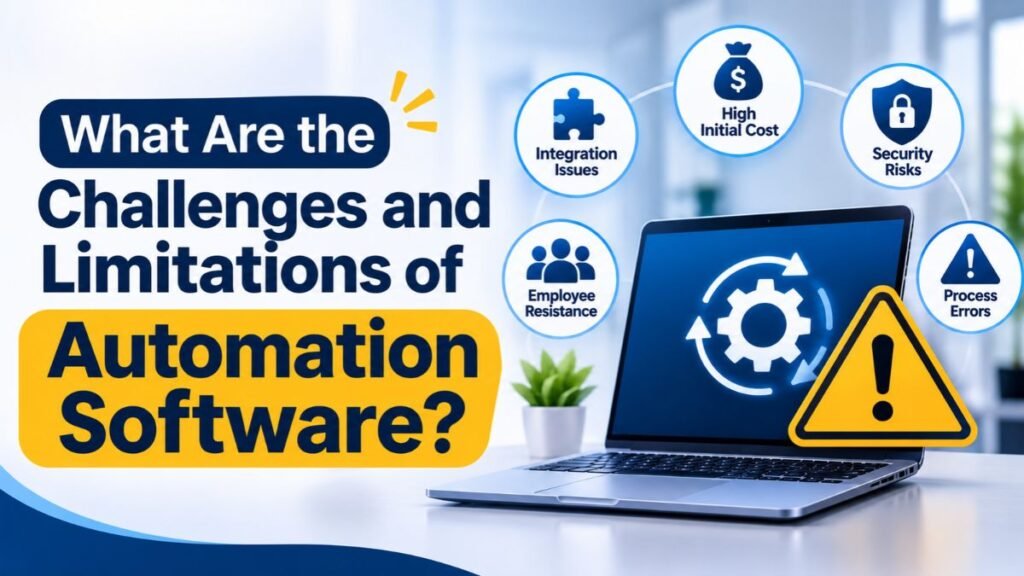
AI introduces additional concerns because systems can produce inaccurate outputs or make unsuitable recommendations. Businesses need clear permissions, testing procedures, and appropriate oversight. Automated decision-making should receive particular attention when it affects customers, employees, finances, or sensitive information. Responsible Automation solutions combine technical controls with human accountability and ongoing evaluation.
Initial Setup and Implementation Costs
Automation projects may require software subscriptions, integration work, training, and technical support. Larger deployments can also involve infrastructure changes and ongoing administration. Small businesses should begin with a focused workflow and estimate its total cost before expanding. Compare the expected savings with the full implementation expense rather than focusing only on subscription prices.
Integration and Compatibility Problems
Different applications may use incompatible data formats, outdated connections, or limited integration options. These problems can interrupt workflows and create duplicate records. Businesses should test connections before deployment and document how information moves between systems. Legacy applications may also require custom integrations or additional technical work.
Data Security and Privacy Risks
Automation can move sensitive information between several applications and external services. Poor access controls may expose customer records or financial details. Organizations should limit permissions, protect credentials, and review third-party security practices. They should also establish data retention rules and monitor unusual activity. AI systems require additional care when processing confidential information.
Maintenance and Workflow Breakdowns
Automated processes depend on working integrations, accurate rules, and available applications. A software update or changed website layout can interrupt a workflow. Regular testing helps identify these problems before they affect larger operations. Businesses should also maintain documentation so administrators can understand and repair processes when failures occur.
Employee Resistance and Skills Gaps
Employees may worry that automation will reduce job opportunities or make their existing skills less valuable. Clear communication can help explain how new systems change responsibilities. Training should focus on practical benefits and the skills employees need to manage automated processes. Businesses that involve staff during implementation often identify problems earlier and encourage stronger adoption.
Over-Automation and Lack of Human Judgment
Not every business activity should run without human involvement. Sensitive customer complaints, unusual financial transactions, and important hiring decisions may require careful judgment. Automating these activities without proper review can create serious problems. Keep human approval for decisions that involve uncertainty, risk, or significant consequences.
How to Overcome Common Automation Challenges
Successful implementation requires clear goals, reliable testing, and ongoing management. Businesses should document workflows, review permissions, and monitor system performance regularly. They should also provide employees with training and a clear way to report problems. The NIST AI Risk Management Framework offers useful guidance for identifying and managing risks in AI-enabled systems.
Conclusion
Automation can help businesses reduce repetitive work and manage operations more consistently. From simple email notifications to complex enterprise workflows, the right systems save time and improve information flow. They also give employees more opportunities to focus on customers, planning, and important decisions. However, successful implementation depends on selecting suitable processes and maintaining proper oversight.
Start with one task that consumes unnecessary time and has a clear outcome. Evaluate available solutions, test the workflow, and measure its performance before expanding. As your business grows, connected systems can support more complex operations. The real value comes from combining reliable technology, well-designed processes, and capable employees.
Frequently Asked Question
What are examples of automation software?
Examples include Zapier, Make, Microsoft Power Automate, UiPath, and HubSpot.
What is automation software?
Automation software uses technology to perform repetitive tasks automatically with minimal human involvement.
What are the top 5 automation tools?
Five popular automation tools are Zapier, Make, UiPath, Microsoft Power Automate, and n8n.
What is the best software for automation?
The best option depends on your needs. Zapier suits simple workflows, while UiPath is useful for robotic process automation (RPA).
Is automation hard to learn?
No, beginners can learn basic automation through visual tools and simple workflows. Advanced automation may require programming and technical knowledge.
What are five examples of automation?
Automatic email responses, invoice generation, data entry, appointment reminders, and inventory updates are common examples.
Meta Description
Discover how automation software works, explore its types and benefits, and find the right tools to simplify everyday business tasks.





One Comment