11 Best Retool Alternatives in 2026 (Compared for Features, Pricing & Use Cases)
Finding the right Retool alternatives can help businesses build powerful internal applications without unnecessary costs or technical limitations. While Retool offers useful development features, its pricing, hosting options, and customization limits may not suit every team. Fortunately, several low-code development platforms provide flexible ways to create dashboards, admin panels, and business applications.
Some also support open-source app builders, self-hosting, and advanced integrations. Whether you’re a startup, developer, or enterprise team, choosing the right platform can improve productivity and simplify daily operations. This guide compares 11 Retool competitors in 2026 by features, pricing, integrations, and use cases to help you make an informed decision.
What Are the Best Retool Alternatives in 2026? (Quick Comparison)
The right platform depends on what your team needs to build. Appsmith, Bud base, and Tool Jet suit teams seeking flexible internal applications. Superblocks and Microsoft Power Apps address broader enterprise requirements. Other options focus on portals, mobile apps, or business workflows.
The comparison below highlights each platform’s main purpose. Pricing represents publicly listed entry points where available. Actual costs depend on billing frequency, user limits, hosting, and selected features. Always confirm current terms before purchasing.
| Platform | Best For | Starting Price / Plan | Open Source | Self-Hosting |
| Appsmith | Developer-led internal apps | Free; Business from $15/user/month | Yes | Yes |
| Budibase | Forms and internal workflows | Free self-hosted; Cloud Pro from $19/month | Yes | Yes |
| ToolJet | Internal tools and AI-assisted building | Free; Basic from $23/builder/month | Yes | Yes |
| Superblocks | Enterprise internal applications | From $100/month annually | No | Enterprise options |
| UI Bakery | Admin panels and dashboards | Free entry; paid plans vary | No | Available options |
| Microsoft Power Apps | Microsoft-based organizations | $20/user/month annually | No | Microsoft-managed cloud |
| DronaHQ | Mobile and enterprise apps | From $100/month annually | No | Available |
| Windmill | Developer workflows and scripts | Free open-source plan | Yes | Yes |
| Softr | No-code portals and business apps | Free; Basic from $19/month annually | No | No |
| Glide | Spreadsheet-driven apps | Free; GlideOS Basic from $25/month | No | No |
| Kissflow | Business process automation | Custom pricing | No | Cloud options |
Prices are indicative USD figures from vendor pricing pages reviewed in November 2026. Plans, product editions, and billing terms can change.
Which Retool Alternative Is Best Overall?
There is no universal winner for every business. Appsmith offers an open-source route with code-level control. Budibase focuses on visual internal apps. ToolJet combines app building with AI features. Superblocks emphasizes enterprise governance, while Power Apps fits organizations already using Microsoft products.
Best Retool Alternatives by Category
For self-hosting, examine Appsmith, Budibase, ToolJet, and Windmill. For enterprise governance, compare Superblocks, Power Apps, and DronaHQ. Softr and Glide suit simpler portals and data-driven apps. Kissflow is more suitable when process approvals matter more than custom admin interfaces.
Why Are Teams Looking for Retool Alternatives?
Retool helps developers create internal applications without building every interface from scratch. However, its pricing model, deployment choices, and development approach may not fit every organization. Teams often compare Retool competitors when employee numbers grow or requirements become more complex.
Some companies want more control over their infrastructure. Others need easier tools for non-developers or stronger support for custom code. These needs explain why businesses explore different Application development platforms instead of choosing software based on popularity alone.
Retool Pricing Can Become Expensive as Teams Grow
Retool pricing separates builders from internal users on several plans. Its published annual Team pricing starts at $10 per builder and $5 per internal user monthly. Business starts at $50 per builder and $15 per internal user. A larger workforce can therefore change the total cost considerably.
Vendor Lock-In and Limited Code Ownership
Some businesses worry about Vendor lock-in when important operations depend on one platform. They want clear export options, portable application logic, and control over their data. Check whether a vendor supports Source code export, Git integration, and practical migration before committing to a long-term contract.
Self-Hosting and Deployment Requirements
Regulated companies may prefer Self-hosting because it gives their IT teams more control over infrastructure. A Private VPC deployment can keep application services within a company’s cloud network. However, self-hosting also makes the company responsible for updates, backups, monitoring, and infrastructure security.
Technical Skills and Development Complexity
Retool-style platforms differ in how much coding they require. Developers may prefer SQL, JavaScript, and reusable components. Operations teams may prefer visual editors and ready-made templates. The best platform should match the team’s actual skills instead of forcing everyone into one development method.
Security, Governance, and Compliance Requirements
Enterprise buyers should review Enterprise security, Role-based access control, and Single Sign-On (SSO) before deployment. They should also check SOC 2 Type II, GDPR compliance, and HIPAA compliance claims directly with vendors. Confirm the exact product, plan, and data-handling scope covered by each certification.
AI Capabilities and Workflow Automation
Modern platforms increasingly support AI-assisted development and automated business tasks. Some generate app interfaces from Natural language prompts. Others connect models to company data through controlled integrations. Teams should also review AI governance because AI features can expose sensitive data when permissions are poorly configured.
How to Evaluate and Choose a Retool Alternative
Start by listing the applications your team needs today. These might include dashboards, approval systems, admin panels, or customer portals. Then decide who will build and maintain them. This simple exercise helps narrow the field of Low-code development platforms before comparing every feature.
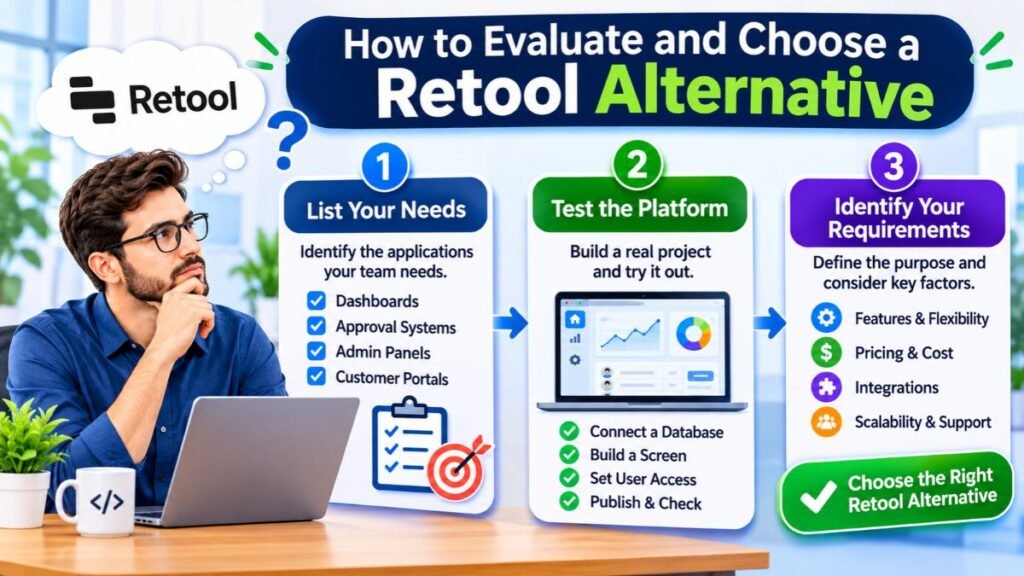
Next, test each shortlisted platform with a realistic project. Connect a sample database, build one screen, configure user access, and publish a working version. A short trial reveals usability problems that marketing pages rarely explain.
Identify Your Application Development Requirements
Define the purpose of each application before choosing software. A support dashboard has different needs from a customer portal or inventory system. Consider the number of users, data sources, access levels, and expected growth. This prevents buying an advanced platform for a simple task.
Compare No-Code, Low-Code, and Code-First Platforms
No-code app builders use visual tools to reduce programming work. Low-code development platforms allow custom code when standard components are not enough. Code-first tools give developers more control but usually require stronger technical skills. Choose based on the complexity of your applications and the people maintaining them.
Check Database and API Integrations
Strong Database integrations reduce the need for custom connectors. Check support for PostgreSQL, MySQL, MongoDB, SQL Server, and cloud databases. Also test REST API integrations and GraphQL data sources with your actual endpoints. Confirm authentication, pagination, write operations, and error handling.
Evaluate AI and Automation Features
Look beyond a simple AI text box. Check whether the platform can generate screens, write queries, or create useful automations. A good Visual workflow builder should make logic easy to inspect. An AI agent builder should also provide clear controls over tools, data, and permissions.
Review Security, Permissions, and Compliance
Check how the platform handles authentication, user roles, audit trails, and secrets. Ask whether SSO, advanced permissions, and audit logs require higher plans. Review data retention and regional hosting options. Security features should be tested in the exact edition your company plans to use.
Understand Hosting, Customization, and Scalability
Compare Cloud hosting with private deployment and on-premises options. Check whether developers can extend components through JavaScript or other languages. Also review Git support, environments, backups, and performance limits. A platform should support future growth without forcing a complete rebuild.
Calculate the Total Cost Before Choosing
Compare more than the advertised monthly price. Include builders, end users, usage credits, hosting, support, and implementation time. A free platform can still require costly engineering work. A paid service may be cheaper overall if it reduces maintenance and development effort.
11 Best Retool Alternatives in 2026
The following platforms serve different development needs. Some are close replacements for Retool, while others solve related problems through workflows, portals, or mobile apps. This distinction matters because a tool built for process automation may not replace a database-driven admin panel.
Each review covers the platform’s main strengths, limitations, and likely users. Pricing can change, so treat the figures as a starting point. Review the vendor’s current plan details before making a decision.
1. Appsmith – Best Open-Source Retool Alternative
Appsmith is an open-source platform for dashboards, admin panels, and internal applications. It supports databases, REST APIs, GraphQL, and JavaScript customization. Teams can build interfaces with widgets and manage changes through Git. Its free cloud plan supports up to five users, while Business pricing starts at $15 per user monthly.
2. Budibase – Best for Self-Hosted Internal Applications
Budibase focuses on building data-driven business apps, forms, and automated workflows. Its visual builder helps teams create interfaces without writing every component manually. The free open-source edition supports self-hosting, unlimited apps, and users. Cloud Pro starts at $19 monthly, with additional end-user costs.
3. ToolJet – Best for AI-Assisted Internal Tool Development
ToolJet combines a visual app builder with database connections, workflows, and AI-assisted development. Its self-hosted Community Edition is available under the AGPL-3.0 license. The self-hosted free plan lists limits of two builders, 50 end users, and 10 apps. Cloud Basic starts at $23 per builder monthly when billed annually.
4. Superblocks – Best for Enterprise Internal Tools
Superblocks focuses on governed internal applications and enterprise development. Its platform combines AI-assisted building, integrations, permissions, and centralized controls. The Teams plan starts at $100 monthly with annual billing, while enterprise pricing is customized. Organizations should evaluate deployment options and governance features against their security requirements.
5. UI Bakery – Best for Admin Panels and Dashboards
UI Bakery helps developers and data teams build custom internal apps using visual components and code. It supports SQL, NoSQL, REST, and GraphQL connections. Teams can add JavaScript or Python for advanced logic and deploy apps to cloud or their own environment. It is useful for CRUD tools and operational dashboards.
6. Microsoft Power Apps – Best for Microsoft 365 Organizations
Microsoft Power Apps fits organizations already using Microsoft products. It connects with Microsoft 365 integration, Dataverse, and other Power Platform services. The Premium plan is listed at $20 per user monthly with annual billing. Copilot Studio adds a separate way to create and manage agents, with its own licensing requirements.
7. DronaHQ – Best for Enterprise and Mobile Business Apps
DronaHQ supports internal tools, mobile apps, portals, dashboards, and approval systems. Its visual builder includes reusable controls and database or API connections. Developers can add JavaScript for custom behavior. The Starter plan is listed at $100 monthly with annual billing, while monthly billing is higher.
8. Windmill – Best for Developer-Focused Workflow Automation
Windmill is an open-source platform for scripts, workflows, apps, and AI agents. Developers can use Python, TypeScript, SQL, and many other languages. It supports self-hosting, Git-based collaboration, and workflow orchestration. Its free open-source plan is useful for technical teams that want infrastructure control.
9. Softr – Best for No-Code Business Portals
Softr helps teams create client portals, internal apps, and business tools without extensive coding. It is designed for users who prefer visual development over complex programming. Its pricing page lists a free plan, Basic at $19 monthly with annual billing, and higher plans for growing teams. User limits vary by plan.
10. Glide – Best for Spreadsheet-Based Business Apps
Glide turns structured data into interactive business applications. It suits teams that want to create simple operational tools without building a full custom frontend. Its separate GlideOS product lists Basic at $25 monthly, Plus at $50, and Pro at $125. Check which Glide product and plan you need before comparing prices.
11. Kissflow – Best for Business Process Automation
Kissflow focuses on approvals, process management, and enterprise workflows. It is more suited to structured business operations than developer-led admin panels. Its platform highlights governance, integrations, and AI-powered automation. Pricing is quote-based, so businesses should request a proposal based on users, processes, and implementation needs.
Retool Alternatives Compared: Features, Pricing, and Capabilities
A useful Retool comparison should examine development flexibility, integrations, hosting, security, and pricing together. A platform may have excellent visual tools but limited customization. Another may offer complete code control but require more engineering work. Compare features against your actual application requirements.
The table below summarizes the main differences. It is a practical starting point rather than a formal performance benchmark. Some features depend on paid plans, deployment type, or enterprise agreements.
Feature Comparison of the Best Retool Alternatives
| Platform | Visual Builder | Custom Code | AI Features | Workflow Tools | Self-Hosting |
| Appsmith | Yes | JavaScript | AI-assisted features | Yes | Yes |
| Budibase | Yes | Customization options | AI agents and credits | Yes | Yes |
| ToolJet | Yes | Code extensions | AI app building | Yes | Yes |
| Superblocks | Yes | Yes | Clark AI | Yes | Enterprise |
| UI Bakery | Yes | JavaScript, Python | AI app generation | Yes | Available |
| Power Apps | Yes | Power Fx and extensions | Copilot features | Power Automate | No |
| DronaHQ | Yes | JavaScript | Veda AI | Yes | Available |
| Windmill | Visual and code-first | Multiple languages | AI agents | Advanced orchestration | Yes |
| Softr | Yes | Limited custom options | AI features | Integrations and automations | No |
| Glide | Yes | Limited code access | AI features | Built-in workflows | No |
| Kissflow | Visual | Platform-dependent | AI automation | Core capability | Cloud options |
Retool Alternatives Pricing Comparison
Pricing models differ significantly. Appsmith uses per-user pricing on its Business plan, while ToolJet charges per builder on several plans. Budibase combines a base subscription with end-user add-ons. Power Apps uses per-user licensing, and Kissflow generally requires a custom quote.
| Platform | Published Starting Price | Pricing Structure |
| Appsmith | $15/user/month | Per-user |
| Budibase | $19/month | Base plan plus user add-ons |
| ToolJet | $23/builder/month | Per-builder |
| Superblocks | $100/month annually | Team plan |
| Power Apps | $20/user/month annually | Per-user |
| DronaHQ | $100/month annually | Plan and usage-based |
| Windmill | Free open-source option | Paid enterprise plan |
| Softr | $19/month annually | Plan and app-user limits |
| GlideOS | $25/month | Plan and credit limits |
| Kissflow | Custom quote | Enterprise agreement |
| UI Bakery | Check current quote | Plan-dependent |
Prices reflect publicly displayed vendor information reviewed in November 2026. They are not equivalent plans. Compare feature limits and billing terms before treating them as direct price matches.
Open-Source vs. Proprietary Retool Alternatives
Open-source software gives teams more visibility into the code and greater freedom to modify or deploy it. Appsmith, Budibase, ToolJet, and Windmill provide open-source options. Proprietary platforms may offer managed hosting, vendor support, and enterprise features, but their licensing and customization rules differ.
Cloud vs. Self-Hosted Retool Competitors
Cloud services reduce infrastructure work because the vendor manages hosting and much of the maintenance. Self-hosted platforms give IT teams more control over deployment and data access. Appsmith, Budibase, ToolJet, and Windmill support self-hosting, although their setup and licensing requirements are not identical.
Which Retool Alternative Offers the Best Value?
Value depends on the total work a platform removes. A free tool may require developers to manage servers and updates. A paid platform may save time through managed hosting and support. Compare the cost of building, operating, securing, and maintaining applications over several years.
Best Open-Source Retool Alternatives for Self-Hosting
Open-source platforms are useful when businesses want more control over their applications and infrastructure. They can support Self-hosted internal tools that connect to private databases and internal APIs. However, open-source availability does not mean every enterprise feature is free.
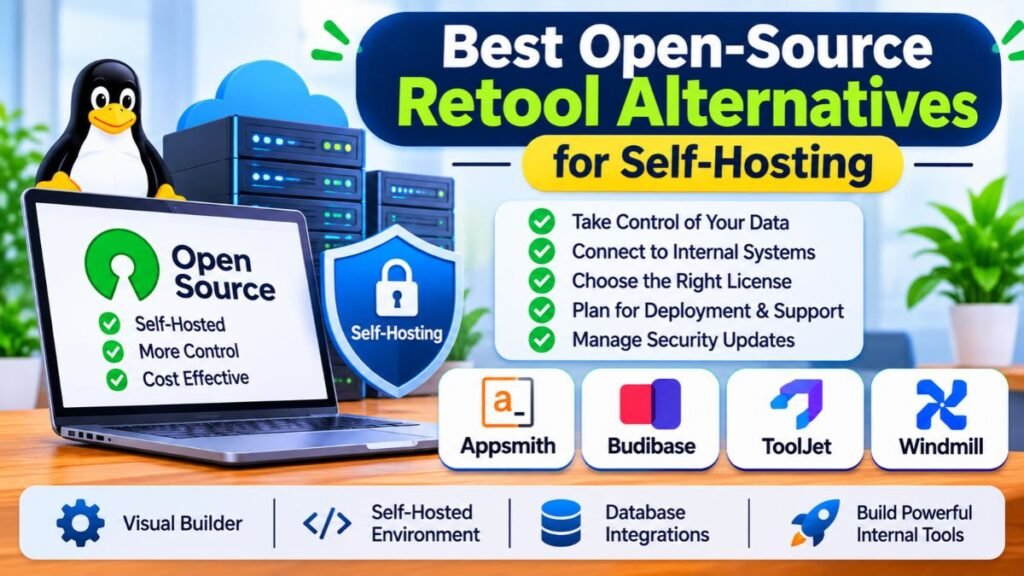
Before choosing one, review its license, deployment documentation, support options, and upgrade process. Your team should also understand who will manage servers, backups, access controls, and security updates.
Best Open-Source Retool Alternatives
Appsmith offers a visual builder with JavaScript and API integrations. Budibase focuses on forms, apps, and automations. ToolJet provides a self-hosted low-code environment, while Windmill is more code-first. These Open-source app builders suit different technical teams, so test them with one real application.
Open-Source vs. Free Commercial Software
A free plan may limit users, apps, integrations, or deployment options. Open-source software provides access under a published license, but license conditions still matter. Check whether commercial use, modifications, redistribution, and deployment are permitted for your intended project.
Benefits of Self-Hosting Internal Tools
Self-hosting can keep application services closer to private business systems. It gives IT teams more control over network access, deployment schedules, and data storage. This can help companies with strict infrastructure rules, especially when applications need access to databases that should not be publicly exposed.
Challenges of Self-Hosting Retool Alternatives
Self-hosting shifts operational responsibility to your organization. Someone must manage server capacity, patches, backups, monitoring, and incident response. ToolJet’s documentation, for example, lists requirements such as Linux, PostgreSQL, and Redis for a typical deployment. Production sizing depends on workload and scale.
How to Choose the Right Self-Hosted Platform
Choose based on your team’s operating skills and application complexity. Appsmith suits teams that want visual development with custom code. Budibase works well for data-entry apps and workflows. Windmill suits engineers who prefer scripts and orchestration. ToolJet offers another option for teams building internal tools within their own infrastructure.
Retool Alternatives by Use Case: Which One Should You Choose?
The best platform depends on the problem you want to solve. A developer building database dashboards needs different features from an operations manager creating approval flows. Some AI agent platforms can automate tasks but are not complete replacements for internal app builders.
For example, Gumloop and Dust focus on AI-driven workflows and agents. They may complement an app builder rather than replace it. Choose software around the finished application or process your team needs, not just the number of AI features advertised.
Best Retool Alternatives for Startups and Small Businesses
Startups often need fast development and predictable costs. Appsmith and Budibase provide free starting points, while Softr and Glide help non-technical teams create simpler business apps. Compare the limits on users, integrations, and published applications before choosing a plan.
Best Retool Alternatives for Enterprise Teams
Large organizations should examine access controls, audit logs, SSO, deployment choices, and support agreements. Superblocks, Power Apps, and DronaHQ offer enterprise-focused capabilities. Kissflow is worth considering when approval processes and structured operations are more important than custom database interfaces.
Best Retool Alternatives for Developers
Developers should compare Appsmith, ToolJet, UI Bakery, and Windmill. These Developer-focused platforms offer different levels of code control and visual development. Windmill is particularly suited to engineers who want scripts, APIs, workflows, and custom frontends in one environment.
Best Retool Alternatives for Non-Technical Users
Teams with limited coding experience may prefer Softr, Glide, Budibase, or Power Apps. Their visual editors reduce the need to build interfaces from scratch. This supports Citizen development, where business employees create approved applications with IT oversight and suitable access controls.
Best Retool Alternatives for Internal Admin Panels
Admin panels often need tables, forms, filters, charts, and database write operations. Appsmith and UI Bakery are useful for these tasks. ToolJet and Budibase can also support CRUD interfaces. Test how each handles validation, permissions, and large data sets before deployment.
Best Retool Alternatives for Workflow Automation
Windmill, Budibase, DronaHQ, and Kissflow can support different types of automation. Windmill connects scripts into technical workflows. Kissflow focuses on business approvals and process management. DronaHQ provides visual actions and workflow tools for apps. The right choice depends on whether the process is technical or operational.
Best Retool Alternatives for Customer Portals
Softr and Glide can help create portals where customers, vendors, or partners access selected information. DronaHQ also supports external and embeddable applications. Check authentication, user limits, branding, and data permissions carefully before exposing business information outside your organization.
Best Retool Alternatives for AI Agents and AI-Powered Applications
Teams building agents should examine tools designed for agent development alongside traditional app builders. AI-native platforms may support model connections, tools, and autonomous tasks. Custom AI agents can also be built through platforms that expose APIs and workflow steps. Evaluate human approval, logging, and access controls before connecting agents to business data.
Retool Alternatives Pricing: Costs and Total Cost of Ownership
A platform’s starting price does not show the full cost of running it. Some plans charge by builder, while others charge by user, app, or usage. Per-user pricing can become expensive when many employees need access. Credit-based pricing can also change as AI usage grows.

For a fair comparison, calculate the cost of subscriptions, hosting, implementation, support, and maintenance. Include the time developers spend fixing integrations and managing deployments. This gives a more realistic view of the Total Cost of Ownership (TCO) than comparing monthly prices alone.
How Retool Alternatives Calculate Pricing
Retool’s annual Team plan lists $10 per builder and $5 per internal user monthly. Its Business plan lists $50 per builder and $15 per internal user. Other vendors use different models, so check whether the price covers builders, viewers, external users, or all employees.
Hidden Costs to Consider Before Choosing a Platform
Extra expenses may include AI credits, premium integrations, database capacity, hosting, SSO, audit logs, and technical support. Self-hosted deployments also require infrastructure and engineering time. A plan that advertises Unlimited users may still restrict builders, workflows, records, or other resources.
Example Pricing for Small, Medium, and Large Teams
Consider a small business with two builders and ten internal users. Its main cost may be the subscription and basic hosting. A growing company with five builders and 50 users may need more advanced access controls. A large organization with ten builders and 200 users should also budget for governance and support.
| Team Scenario | Builders | Internal Users | Costs to Examine |
| Small team | 2 | 10 | Base plan, builder seats, basic integrations |
| Growing team | 5 | 50 | User pricing, workflows, security features |
| Large team | 10 | 200 | Enterprise plan, SSO, audit logs, support, hosting |
These are planning scenarios, not vendor quotations. Calculate each platform’s bill using its current pricing calculator or sales quote. The same team can receive very different totals depending on whether the vendor charges for builders, users, or usage.
How to Calculate the Total Cost of Ownership
A practical calculation includes the subscription, infrastructure, implementation, maintenance, training, and support. Also consider the cost of downtime and future migration. If a platform reduces development time but requires expensive licenses for every employee, its overall value may be lower than expected.
How to Reduce Internal Tool Development Costs
Start with a small pilot and add only the features your team needs. Reuse components and workflows where possible. Avoid paying for enterprise capabilities before confirming their value. Review usage regularly, especially when AI credits or API calls are billed separately.
How Difficult Is It to Migrate from Retool?
App migration can be simple for small applications but difficult for complex systems. A basic dashboard may need only a few queries and interface components. Larger applications can include permissions, custom JavaScript, workflows, database connections, and integrations that require careful rebuilding.
Do not assume every Retool app can move automatically to another platform. Different builders use different components and application structures. A safe migration starts with an audit, followed by a small pilot and gradual rollout.
What Should You Review Before Migrating from Retool?
Document each app’s purpose, users, data sources, queries, permissions, and workflows. Identify business-critical applications and dependencies first. Review API credentials and database access rules. This inventory helps estimate the effort required to rebuild each application and test its behavior.
Can You Transfer Retool Applications Automatically?
Migration tools may help with parts of the process, but they rarely recreate every feature perfectly. Components, queries, and custom logic may need adjustments. Check whether the new platform supports the required import formats, integrations, and code structure before planning a complete switch.
Step-by-Step Process for Migrating from Retool
| Stage | What to Do | Expected Result |
| 1. Audit | Review existing apps and dependencies | Migration inventory |
| 2. Prioritize | Select a low-risk pilot app | Clear starting point |
| 3. Evaluate | Test replacement platforms | Shortlist |
| 4. Rebuild | Recreate screens, queries, and logic | Working replacement |
| 5. Secure | Configure roles and credentials | Controlled access |
| 6. Test | Check data, workflows, and performance | Verified application |
| 7. Roll out | Train users and deploy gradually | Controlled transition |
Common Retool Migration Challenges
The most common problems involve rebuilding interfaces, reconnecting databases, and matching existing permissions. Teams may also discover hidden dependencies between apps and workflows. Keep the original application available until the replacement has passed functional, security, and user acceptance testing.
Should You Replace All Retool Applications at Once?
A gradual migration usually reduces operational risk. Start with one low-impact application and measure the effort required. Keep critical apps running until their replacements are stable. This approach gives employees time to adjust and lets developers solve problems before a wider rollout.
Retool Alternatives: Common Mistakes to Avoid
Choosing a replacement based only on price or popularity can create new problems. A platform may look simple during a demo but lack an important integration or security feature. Teams should test real workflows before making a long-term commitment.

Another risk is giving business users too much freedom without governance. Poor access controls can create Shadow IT, where teams build unapproved applications outside standard IT processes. Clear ownership and IT oversight help keep development useful and secure.
Choosing a Platform Based Only on Starting Price
A low starting price may exclude important features or limit the number of users. Check the full billing model and the cost of additional seats. Include support, hosting, and maintenance before deciding which platform provides better value.
Ignoring Future Team Growth
A tool that works for five employees may become expensive or difficult to manage for 200. Estimate future builder and user numbers before signing an annual agreement. Also consider application volume, data growth, and the number of teams that may use the platform.
Overlooking Security and Compliance Requirements
Do not rely on broad claims such as enterprise-ready security. Review actual certifications, access controls, encryption, audit logs, and data residency. Ask vendors for current documentation and confirm that the features are included in your chosen plan.
Selecting a No-Code Platform for Complex Development Needs
A visual builder may work well for forms and simple dashboards. Complex applications may need custom logic, reusable code, and advanced integrations. If developers constantly work around platform limitations, a more flexible tool may save time over the long term.
Ignoring Hosting and Vendor Lock-In
Check where applications and data run and how they can be moved later. Review backups, export options, deployment controls, and license conditions. A platform should not become a permanent dependency simply because the first application was quick to build.
Migrating Without Testing the New Platform
Never replace a production application after testing only its interface. Test real database queries, permissions, workflows, and failure conditions. Involve the employees who use the app daily. Their feedback can reveal problems that developers may overlook.
Which Retool Alternative Is Best for Your Team?
The right choice depends on your development skills, hosting needs, budget, and application type. Appsmith, Budibase, ToolJet, and Windmill provide open-source paths. Superblocks and Power Apps address enterprise requirements. Softr and Glide focus on accessible app building, while Kissflow centers on business processes.
Use the recommendations below as a shortlist, not a fixed ranking. Test the strongest candidates with the same sample project. That makes it easier to compare development time, application quality, user experience, and long-term costs.
Quick Recommendations Based on Your Requirements
| Your Requirement | Platform to Evaluate | |
| Open-source internal tools | Appsmith | |
| Self-hosted business applications | Budibase | |
| AI-assisted internal app development | ToolJet | |
| Enterprise governance | Superblocks | |
| Admin panels and dashboards | UI Bakery | |
| Microsoft ecosystem integration | Power Apps | |
| Enterprise and mobile applications | DronaHQ | |
| Developer-focused workflows | Windmill | |
| No-code client portals | Softr | |
| Spreadsheet-based business apps | Glide | |
| Business process automation | Kissflow |
When Should You Choose Retool Instead?
Retool may remain the practical option when existing applications already work well and employees know the platform. Its integrations, development environment, and existing workflows may outweigh the cost of switching. Compare the expected savings against rebuilding, testing, training, and migration expenses.
Frequently Asked Questions
Is Retool worth it?
Yes, Retool is worth it for teams that need to build internal tools quickly. However, its pricing and platform limitations may not suit every business.
What is the best free and open-source software?
Appsmith, Budibase, and ToolJet are popular free and open-source platforms for building internal applications.
Which is the best free app builder?
Appsmith is a strong free option for building internal tools, dashboards, and admin panels.
How expensive is Retool?
Retool’s cost depends on its plan, user count, and usage. Advanced features and larger teams can increase the total cost.
Is Retool free to use?
Yes, Retool offers a free plan with limited features and usage. Paid plans provide additional capabilities.
What is Retool doing?
Retool helps businesses build internal applications, dashboards, admin panels, and workflows by connecting databases and APIs.
Conclusion
There is no single platform that fits every team. Appsmith, Budibase, and ToolJet are worth evaluating for internal app development. Windmill suits code-first workflows, while Superblocks and Power Apps address broader enterprise needs. Choose based on your real requirements rather than feature counts.