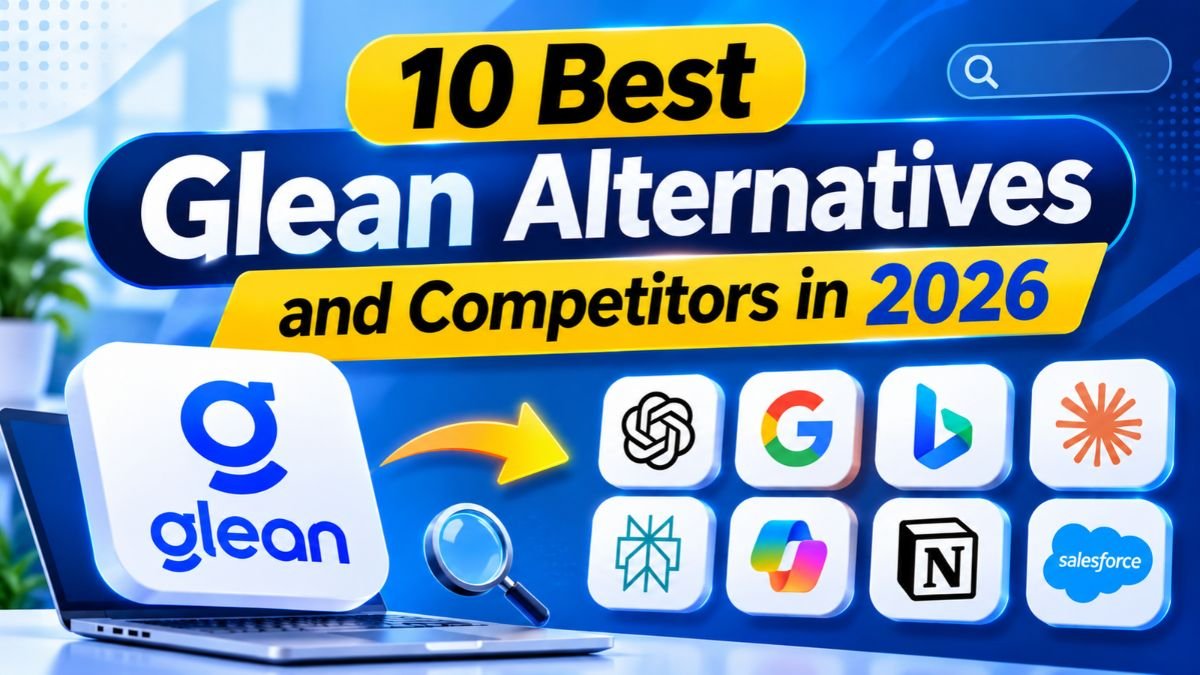
10 Best Glean Alternatives and Competitors in 2026
Finding the right enterprise search platform can help businesses save time and improve productivity. Glean competitors offer different ways to search company information, manage workplace knowledge, and automate daily tasks. While some platforms focus on AI-powered search, others provide intelligent assistants and advanced workflow automation. Choosing the right solution depends on your business needs, budget, security requirements, and existing software.
Some companies need affordable tools, while larger organizations may require stronger integrations and data controls. This guide explores the leading Glean alternatives in 2026, compares their key features, and explains how each platform can support your team’s work.
What Is Glean and How Does It Work?
Glean is an enterprise search and AI platform that helps employees find information across company applications. Instead of opening several tools separately, employees can search connected workplace data from one place. The platform also provides AI-generated answers based on company information. Its goal is to make workplace knowledge easier to find and use.
Traditional search depends heavily on matching words. Glean uses AI to understand the meaning behind a question and identify relevant information. It can also respect existing access permissions, so employees receive results based on what they are allowed to view. This makes it useful for companies with large amounts of scattered information.
What Is Glean AI?
Glean is designed to act as a central knowledge layer for an organization. It connects information from workplace applications and helps employees discover documents, messages, projects, and company knowledge. Its AI assistant can summarize information and answer questions using connected business sources. This approach supports Enterprise knowledge management by making internal information easier to access.
How Does Glean Enterprise Search Work?
Glean connects with business applications and gathers information through supported integrations. It organizes that information so employees can search using everyday language. For example, an employee could ask where the latest product launch plan is stored. The platform can look across connected sources and return relevant information instead of requiring the employee to search every application manually.
What the Main Features Are of Glean?
Glean combines workplace search, AI assistance, knowledge discovery, and automation capabilities. Its search experience helps employees find internal information, while its AI features help summarize and explain that information. The platform also supports integrations with workplace tools and access controls. These capabilities make it part of the wider market for AI-powered enterprise search and Enterprise AI platforms.
Who Should Use Glean?
Glean may suit large organizations that store information across many applications. It can help employees in sales, marketing, customer support, engineering, and human resources find useful information faster. Companies with complex knowledge systems may also benefit from its centralized search experience. However, smaller teams or businesses with strict hosting requirements may prefer other Enterprise search solutions.
Why Are Businesses Looking for Glean Alternatives?
Glean offers useful search and AI capabilities, but every organization has different priorities. Some companies need lower software costs, while others want more control over their data. A business may also need advanced agents, custom integrations, or a private deployment model. These requirements lead decision-makers to compare Glean competitors before making a long-term commitment.
Another reason is that enterprise AI is expanding beyond search. Businesses increasingly want platforms that can answer questions, update records, create reports, and complete approved tasks. A search platform may not cover every workflow. Companies therefore compare AI agent platforms, automation systems, and knowledge tools alongside traditional search products.
High Enterprise Software Costs
Enterprise software can become expensive as more employees need access. A per-user subscription may look manageable for a small team but become a major expense across hundreds of employees. Businesses must also consider implementation, support, integrations, and AI usage. Since Glean does not publish a simple public price list, buyers should request a detailed quote and compare the full contract.
Data Privacy and Security Concerns
Companies often store customer records, employee information, financial documents, and confidential plans in workplace applications. Connecting these sources to an AI platform requires careful security checks. Buyers should examine Data privacy and protection, encryption, access permissions, data retention, and vendor policies. They should also confirm how the platform handles prompts, uploaded files, and generated answers.
Limited Deployment and Infrastructure Flexibility
Some organizations cannot place sensitive information in a standard shared cloud environment. They may need a private cloud, dedicated infrastructure, or On-premises AI deployment. Others have data residency rules that limit where information can be stored or processed. These companies often look for a Private AI workspace that provides more control over infrastructure and data handling.
Integration and Customization Requirements
A business may use a mix of older systems and modern cloud applications. Its search platform must connect with the tools employees already use. Common examples include Salesforce, Slack, Gmail, Google Drive, Microsoft Teams, Notion, and Linear. A platform with limited connectors may leave important information outside the search experience.
Need for Advanced AI Agents and Workflow Automation
Search helps employees find information, but some teams need software that can take action. For example, an AI agent could review a support request, prepare a response, and create a task for an employee. These use cases require AI workflow automation and controlled access to business systems. Companies may therefore compare search platforms with an AI agent builder or an AI orchestration platform.
Scalability and Cost Predictability
A platform must remain useful as the organization grows. More employees, documents, integrations, and AI requests can increase costs and technical demands. Buyers should understand user limits, usage allowances, storage limits, and support fees before signing a contract. Clear Enterprise AI pricing helps finance teams plan for future growth.
What Should You Look for in a Glean Alternative?
Choosing a platform requires more than comparing feature lists. A useful solution must solve a real business problem, fit existing systems, and protect company information. Start by deciding whether the main requirement is search, knowledge management, AI assistance, or task automation. This prevents businesses from paying for capabilities they may never use.

Next, test the platform with real workplace questions and realistic permissions. Check whether employees can find current documents, whether answers include reliable sources, and whether restricted information stays protected. A strong Enterprise AI integration should work with existing business processes rather than forcing teams to rebuild everything around a new platform.
Enterprise Search Quality and Accuracy
Search quality should be one of the first evaluation criteria. The platform should understand natural language, recognize related terms, and return useful results from different sources. AI-powered document search should also identify relevant files without treating every matching phrase as equally important. Answers should link back to original documents so employees can verify important details.
AI Agents and Workflow Automation
Some platforms only retrieve information, while others can complete tasks. Consider whether your team needs AI agents for business, automated approvals, or multi-step workflows. An AI agent builder can help teams create assistants for specific jobs. Strong platforms also support Human-in-the-loop automation, allowing employees to review sensitive actions before execution.
Security, Privacy, and Compliance
Security controls must match the company’s risk level and legal obligations. Review Role-based access control and identity management before connecting sensitive systems. Enterprise buyers may also require SOC 2 Type I, SOC 2 Type II, ISO 27001, GDPR, or HIPAA support. These standards and regulations serve different purposes, so verify the exact scope of each vendor’s compliance claims.
Integrations and Application Compatibility
A search platform becomes more useful when it connects to the applications employees use every day. Check its connectors, APIs, authentication methods, and synchronization options. Some systems also support MCP (Model Context Protocol), which allows compatible AI applications to interact with external tools and data sources. For larger environments, an Enterprise MCP Gateway may help administrators control which tools and actions agents can access.
Deployment Options and Data Ownership
Review whether the platform supports standard Cloud deployment, dedicated hosting, or Private cloud infrastructure. Some vendors provide Bring Your Own Cloud (BYOC) options, while others support self-hosting or Air-Gapped Deployment for highly restricted environments. Also check whether the vendor offers Single-Tenant Deployment or Multi-Tenant SaaS. These choices affect control, maintenance, cost, and responsibility.
AI Model Flexibility
A platform may rely on one AI provider or support several models. More AI model flexibility can help companies compare performance, cost, and data policies. An LLM-agnostic platform may allow administrators to select models from providers such as OpenAI, Anthropic, Google Gemini, or Mistral. However, model choice alone does not guarantee better answers or stronger privacy.
Pricing, Scalability, and Support
Compare subscription fees with implementation and operating costs. Ask whether the price includes connectors, AI usage, storage, support, and administrative features. A low starting price may exclude features needed by larger teams. Also check how prices change when users or AI requests increase. This gives a more realistic picture of long-term ownership.
Observability and Administrative Controls
Enterprise administrators need visibility into how employees and agents use AI. Look for AI observability, usage reports, error tracking, and Audit Logs. Security teams may also need Security Observability to investigate unusual activity. Good monitoring helps organizations understand what happened, identify failures, and improve workflows without giving agents unlimited access.
What Are the 10 Best Glean Alternatives in 2026?
The best choice depends on the type of work your organization wants to improve. Some products offer direct enterprise search, while others focus on knowledge management or automation. The options below cover different needs, from open-source search to enterprise agents. Treat this as a shortlist for evaluation rather than a universal ranking.
A direct replacement should preserve the features your employees already depend on. An adjacent platform may provide more value if your real problem is workflow automation or AI assistance. The distinction matters because not every product below is a one-to-one replacement. Compare each platform against your actual requirements before making a decision.
1. Microsoft 365 Copilot – Best for Microsoft 365 Users
Microsoft 365 Copilot is a strong option for organizations that already rely on Microsoft applications. It brings AI assistance into tools such as Word, Excel, PowerPoint, Outlook, and Teams. Employees can use it to draft content, summarize meetings, analyze information, and work with company data. This makes it a practical choice for businesses already invested in Microsoft’s ecosystem.
Its main advantage is that employees can use AI inside familiar applications. Businesses can also explore agents and additional automation through Microsoft’s wider ecosystem. However, organizations using many non-Microsoft systems should test connector coverage carefully. Copilot may be more suitable as a Microsoft-centered productivity platform than as a complete replacement for every cross-application search requirement. Microsoft’s business pricing page lists Copilot Business at $21 per user monthly when paid yearly, with promotional pricing and bundles subject to change.
2. Onyx – Best Open-Source Glean Alternative
Onyx is an open-source enterprise search and AI chat platform. It is worth considering for organizations that want more control over their search infrastructure. Teams can explore self-hosting, connect supported data sources, and configure AI models according to their technical needs. This makes it one of the notable Open-source Glean alternatives.
The main benefit is flexibility. Technical teams can inspect, customize, and operate the platform rather than relying only on a closed SaaS product. However, self-hosting does not remove all costs. Businesses still need infrastructure, security reviews, backups, updates, and engineering support. Onyx is best for organizations with technical resources and a clear need for infrastructure control.
3. Dust – Best for Custom AI Agents and Team Collaboration
Dust focuses on building AI assistants that work with company knowledge and connected applications. Teams can create agents for tasks such as answering internal questions, summarizing information, and supporting repeated workflows. It is more closely associated with custom assistants and agent workflows than with traditional enterprise search alone.
Dust may suit teams that want to create specialized AI tools without building every component from scratch. Its usefulness depends on the available integrations, permissions, and workflow design. Businesses should test how agents access company data and what actions they can perform. It can be a good fit for Multi-agent collaboration and team-specific AI assistance, but buyers should compare its search experience with dedicated enterprise search products.
4. Go Search – Best for AI-Powered Workplace Search
Go Search provides a unified search experience across workplace applications. Its platform connects sources such as Slack, Google Drive, Jira, Notion, and Salesforce. It combines search with AI-generated answers and supports indexed and federated retrieval. This approach can help employees find information across different knowledge systems without opening each application separately.
Go Search is worth evaluating when a company wants a direct workplace search alternative with visible pricing. Its public pricing page lists a free plan and a Pro plan at $20 per user per month. Enterprise pricing is available through its sales team. The Enterprise plan includes features such as SAML, SCIM, audit logs, and additional permission settings. Buyers should still test connector coverage and access controls against their own systems.
5. Guru – Best for Knowledge Management and Verified Information
Guru combines company knowledge management with AI-supported answers. It is designed to help teams organize information, maintain useful knowledge, and make trusted answers easier to find. This can be valuable for customer support, sales, and operations teams that depend on consistent internal information.
Its knowledge verification approach is an important difference from a general search engine. Organizations can assign ownership and review information so employees are less likely to rely on outdated guidance. Guru may be a good fit when the main challenge is maintaining accurate company knowledge. However, buyers should check its connector coverage, advanced search needs, and pricing because enterprise packages may require a sales discussion.
6. Coveo – Best for Advanced Enterprise Search and Personalization
Coveo is an enterprise search and relevance platform used in business and customer-facing experiences. It focuses on helping users discover relevant information across large collections of content. Its capabilities can support workplace search, customer service, commerce, and personalized content discovery.
Coveo may suit larger organizations that need advanced relevance controls and search customization. However, it may require more planning and technical work than a simple search application. Businesses should evaluate implementation effort, connector needs, and the skills required to manage relevance. Pricing is generally tailored to the customer’s requirements, so request a quote and compare the full cost.
7. Elastic Enterprise Search – Best for Custom Search Infrastructure
Elastic provides search technology that technical teams can use to build customized search experiences. Its wider platform includes text search, analytics, and vector capabilities that can support AI-powered retrieval. Companies can use these tools to create search systems suited to their own applications and data structures.
Elastic offers significant flexibility, but it is not always a ready-made replacement for Glean. Teams may need developers to configure indexing, relevance, permissions, and user interfaces. They must also maintain the infrastructure and monitor search performance. It is best for organizations with engineering resources that want greater control over their search stack. Pricing depends on deployment and usage, so evaluate infrastructure costs alongside subscriptions.
8. Notion AI – Best for Teams Using Notion
Notion AI is a practical option for companies that already organize much of their work in Notion. It can help employees search workspace content, summarize documents, draft material, and work with stored knowledge. This reduces the need to move between different tools when the team’s information already lives in Notion.
However, Notion AI should not automatically be treated as a full enterprise-wide Glean replacement. Its value is strongest when Notion is a central knowledge hub. Companies with important information spread across many unrelated systems should test the available connected search features before switching. It may be an effective choice for smaller teams that want AI assistance within an existing workspace.
9. Google Gemini Enterprise – Best for Google Workspace Environments
Google Gemini Enterprise combines enterprise search, AI assistance, and agent capabilities. Google describes it as a platform that can connect organizational data sources and provide permission-aware search. It also supports conversational assistance and custom agents. This makes it relevant to businesses that use Google services and want AI capabilities across their workplace.
Gemini Enterprise may be useful for companies that want to build agents and automate multi-step work. Google’s Business edition page lists a starting price of $21 per seat per month, although edition features and terms differ. Organizations should check which connectors are included in their selected edition. They should also compare data access, administrative controls, and usage limits before choosing it.
10. Workato – Best for Enterprise Integration and AI Automation
Workato is an enterprise automation and integration platform. It connects business applications and helps organizations create workflows that move information between systems. Companies can use it to automate processes involving sales, finance, human resources, support, and operations. This makes it relevant when the main goal is to automate work rather than simply search for documents.
Workato is an adjacent alternative rather than a direct enterprise search replacement. Its strength is Enterprise workflow automation, integration, and orchestration. Businesses can use it to connect systems and build controlled processes. However, companies looking for a central knowledge search experience may need a separate search product. Evaluate its connectors, governance, and automation costs before selecting it.
Glean Alternatives: Quick Comparison Table
A comparison table makes it easier to understand how these platforms differ. The most important question is not which product has the longest feature list. It is whether the platform solves your organization’s main problem. A company seeking enterprise search needs different capabilities from a team building automated workflows.
The table below summarizes the main use cases. Pricing is indicative where a public starting price is available. Custom enterprise contracts, usage limits, regional taxes, and product changes can affect the final amount. Always confirm current terms directly with the vendor before budgeting.
| Platform | Best for | Main strength | Pricing visibility |
| Microsoft 365 Copilot | Microsoft-centered teams | AI in Microsoft 365 apps | Public plans |
| Onyx | Open-source search | Self-hosting and customization | Open-source option; paid options may apply |
| Dust | Custom AI agents | Team assistants and workflows | Public/plan-based details vary |
| GoSearch | Workplace search | Cross-app AI search | Free and $20/user/month Pro |
| Guru | Verified company knowledge | Knowledge governance | Contact sales |
| Coveo | Advanced enterprise search | Relevance and personalization | Contact sales |
| Elastic | Custom search infrastructure | Developer control and search tools | Usage and deployment based |
| Notion AI | Notion-based teams | AI within the Notion workspace | Plan-dependent |
| Gemini Enterprise | Google-centered teams | Search and AI agents | Business edition from $21/seat/month |
| Workato | Business automation | Enterprise integrations and workflows | Contact sales |
GoSearch’s published pricing and Microsoft’s business plans provide useful public reference points. Google’s Business edition also lists a starting seat price. Other products may require a quote or depend on the deployment model.
Glean vs. Its Top Alternatives: What Are the Key Differences?
The biggest difference between Glean and its alternatives is the type of problem each platform solves. Glean focuses on enterprise-wide search and AI assistance across workplace knowledge. Other products may focus on one software ecosystem, verified knowledge, custom agents, or workflow automation. Comparing them only by feature count can lead to the wrong decision.
A better approach is to compare the platforms using real business tasks. Test how well each one finds internal information, respects permissions, connects to existing tools, and supports approved actions. Also review the level of control available to administrators. These practical checks reveal more than a short vendor feature list.
Glean vs. Microsoft 365 Copilot
Glean is designed to search across connected workplace applications, while Microsoft 365 Copilot is closely integrated with Microsoft’s productivity ecosystem. Copilot is attractive when employees already use Word, Excel, Outlook, Teams, and SharePoint. Glean may be more suitable when information is spread across a wider mix of platforms. The right choice depends on the company’s existing technology stack and search requirements.
Glean vs. Onyx
Onyx stands out because of its open-source approach and self-hosting options. Glean provides a managed enterprise platform, while Onyx gives technical teams more control over deployment and customization. This control can be valuable for organizations with strict infrastructure requirements. However, self-hosting also creates responsibility for maintenance, security, scaling, and operational support.
Glean vs. Dust
Glean emphasizes enterprise search and knowledge discovery. Dust focuses more on creating AI assistants that work with company information and connected tools. A company that mainly needs reliable cross-app search may prefer Glean. A team that wants to build specialized assistants for repeated tasks may find Dust more relevant.
Glean vs. GoSearch
Both platforms target workplace search across connected business applications. GoSearch publishes a free plan and a $20 per-user monthly Pro plan, which gives buyers a visible starting point. Glean generally uses sales-led pricing. Compare connector availability, permission handling, answer quality, and deployment needs before deciding that one is cheaper or more suitable.
Enterprise Search Pricing and Plans+1
Glean vs. Guru
Glean helps employees discover information across connected sources. Guru places greater emphasis on organizing and verifying company knowledge. This difference matters when employees often receive outdated or conflicting answers. A company that needs a controlled knowledge base may prefer Guru, while one that needs broad information discovery may prefer Glean.
Glean vs. Workato
Glean is primarily a knowledge discovery and AI search platform. Workato is designed to connect applications and automate business processes. Workato may help a company move data between systems or trigger actions after an event. It does not replace the need for enterprise search when employees need to discover information across documents and conversations.
How Much Do Glean Alternatives Cost?
The cost of enterprise AI software depends on more than its monthly subscription. Some vendors charge per user, while others use custom enterprise contracts or consumption-based pricing. Infrastructure, AI usage, integration work, and support can also affect the total. Buyers should compare the full cost of ownership rather than choosing the lowest advertised price.
Glean’s pricing is generally quote-based, so businesses should request a written proposal. Public prices from alternatives can help create an initial budget, but they do not guarantee the same feature set or contract terms. For example, a basic plan may not include advanced security, custom connectors, or enterprise administration.
Glean Pricing Compared With Its Alternatives
The table below shows selected public pricing information available from vendor pages and recent comparison research. Prices can change, and some plans have annual billing requirements. Confirm the exact package, usage limits, and included features with the vendor before making a purchase.
| Platform | Indicative price | Pricing model |
| Glean | Custom quote | Enterprise contract |
| GoSearch | $20/user/month for Pro | Per user |
| Microsoft 365 Copilot Business | $21/user/month list price on annual billing; promotional pricing may apply | Per user |
| Gemini Enterprise Business | From $21/seat/month | Per seat |
| Onyx | Free self-hosted core; paid plans may be available | Open source and paid options |
| Guru | Custom quote | Package-based |
| Coveo | Custom quote | Enterprise pricing |
| Elastic | Depends on usage and deployment | Usage or subscription based |
| Notion AI | Depends on Notion plan | Workspace subscription |
| Workato | Custom quote | Enterprise contract |
Microsoft’s official pricing page currently lists Copilot Business at $21 per user per month when paid yearly, while Google lists Gemini Enterprise Business from $21 per seat per month. GoSearch lists its Pro plan at $20 per user per month.
Per-User vs. Usage-Based Pricing
Per-user pricing charges according to the number of employees who need access. It is simple to estimate when the team size is stable. Usage-based pricing depends on factors such as AI requests, processed data, or infrastructure consumption. This model may suit companies with changing workloads, but costs can be harder to predict without usage limits and monitoring.
Free and Open-Source Glean Alternatives
Open-source platforms can reduce software licensing expenses. Onyx is one option for teams that want to explore self-hosted enterprise search. However, free software does not mean a free operating environment. Hosting, engineering, maintenance, backups, and security reviews still require time and money. A company should compare these costs with a managed subscription.
Hidden Costs of Enterprise AI Search Software
Implementation can require connecting data sources, reviewing permissions, and configuring user access. Some organizations also need custom connectors or professional support. AI usage may create additional charges depending on the plan. Training employees and maintaining integrations also add costs. These expenses should be included in the budget before comparing vendors.
How to Calculate the Total Cost of Ownership
A practical cost estimate should include subscription fees, implementation, infrastructure, AI usage, support, and maintenance. It should also consider the time employees spend managing the platform. Compare the expected costs over at least one year. For larger deployments, a three-year estimate can reveal whether a cheaper starting plan becomes more expensive over time.
What Are the Best Affordable Glean Alternatives for Startups?

Startups rarely need every enterprise feature from day one. They usually need reliable search, simple integrations, useful AI assistance, and predictable costs. A smaller team may benefit from a platform that is easy to configure and manage. The best starting point is often the tool that fits the company’s existing applications.
Affordable does not always mean the lowest subscription price. A self-hosted platform may require engineering time, while a managed service may reduce maintenance work. Startups should compare the total cost and choose a product that can grow with the business. They should also avoid paying for advanced governance features before they have a clear need for them.
Best Free Glean Alternatives for Small Teams
Startups can begin by testing free plans and existing software subscriptions. GoSearch offers a free plan with limited searches and AI queries, while Onyx provides an open-source route for technical teams. These options can help a small company test enterprise search before committing to a larger contract.
Best Open-Source Glean Alternatives
Onyx is worth considering when a startup has developers who can manage its infrastructure. Open-source software gives teams more control over configuration and hosting. It can also reduce dependence on a single vendor’s product roadmap. However, the company must take responsibility for updates, monitoring, data protection, and scaling.
Best Budget-Friendly AI Search Tools
GoSearch may appeal to startups that want managed workplace search with a published Pro price. Notion AI may be useful when the company’s documents and project knowledge already live in Notion. Microsoft and Google AI plans may also make sense when a startup already pays for their productivity suites. The best choice depends on where company information is stored.
Best Alternatives for Growing Businesses
A growing company should consider how a platform handles additional employees, applications, and data. It should also review administrative controls and support options. Gemini Enterprise may suit teams working across Google and third-party systems, while Microsoft 365 Copilot may fit Microsoft-centered organizations. Startups with technical teams may prefer the flexibility of Onyx.
How Startups Can Choose Without Overspending
A startup should begin with a small pilot and a limited set of data sources. It can test common employee questions and measure how often the platform returns useful answers. The team should also check whether access permissions remain correct. This practical test helps avoid paying for an expensive system that does not solve the main problem.
Which Glean Alternative Is Best for Your Business Needs?
There is no single platform that works best for every organization. The right choice depends on company size, existing software, security needs, technical resources, and the type of work employees need to complete. A search-focused business may choose a different product from a company that wants to automate approvals or build custom agents.
Before selecting a platform, define the problem and test the leading options against it. Check search accuracy, source citations, permissions, integrations, and administrative controls. Also review how the vendor handles data retention and model access. A structured evaluation makes it easier to choose software that supports long-term business needs.
Best Glean Alternative for Large Enterprises
Large organizations should prioritize security, integrations, governance, and scalability. Microsoft 365 Copilot may fit businesses built around Microsoft’s ecosystem. Gemini Enterprise may suit organizations that want Google’s search and agent capabilities. Coveo can be relevant where advanced search relevance and personalization are important. The final decision should follow a controlled pilot and security review.
Best Glean Alternative for Small Businesses
Small businesses often benefit from simple setup and predictable pricing. GoSearch offers a published Pro plan, while Notion AI can work well for teams already using Notion as their knowledge hub. Microsoft and Google options may also be cost-effective when included in existing subscriptions. Compare the full plan rather than only the advertised AI price.
Best Glean Alternative for Open-Source and Self-Hosted Search
Onyx is a strong option to investigate when self-hosting and customization matter. It can give technical teams more control over their search environment. However, businesses must plan for infrastructure, updates, security, and ongoing support. A managed platform may be a better fit when the organization does not have engineers available to maintain search systems.
Best Glean Alternative for AI Agents and Workflow Automation
Dust is worth evaluating for custom AI assistants, while Workato is more relevant to enterprise integrations and process automation. These products solve different problems. Teams that need agents to access tools and perform approved actions should review permissions, logging, and approval steps. This is especially important for AI-powered task automation and workflows that change business records.
Best Glean Alternative for Data Privacy and Security
Organizations with strict privacy needs should compare deployment options and data handling policies in detail. Onyx may appeal to teams that want self-hosting. Other vendors may provide private cloud or enterprise deployment arrangements. Ask about Data Residency, encryption, retention, access controls, and model providers. Also check whether the platform supports Zero Data Retention, Confidential Computing, or a Trusted Execution Environment (TEE) where required and available.
Final Thoughts
Choosing between Glean alternatives requires a clear understanding of your organization’s needs. Some platforms are built for enterprise search, while others focus on knowledge management, AI agents, or workflow automation. Comparing them by use case is more useful than choosing the platform with the most features.
For Microsoft-centered teams, Microsoft 365 Copilot deserves consideration. Onyx is worth exploring when open-source control matters, while GoSearch offers a direct workplace search option with public pricing. Dust may suit teams building custom AI assistants, and Workato is relevant for enterprise automation. Test your shortlisted platforms with real company data, verify security controls, and compare total costs before making a decision.
Additional Technical Terms Worth Understanding
Enterprise buyers may encounter several technical terms while evaluating platforms. These terms describe how AI systems connect to business applications, protect information, and manage access. Understanding them can help teams ask better questions during vendor reviews.
| Term | What it means |
| MCP server integration | A way for compatible AI applications to connect with external tools and data through MCP. |
| AI model flexibility | The ability to choose or change AI models. |
| AI Model Access Control | Rules that manage which models users or agents can access. |
| Data Sovereignty | Control over where data is stored and which laws apply to it. |
| Data Retention Policies | Rules for how long information is stored. |
| Virtual Private Cloud (VPC) | A logically isolated cloud network for an organization. |
| Bring Your Own Cloud (BYOC) | A deployment approach that uses a customer’s cloud environment. |
| Role-Based Access Control (RBAC) | Access permissions assigned according to a user’s role. |
| SCIM | A standard used to automate user identity provisioning. |
| SAML | A standard commonly used for exchanging authentication information. |
| Confidential Computing | Technology designed to protect data while it is being processed. |
| Trusted Execution Environment (TEE) | A protected computing area designed to isolate sensitive operations. |
| Zero Data Retention | A policy under which a provider does not retain submitted data beyond processing, subject to the service terms. |
| Air-Gapped Deployment | An environment separated from external networks. |
| Single-Tenant Deployment | An environment dedicated to one customer. |
| Multi-Tenant SaaS | A hosted service where multiple customers share underlying infrastructure with logical separation. |
| AI governance | Policies and controls for responsible AI use. |
| Enterprise compliance | Meeting applicable legal, regulatory, and internal requirements. |
| AI observability | Monitoring AI activity, quality, performance, and errors. |
| Security Observability | Monitoring system activity to identify security risks. |
The wider AI market also includes tools such as Gumloop, StackAI, Claude Cowork, Fluso, PhariaAI, Aleph Alpha, Omnifact, Langdock, and Prem AI. These products address different areas of AI assistance, agent creation, and private AI infrastructure. They may be relevant during broader research, but they should not all be described as direct Glean replacements without checking their current capabilities.
Enterprise buyers should also distinguish between a vendor’s certification and a customer’s own compliance obligations. A platform’s SOC 2 Type I, SOC 2 Type II, or ISO 27001 status does not automatically make every customer workflow compliant. Similarly, support for GDPR or HIPAA depends on the product, contract, configuration, and actual use case. Always review the vendor’s current security documentation and legal terms before connecting sensitive information.
Frequently Asked Question:
Is Glean doing well as a company?
Yes. Glean is growing rapidly. It reported $300 million in annual recurring revenue (ARR) in May 2026, showing strong enterprise demand.
What company owns Glean AI?
Glean is an independent, privately held technology company. It was founded by Arvind Jain, who serves as its CEO.
What is the difference between Copilot and Glean?
Microsoft Copilot focuses heavily on Microsoft’s productivity ecosystem, while Glean searches and connects information across multiple workplace applications.
Is Glean a good AI tool?
Yes. Glean is a strong enterprise AI platform for workplace search, knowledge discovery, and automating business tasks. Its value depends on a company’s needs and budget.
Is Glean a unicorn?
Yes. Glean became a unicorn after reaching a $1 billion valuation and later reached a reported $7.2 billion valuation in its 2025 funding round.
Is Glean just ChatGPT?
No. ChatGPT is a general-purpose AI assistant, while Glean connects AI to a company’s internal data, applications, and workplace knowledge.