How to Automate Lead Generation with AI: A Complete Guide
Generating leads is essential for business growth, but finding the right prospects takes time and effort. Manual research, contact collection, and follow-ups can slow down your sales process. Automated lead generation helps businesses handle these tasks more efficiently through smart software and AI. It can identify potential customers, collect contact details, and organize prospects in one place. With lead generation automation, businesses can reduce repetitive work and focus on meaningful customer relationships. AI also supports lead qualification, personalized outreach, and lead nurturing by analyzing customer information and behavior. This guide explains how to build an effective system using AI tools, practical strategies, and proven automation techniques.
What Is Automated Lead Generation?
Automated lead generation is the process of using software to find, attract, capture, and manage potential customers with less manual work. Instead of collecting every contact by hand, businesses use connected systems to handle repetitive tasks. These systems can collect information through websites, forms, email campaigns, social media, and other marketing channels. They can also organize new contacts and send relevant follow-up messages.
Lead generation automation connects different activities into one process. For example, a visitor may discover a business through Google, visit a landing page, and complete a contact form. The system can then save the visitor’s details, add the contact to a CRM, and send a welcome email. A sales representative can receive a notification when that person shows strong buying interest. This makes lead handling faster and more consistent.
What Is AI-Powered Lead Generation?
AI-powered lead generation uses artificial intelligence to improve how businesses identify, understand, and engage potential customers. Traditional automation usually follows fixed rules. AI can analyze larger amounts of information, recognize patterns, and support decisions based on customer behavior. For example, it may identify which website visitors show interest in a particular product. It can also help create personalized email content based on a prospect’s industry or previous interactions.
AI does not replace every part of the sales process. It works best when it supports people with useful information and timely recommendations. A business might use AI to research companies, summarize prospect profiles, or suggest which leads deserve attention first. Employees can then review the results and decide how to approach each prospect. This combination makes AI-powered lead generation more useful than relying on automated messages alone.
How Does an Automated Lead Generation System Work?
An automated system moves prospects through different stages of the sales funnel. First, a person discovers a business through search, advertising, social media, or another channel. The person visits a website and shares contact information through a form or chatbot. The system stores that information and may use Lead enrichment to add useful details, such as company size or industry. It can then place the contact into a suitable audience group.
Next, the system begins lead nurturing through relevant communication. It tracks actions such as email clicks, page visits, and form submissions. These activities help the business understand the prospect’s level of interest. When a contact meets the business’s qualification criteria, the system can send the record to a sales representative. The representative can review the history and continue the conversation with better context.
Why Should Businesses Automate Lead Generation?
Businesses automate lead generation because manual processes become difficult to manage as the number of prospects increases. A small team may handle a few contacts through spreadsheets and individual emails. However, that approach becomes less practical when hundreds or thousands of people enter the sales funnel. Automation helps organize these activities and reduces the time spent on repetitive work. It also gives teams a clearer view of where each prospect stands.
Another major benefit is consistency. Every new lead can receive a timely response instead of waiting for an employee to notice a form submission. Automated workflows can also apply the same qualification rules across different channels. This improves Lead management and helps sales teams focus on prospects who match their target audience. Automation does not guarantee more sales, but it can create a stronger process for generating and handling opportunities.
Save Time and Reduce Manual Work
Sales and marketing teams often spend valuable time copying contact details, updating spreadsheets, and sending routine messages. These tasks are necessary, but they do not always require human judgment. Automation can transfer form submissions into a CRM, update contact records, and trigger follow-up emails. Employees can then spend more time understanding customer needs and building relationships. This is especially useful for small businesses with limited staff.
Generate More Qualified Leads
A large contact list does not always produce strong sales opportunities. Businesses need prospects who have a genuine need, a suitable budget, and the ability to make a decision. AI can compare available prospect information with an ideal customer profile. It may also identify patterns in the behavior of people who previously became customers. This supports Lead qualification and helps teams prioritize contacts with stronger potential.
Improve Lead Nurturing and Follow-Up
Many prospects are not ready to purchase when they first discover a business. Some need more information, while others must compare options or discuss a purchase internally. Lead nurturing keeps these people engaged through useful emails, educational content, and relevant updates. Automated reminders also reduce the chance of missed follow-ups. The goal is not to send more messages. It is to deliver useful information when prospects need it.
Increase Sales Productivity and Conversion Opportunities
When sales representatives receive organized and qualified contacts, they can spend less time searching for information. They can review a prospect’s industry, previous interactions, and expressed interests before making contact. Sales automation can also create tasks, assign leads, and update deal stages. These improvements help teams manage their workload. They may also create more opportunities for meaningful conversations and stronger conversions.
Manual vs. Automated Lead Generation: What’s the Difference?
Manual lead generation depends heavily on people to research prospects, collect information, and manage follow-ups. A representative may search company websites, check professional profiles, and enter contact details into a spreadsheet. The representative then sends individual emails and tracks responses. This approach can work for small campaigns or highly personal sales activities. However, it becomes harder to maintain when the number of prospects increases.

Automated lead generation uses software to handle repeatable activities. A form can capture contact details, a CRM can store the record, and a workflow can send a follow-up message. AI can also help analyze information and recommend the next action. The main difference is how the work gets completed, not whether people remain involved. Human judgment still matters when evaluating complex opportunities and building customer trust.
How Manual Lead Generation Works
In a manual process, employees identify potential customers through research and direct outreach. They collect names, business details, email addresses, and other relevant information. Each contact may need to be checked before the team adds it to a spreadsheet or CRM. Employees then write messages, schedule calls, and record responses. This method gives people direct control, but it can take significant time and create inconsistent records.
How Automated Lead Generation Works
An automated process uses connected tools to manage routine activities. A visitor may submit a form, and the system can create a contact record immediately. It may check the information, add company details, and place the person into an audience segment. A workflow can then send a suitable email or create a sales task. These actions happen according to predefined rules, AI recommendations, or customer behavior.
Manual vs. Automated Lead Generation: Key Differences
The following table explains how both methods compare across common business activities.
| Comparison area | Manual lead generation | Automated lead generation |
| Prospect research | Employees research each prospect | Software supports prospect discovery and research |
| Data collection | Details are entered manually | Forms and integrations capture information |
| Follow-ups | Employees send individual reminders | Workflows trigger scheduled or behavior-based messages |
| Lead qualification | Representatives review each contact | Rules and AI can support qualification |
| Lead management | Spreadsheets or manually updated systems | Centralized CRM records and automated updates |
| Scalability | Workload grows with the number of leads | Workflows can handle larger contact volumes |
| Personalization | Depends on employee research and effort | Uses available customer data and behavior |
| Human involvement | High across routine tasks | Focuses more on review and important decisions |
Neither approach is right for every situation. A business with a small number of high-value prospects may prefer personal research and direct communication. A company receiving many inquiries may benefit from automation. Many organizations use a combination of both methods. They automate repetitive work while keeping people involved in important customer interactions.
How Does AI-Powered Lead Generation Work?
AI-powered lead generation combines data collection, analysis, personalization, and automation. The system gathers information from approved sources and looks for patterns that may indicate customer interest. It can use website activity, form submissions, company information, and previous interactions to build a clearer prospect profile. The quality of its recommendations depends on the accuracy and relevance of the available data. Poor information can lead to poor decisions, even when the software is advanced.
The process usually connects several systems rather than relying on one AI tool. Prospecting software may identify companies, while CRM software stores contact records. Marketing platforms manage email campaigns, and analytics tools measure engagement. Marketing automation connects many of these activities through workflows. With suitable CRM integrations, information can move between systems and give sales and marketing teams a shared view of each prospect.
AI-Powered Prospect Research and Data Collection
Prospect research helps businesses identify people and organizations that may need their products or services. AI can support this process by organizing information about industries, company size, job roles, and business activities. Some Prospecting tools also provide contact discovery and company research features. Businesses can use these tools for Outbound prospecting, where they identify potential customers and approach them directly. Contact information should always be checked before it enters a campaign.
Data enrichment adds useful context to basic contact records. For example, a business may know a prospect’s name and email address but lack information about their company. Firmographic data can add details such as industry, employee count, and annual revenue range. Technographic data can reveal which technologies a company appears to use. These details help teams decide whether a prospect matches their ideal customer profile. Enrichment should use reliable and appropriately sourced information.
Predictive Analytics and Buyer Intent Signals
Predictive analytics uses historical and current data to estimate what may happen next. In lead generation, it can help identify prospects who resemble previous customers or show patterns linked to buying interest. Buyer intent signals may include repeated visits to product pages, pricing-page activity, or engagement with detailed product content. These actions do not prove that someone will buy. They provide clues that help teams decide which prospects may deserve closer attention.
AI can combine several signals to create a more complete picture. A person who visits a pricing page once may have limited interest. Another person who repeatedly checks product information and requests a demonstration may show stronger intent. A business can use these patterns to adjust follow-up priorities. However, intent models need regular review. Customer behavior changes, and an outdated model may give misleading recommendations.
Personalized Outreach and Automated Follow-Ups
AI can help create messages that reflect a prospect’s role, industry, and interests. For example, a software company may send different educational content to a marketing manager and an IT director. Email marketing automation can deliver these messages through automated email sequences. The workflow may change based on whether a person opens an email, clicks a link, or requests more information. This makes communication more relevant than sending the same message to every contact.
Personalization should remain useful and honest. A message should not pretend that an employee personally researched someone when it was generated automatically. Businesses should also review AI-generated claims, product details, and links before sending them. The best outreach feels relevant because it addresses a real business need. It should not rely on excessive familiarity or details that make recipients uncomfortable.
CRM Integration and Lead Management
A CRM acts as a central place to store customer and prospect information. CRM software helps businesses manage contact records, conversations, sales opportunities, and customer relationships. It supports Customer relationship management by giving employees a shared record of interactions. When connected with forms, email platforms, and prospecting systems, the CRM can receive information automatically. This reduces repeated data entry and makes records easier to maintain.
A connected system can also support automated lead routing. For example, a software company may assign leads based on location, industry, or product interest. A prospect from California could go to one sales team, while a prospect from New York goes to another. The CRM can create a task and notify the assigned representative. Clear routing rules help reduce delays and prevent leads from being overlooked.
How to Automate Lead Generation in 7 Steps
A successful automation system begins with a clear process, not a long list of software subscriptions. Businesses should first understand whom they want to reach and what action they want prospects to take. They can then select suitable channels, tools, and workflows. Each stage should support the next one. This approach makes it easier to find problems and improve the system over time.
The seven steps below provide a practical starting point for businesses in the United States. Consider a fictional B2B software company that sells scheduling software to small service businesses. It wants to attract more qualified prospects without hiring a large marketing team. The company can use automation to capture inquiries, organize contacts, and identify people who are ready to speak with sales. The example shows how each step fits into one connected process.
Step 1: Define Your Target Audience and Ideal Customer Profile
Start by describing the people and businesses most likely to benefit from your product. A B2B company may target businesses within a certain industry, company size, or location. It may also focus on specific job roles, such as operations managers or business owners. This description forms an ideal customer profile. It helps the team avoid spending time on contacts that do not match its market.
A useful profile should include business needs, common challenges, buying authority, and likely budget. For a US-based scheduling software company, the ideal customer might be a small home-service business that manages several employees. The company may need an easier way to organize appointments and reduce missed bookings. These details help the business create relevant content and choose suitable prospecting channels.
Step 2: Choose the Right Lead Generation Channels
The next step is choosing where potential customers are most likely to discover your business. Inbound lead generation attracts people through useful content, search visibility, webinars, social media, and other channels. Outbound prospecting involves identifying potential customers and contacting them directly. Both approaches can work together. The right mix depends on the product, target audience, sales cycle, and available budget.
A B2B software company might publish educational articles and comparison guides to attract search traffic. It could also run webinars and targeted campaigns for business owners. Landing pages can explain a specific offer and guide visitors toward a clear action. Each channel should have a measurable purpose. For example, one page may collect demo requests, while another encourages visitors to download a practical guide.
Step 3: Select AI Lead Generation and Automation Tools
Choose tools based on the tasks you need to automate. A business may need prospect research, contact enrichment, form capture, email campaigns, or CRM management. It does not need every tool in the market. Start with the main problem and check whether the selected platform supports the required integrations. Also review pricing, user limits, data quality, support, and ease of use.
The fictional software company may begin with a CRM, a website form, and an email platform. It can add AI prospecting or scoring later if the lead volume justifies the extra cost. This gradual approach prevents unnecessary complexity. Before buying a subscription, test the product with a small workflow. Confirm that information moves correctly between systems and that employees can use the platform confidently.
Step 4: Automate Lead Capture and Data Collection
Lead capture is the process of collecting contact information from people who show interest in a business. Common methods include website forms, webinar registrations, downloadable resources, and chat conversations. Lead capture forms should ask for information that the business genuinely needs. A short form may request a name, work email, company, and main requirement. Asking too many questions can discourage visitors from completing it.
Once a visitor submits the form, an integration can send the details to the CRM. The system may check required fields, identify duplicate records, and add relevant company information. Website visitor tracking can provide additional context about how people interact with a website, subject to applicable privacy requirements and user choices. Businesses should explain their data practices clearly. They should also avoid collecting information that has no clear business purpose.
Step 5: Use AI to Qualify and Score Leads
Not every new contact deserves the same level of sales attention. Some visitors may be researching a topic, while others may be comparing products before making a purchase. Lead scoring assigns values to selected characteristics and actions. A business might give more weight to a demo request than to a general blog visit. AI can analyze patterns in past data and suggest which combinations of signals are associated with stronger opportunities.
The system should use clear qualification rules. A lead may receive a higher score when the company matches the target industry, has the right size, and shows strong product interest. A representative can then review the contact before moving it into the sales process. This combination of automated analysis and human review helps reduce poor handoffs. It also prevents a score from being treated as proof that someone is ready to buy.
Step 6: Create Automated Lead Nurturing and Follow-Up Workflows
A good follow-up process gives prospects useful information based on their needs and stage in the buying journey. A new subscriber may receive an introductory guide, while someone who requests a product demo may receive scheduling details. Multi-channel outreach can combine email, website messages, and other suitable communication methods. Each channel should follow the prospect’s preferences and the business’s legal responsibilities.
Automated workflows should respond to meaningful actions. A person who downloads a guide might receive a related educational email. Someone who requests a demo should receive a prompt confirmation and a clear next step. The system can also create a reminder for a sales representative. These workflows help maintain consistent communication without sending irrelevant messages to every contact.
Step 7: Track Performance and Optimize Your Workflow
Automation needs regular measurement. Track how many leads enter the system, how many meet qualification standards, and how many become customers. Review each channel to understand which activities produce useful opportunities. A high number of form submissions may look positive, but those contacts may not match the target audience. Lead quality matters as much as lead volume.
Use the results to improve weak stages. If many visitors leave a landing page, review its message and form length. If leads stop responding after the first email, examine the content and timing. Conversion optimization involves testing changes and comparing results. Real-time analytics can help teams monitor activity, but decisions should rely on meaningful trends rather than one unusual day.
What Are the Best Tools for Automated Lead Generation?

The right tools depend on the work a business needs to complete. Some platforms focus on prospect research, while others manage customer records or automate email campaigns. A complete system may connect several categories through integrations. Businesses should compare the tools based on their actual requirements rather than choosing a platform only because it includes AI features. A simpler setup can be easier to manage and measure.
Lead generation software can support contact discovery, lead capture, enrichment, nurturing, and reporting. Some products are designed for B2B teams, while others focus on website conversions or customer communication. B2B lead generation tools may also differ in their data sources and coverage. Before selecting a platform, review its current features, pricing, data policies, and integration options. Product capabilities can change, so confirm details directly with each provider.
AI-Powered Lead Generation and Prospecting Tools
Prospecting platforms help businesses identify potential customers and gather relevant company or contact information. UpLead and D&B Hoovers are examples of platforms associated with B2B prospect and company data. Leadfeeder and Dealfront focus on identifying business interest through website activity and company-level insights. Hunter supports email discovery and verification workflows, while AeroLeads and LeadFuze are associated with prospecting and contact discovery. Their suitability depends on data coverage, accuracy, and the target market.
Other platforms support specific prospecting or account-based workflows. Overloop is associated with sales outreach automation, while SalesWings supports lead and account intelligence. RollWorks focuses on account-based marketing and advertising workflows. These tools are not identical, and they should not be compared as if they all perform the same job. A business should first decide whether it needs company discovery, contact data, website visitor identification, outreach, or account targeting.
CRM and Lead Management Software
CRM platforms help businesses store contact records, manage opportunities, and track customer interactions. Pipedrive is known for sales pipeline management, while Zendesk Sell has been associated with sales tracking and contact management. Agile CRM combines customer relationship features with sales and marketing functions. HubSpot Marketing Hub supports marketing activities such as forms, campaigns, and automation, while its broader ecosystem connects marketing and sales workflows.
Salesforce Marketing Cloud supports digital marketing and customer engagement workflows across channels. The exact features available depend on the product edition and related Salesforce products. When comparing CRM options, check how they handle contact records, permissions, reporting, integrations, and automation limits. A useful CRM should match the way your team works. It should not force employees into a complicated process they cannot maintain.
Email Marketing and Lead Nurturing Tools
Email platforms help businesses send campaigns, organize audiences, and manage subscriber communication. Mailchimp supports email marketing and audience management features, while Salesforce Marketing Cloud provides broader marketing capabilities for organizations with more complex needs. These platforms can support Audience segmentation, campaign scheduling, and performance reporting. Their available features vary by plan and configuration.
A business should create email workflows around the prospect’s needs. A new subscriber may receive a welcome message, followed by helpful educational content. A person who requests a demonstration may need a different sequence. Email tools should also support consent management, unsubscribe handling, and accurate contact records. The goal is to build useful communication, not simply increase the number of emails sent.
Chatbots and Website Lead Capture Tools
Chatbots can answer common questions and collect information from website visitors. Intercom provides customer communication and support capabilities that can include automated conversations. CallPage has focused on converting website visitors into phone conversations. OptinMonster and Sumo are associated with website conversion and lead capture features. Demio supports webinar experiences, which businesses can use to attract and engage interested audiences.
Referral and sharing platforms can support other forms of acquisition. Extole is associated with referral marketing and customer advocacy. These tools serve different purposes, so businesses should connect them to a clear objective. A chatbot may help qualify website visitors, while a webinar platform collects registrations. A referral system encourages existing customers to introduce new prospects. Each activity should be measured separately.
How to Choose the Best Lead Generation Automation Software
The best software is the one that solves a real business problem and fits the team’s workflow. A small company may need a simple CRM and email platform. A larger organization may require advanced permissions, multiple integrations, and account-based reporting. Compare the total cost, including subscriptions, contact limits, onboarding, and any extra integration fees. Also consider whether employees can learn the system without extensive technical support.
| Evaluation factor | What to check |
| Main features | Prospecting, capture, enrichment, scoring, and reporting |
| Integrations | Compatibility with your CRM, website, and email platform |
| Data quality | Accuracy, freshness, coverage, and verification options |
| Ease of use | Setup time, interface, training, and support |
| Pricing | Subscription cost, contact limits, and additional fees |
| Privacy and security | Data handling, access controls, and compliance support |
| Scalability | Ability to support higher lead volumes and new workflows |
How to Use AI for Lead Qualification and Lead Scoring?
Lead generation brings potential customers into a business, but qualification helps determine which contacts deserve attention. A person who downloads a general guide may have a different level of interest from someone who requests a product demonstration. AI can compare prospect details and behavior to help identify these differences. It can also support AI-driven lead scoring by analyzing patterns across previous leads and customer outcomes.
However, an AI score should guide decisions rather than make them automatically. A prospect may have a high score because of repeated website visits but lack the budget or authority to buy. Another may have a low score because they have not interacted with the website yet. Businesses should combine automated recommendations with clear qualification rules and human review. This creates a more balanced process.
What Is Lead Qualification?
Lead qualification is the process of deciding whether a prospect is a suitable potential customer. Businesses usually consider the person’s needs, role, budget, authority, and timing. In B2B sales, the company itself also matters. A prospect may show interest but work for an organization that does not match the product’s target market. Qualification helps sales teams understand whether further conversation is worthwhile.
A common framework is BANT, which stands for budget, authority, need, and timeline. It can help sales team’s structure early conversations, although not every business should apply it rigidly. A complex purchase may involve several decision-makers and a longer buying process. AI can organize available information and highlight missing details. Sales representatives should confirm important facts directly with the prospect.
What Is AI Lead Scoring?
AI lead scoring estimates how likely a prospect is to become a useful sales opportunity based on available information. Traditional scoring often uses fixed rules. For example, a business may add points when someone visits a pricing page or requests a demo. AI-based systems can analyze historical patterns and identify combinations of signals that may be harder to define manually. This is known as Predictive lead scoring.
A scoring model might consider company size, industry, job role, website activity, and email engagement. It can then estimate which leads resemble previous customers or successful opportunities. The model is only as reliable as its data and design. Businesses should check whether scores match real sales outcomes. They should also look for unfair patterns or missing information that could affect recommendations.
What Data Does AI Use to Score Leads?
AI systems may use several types of information to evaluate prospects. Firmographic details describe the organization, while technographic details describe its technology use. Behavioral information can include page visits, content downloads, and webinar attendance. Engagement data may include email clicks or responses. Each data type offers a different view of the prospect. Combining them can create a more useful profile than relying on one action alone.
Businesses should collect only information that is relevant to their purpose. They should also check whether data is accurate, current, and obtained appropriately. A prospect’s activity should not be interpreted without context. For example, several website visits may come from an employee researching competitors rather than a buyer. Human review helps prevent these signals from being misunderstood.
How to Build an Automated Lead Scoring Workflow
Start by defining the characteristics of a good lead. Review previous customers and successful sales opportunities to identify common patterns. Then choose a small set of useful scoring signals. A business might assign more weight to a demo request than to a general website visit. It can also use company fit, job role, and product interest to refine the score.
Next, connect the scoring process to the CRM. Set a threshold that triggers a review or sales notification. Do not automatically assume that every lead above the threshold is ready to buy. Ask sales representatives to review the results and provide feedback. Over time, compare scores with actual outcomes and adjust the model. This feedback helps keep the workflow useful as customer behavior changes.
How to Measure the Success of Automated Lead Generation?
A lead generation system should be measured by the quality of its outcomes, not only the number of contacts it collects. A campaign may produce thousands of leads but very few suitable sales opportunities. Another campaign may attract fewer contacts but generate more paying customers. Businesses should measure the full journey from first interaction to sale. This makes it easier to understand which channels and workflows create real value.
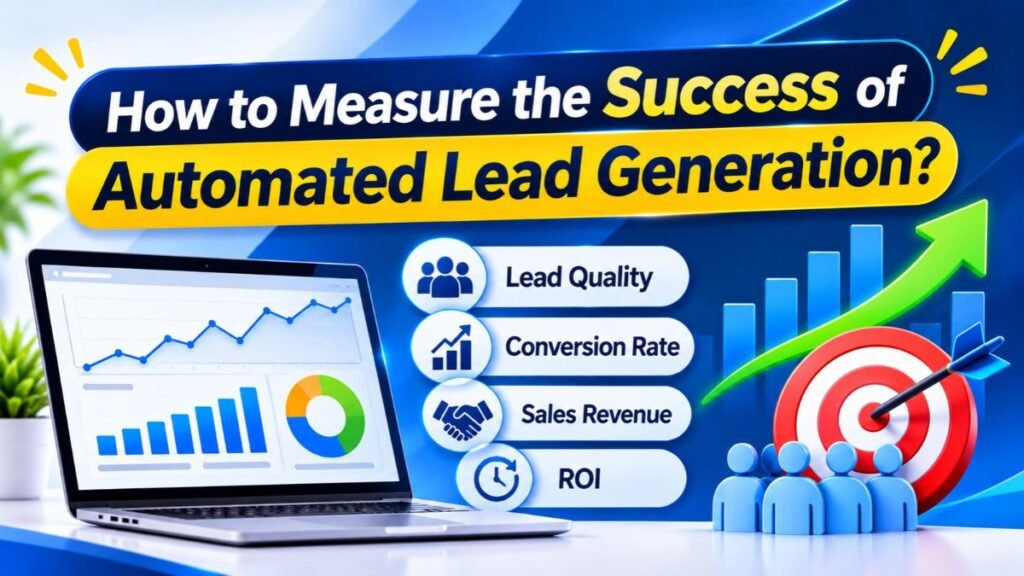
Use consistent definitions across marketing and sales teams. For example, both teams should agree on what counts as a qualified lead and when a lead becomes a sales opportunity. Track results over a suitable period because some B2B purchases take weeks or months. Real-time analytics can help monitor campaign activity, while longer-term reporting reveals trends. The right measurement period depends on the product and sales cycle.
Cost per Lead (CPL)
Cost per lead measures how much a business spends to generate one lead. It is calculated by dividing the relevant campaign cost by the number of leads generated. If a campaign costs $2,000 and produces 100 leads, the cost per lead is $20. This figure helps businesses compare channels and campaigns. However, a low CPL does not automatically mean that a campaign is profitable.
The quality of those leads matters. A campaign that generates inexpensive but poorly matched contacts may waste sales resources. Another campaign may have a higher CPL but produce more qualified opportunities. Businesses should compare CPL with qualification rates and customer conversions. They should also include relevant software and operational costs when evaluating the full system.
Lead Conversion Rate
Lead conversion rate measures the percentage of leads that complete a chosen action. That action might be booking a demo, requesting a quote, or becoming a customer. The formula depends on the stage being measured. For example, a business can calculate the percentage of captured leads that become qualified leads. It can also measure how many qualified leads become sales opportunities.
Conversion rates help identify where prospects leave the process. If many people visit a landing page but few complete its form, the page may need improvement. If many leads become qualified but few purchase, the issue may involve pricing, product fit, or the sales process. Compare similar campaigns and audiences to make the results meaningful.
Marketing Qualified Leads and Sales Qualified Leads
A marketing qualified lead, or MQL, is a contact that meets marketing’s agreed engagement or fit criteria. A sales qualified lead, or SQL, is a contact that sales considers ready for direct sales engagement. The definitions vary between organizations. Both teams should agree on the criteria before automation begins. Otherwise, marketing may send contacts that sales does not consider suitable.
Track how many MQLs become SQLs and how many SQLs become customers. These measurements reveal whether the qualification process is working. If many MQLs fail during sales review, the scoring rules may be too broad. If good prospects are being rejected, the criteria may be too strict. Regular feedback helps both teams improve their shared process.
Customer Acquisition Cost and Return on Investment
Customer acquisition cost (CAC) measures the average cost of gaining a new customer. A business usually calculates it by dividing relevant sales and marketing expenses by the number of new customers acquired during the same period. Include the costs that are relevant to the analysis, such as advertising, staff, software, and campaign expenses. Consistent accounting matters because different cost definitions can produce different results.
Return on investment (ROI) compares the financial return from an activity with its cost. A business can use ROI to evaluate whether its automation investment is producing enough value. For example, it may compare the additional gross profit linked to an automation project with the cost of implementing and operating it. Attribution can be difficult when several channels influence a sale. Treat ROI estimates carefully and explain the assumptions behind them.
Lead-to-Customer Conversion Rate
Lead-to-customer conversion rate measures the percentage of leads that eventually become customers. Divide the number of new customers by the number of leads in the same defined group, then multiply by 100. For example, if 500 leads produce 25 customers, the conversion rate is 5%. This metric connects lead generation activity with business outcomes.
Use the same time period and lead definitions when comparing results. A campaign launched last week may not have had enough time to produce customers. A longer sales cycle needs a longer measurement window. Businesses should also compare conversion rates by channel, audience, and lead source. This can reveal where the strongest opportunities are coming from.
What Are the Common Challenges of Automated Lead Generation?
Automation can make lead generation more organized, but it does not remove every problem. Poor data can create inaccurate records, while disconnected tools can interrupt workflows. Excessive messages can frustrate prospects and harm a brand’s reputation. AI can also make incorrect recommendations when its information is incomplete or misleading. Businesses need clear processes, regular checks, and responsible oversight to manage these risks.
The main goal is to automate suitable tasks without losing control of the customer experience. Every workflow should have an owner who understands how it works and what happens when something goes wrong. Teams should test integrations, review data quality, and monitor campaign performance. AI systems also need appropriate governance. The National Institute of Standards and Technology provides an AI Risk Management Framework that organizations can use as a voluntary resource for managing AI risks.
Poor Lead Data Quality
Incomplete or outdated contact information can damage an entire campaign. Emails may bounce, company details may be incorrect, and duplicate records can confuse sales teams. AI cannot reliably fix every problem when the source data is poor. Businesses should use suitable verification processes and review enriched information before relying on it. They should also remove records that no longer serve a valid business purpose.
Email verification can help identify addresses that may be invalid or risky to contact. It does not guarantee that an email will reach the intended person or that the recipient wants the message. Teams should also check company details and update records regularly. Clean data improves segmentation, reporting, and sales handoffs. It also reduces wasted effort across connected systems.
Over-Automation and Lack of Personalization
Sending the same message to every prospect can make communication feel irrelevant. Too many follow-ups may also annoy people and damage trust. Automation should respond to genuine customer interests rather than simply fill a schedule. For example, a person who has already booked a demo should not keep receiving messages asking them to book one. Good workflows account for customer actions and update communication accordingly.
AI-generated messages need human review when accuracy and context matter. A system may misunderstand a prospect’s role or refer to a product feature incorrectly. Businesses should check important claims and avoid pretending that automated messages are personal conversations. Personalization works when it makes information more relevant. It does not require using every detail available about a person.
Integration and Technical Issues
Lead generation systems often rely on several connected platforms. A website form may send information to a CRM, which then triggers an email workflow and creates a sales task. If an integration fails, a lead may not reach the right team. Duplicate records and inconsistent field names can also create reporting problems. Businesses should map the data flow before connecting multiple tools.
Test each workflow with sample records before using it with real prospects. Check what happens when required information is missing or an integration becomes unavailable. Assign responsibility for monitoring errors and updating connections. Keep a record of important automation rules. These steps make it easier to identify problems and restore normal operations.
Data Privacy and Compliance
Businesses that collect prospect information in the United States should understand the rules that apply to their activities. The CAN-SPAM Act covers commercial email, including business-to-business messages. The Federal Trade Commission explains that commercial emails must use accurate sender information and honest subject lines. They must also provide a valid postal address and a clear way to opt out. Businesses must honor opt-out requests within the required period. Read the FTC’s CAN-SPAM compliance guide before designing email workflows.
Privacy obligations can also depend on the state, industry, type of data, and business activity. Companies should explain what information they collect and why they collect it. They should limit access to sensitive records and use appropriate security controls. AI tools may process personal or confidential information, so businesses should review provider terms and data practices. Legal requirements can change, and this section is general information rather than legal advice.
High Software Costs and Learning Curves
A large collection of subscriptions can become expensive. Some platforms charge based on contacts, users, email volume, or advanced features. Integration and training costs can also increase the total expense. Small businesses should begin with the tools needed for their first workflow. They can expand the system when the results justify additional spending.
Employees also need time to learn the software. A complicated system may create more work if the team does not understand how to use it. Choose tools with clear documentation and suitable support. Create simple internal instructions for common tasks. Review whether each feature is actually being used before renewing or upgrading a subscription.
Best Practices for Building an Effective Automated Lead Generation System
An effective system starts with a clear goal and a simple workflow. Businesses should know which audience they want to reach and what action they want prospects to take. They should also define how marketing and sales will share responsibility. Once the basic process works, they can add more advanced AI capabilities. This approach reduces complexity and makes problems easier to identify.
Automation should improve the customer experience rather than create more messages and disconnected tools. Keep records accurate, use relevant communication, and make it easy for prospects to understand what happens next. Review performance with both marketing and sales teams. The strongest systems combine useful technology with human judgment. They also change as the business learns more about its customers.
Start with Clear Lead Generation Goals
Set specific goals before selecting software. A business might want to increase qualified demo requests, reduce response time, or improve the percentage of leads that become customers. Each goal needs a clear measurement method. Avoid relying on vague targets such as generating more leads without defining what makes a lead valuable. Clear objectives help teams select the right workflows.
Keep Your Lead Database Clean and Updated
Review contact records on a regular schedule. Remove duplicates, correct outdated details, and update company information when needed. Make sure the CRM uses consistent field names and clear lead statuses. Establish rules for how employees enter and update information. A clean database makes automation more reliable and improves reporting across the business.
Personalize Automated Communication
Use relevant information to make messages helpful to each audience. A prospect researching a specific problem may benefit from an educational guide. Someone comparing products may need a feature explanation or a demonstration. Audience segmentation can group contacts based on shared characteristics and interests. Behavioral tracking can add context about how people interact with content, provided the tracking is handled appropriately and transparently.
Connect Your Marketing and Sales Systems
Marketing and sales teams should share definitions, records, and handoff rules. Decide when a lead becomes qualified and what information sales needs before contacting someone. Use CRM integrations to move records between systems and reduce manual updates. Establish a clear process for returning leads to nurturing when they are not ready to buy. This creates a more consistent experience for prospects.
Maintain Human Oversight and Test Workflows
Review automated messages, scoring rules, and AI recommendations regularly. Test new workflows before launching them across the full database. Check whether the system assigns leads correctly and stops messages when a prospect takes the desired action. Keep human approval for decisions that involve important customer relationships or sensitive information. NIST’s guidance on trustworthy AI emphasizes managing risks throughout the design, use, and evaluation of AI systems.
What Is the Future of AI-Powered Lead Generation?
AI is likely to play a larger role in prospect research, customer engagement, and sales workflows. Businesses are already using AI to summarize information, assist with content creation, and analyze customer interactions. More advanced systems may coordinate several tasks across connected platforms. However, the value of these systems will depend on data quality, integration, reliability, and responsible use. New capabilities will not remove the need for a clear strategy.
The future of lead generation will also involve stronger expectations around privacy and transparency. Customers want relevant communication and clear explanations about how businesses use their information. Companies will need to balance personalization with responsible data practices. Teams that understand their customers and maintain good processes will be better prepared to use new AI capabilities effectively.
Predictive AI and Smarter Lead Identification
Predictive systems may become more useful at identifying patterns across customer journeys. They can help businesses estimate which accounts are more likely to need a product or respond to an offer. Better data and careful evaluation can improve these recommendations. However, predictions remain estimates rather than guarantees. Sales teams should continue checking the reasons behind important recommendations.
AI Agents and Autonomous Sales Workflows
AI agents may coordinate tasks such as researching companies, preparing summaries, updating records, and suggesting follow-ups. A connected agent could help move information between prospecting software and a CRM. More complex workflows may also require approval before sending messages or changing important records. Businesses should define what an agent can do independently and what requires human permission. This keeps automation within clear boundaries.
Hyper-Personalized Customer Experiences
AI may help businesses tailor communication to a prospect’s interests and stage in the buying journey. A visitor researching one product category could receive related educational content. A returning prospect may see information that answers questions from an earlier interaction. Personalization should remain useful and proportionate. It should not rely on intrusive assumptions or create the impression that a business knows more than it reasonably should.
Privacy-Focused and Responsible AI Automation
Responsible automation will require clear data practices, secure systems, and ongoing review. Businesses should understand what information their tools collect and how providers process it. They should also test AI outputs for errors and monitor whether automated decisions create unfair results. The NIST AI Risk Management Framework offers guidance for organizations seeking to evaluate and manage AI-related risks. Trust will remain important as more customer-facing tasks become automated.
Conclusion
AI can help businesses improve prospect research, lead capture, qualification, and follow-up. It can reduce repetitive work and give sales teams better information. However, successful automation depends on more than choosing advanced software. Businesses need a clear target audience, reliable data, suitable workflows, and regular performance reviews. Human oversight also remains important when decisions affect customers and sales relationships.
The best way to begin is to choose one repetitive task and automate it carefully. You might start with form submissions, contact organization, or follow-up reminders. Once the process works, connect it with your CRM and add qualification rules. Over time, you can build a complete system that supports How to Automate Lead Generation with AI while keeping communication useful and personal. Focus on improving the customer journey rather than automating every possible task.
Frequently Asked Question
How to generate leads automatically?
Use AI-powered lead generation tools to find prospects, capture contact details, automate email follow-ups, and manage leads through a CRM.
How much does a lead generator get paid?
In the USA, a lead generation specialist typically earns around $40,000–$65,000 annually, depending on experience, location, and skills.
Can ChatGPT do lead generation?
Yes. ChatGPT can help research prospects, create outreach messages, qualify leads, and personalize emails. It works best when combined with lead generation tools.
What are the top 5 automation tools?
Five popular automation tools are Zapier, Make, n8n, HubSpot, and ActiveCampaign.
What is the biggest mistake in lead generation?
The biggest mistake is focusing on lead quantity instead of quality. Targeting the wrong audience wastes time and marketing budgets.