Best Claude Alternatives in 2026: 12 Free and Paid AI Tools
Finding a reliable Claude AI alternative free option can help you enjoy AI features without paying for another subscription. While Claude offers useful writing, research, and coding capabilities, several other platforms provide free access to powerful AI assistants. Tools like ChatGPT, Google Gemini, and Perplexity AI can help with everyday questions, content creation, and online research.
Some free Claude alternatives also support coding, document analysis, and productivity tasks. However, each platform has different features, usage limits, and restrictions. This guide explores the best free options available in 2026 so you can compare their capabilities and choose the right tool for your needs.
What Is Claude AI and Why Are People Looking for Alternatives?
Claude AI is a family of large language models and an AI assistant developed by Anthropic. People use it to write, summarize documents, understand complex information, analyze files, and work with code. Its models, including Claude Sonnet and Claude Opus, are designed for different levels of capability and workloads. Claude is available through web, desktop, and mobile experiences, with features depending on the user’s plan.
Claude is not the only option for these tasks. Other AI assistants offer different strengths in research, real-time search, software development, integrations, and automation. Some users want more generous Free AI plans, while others need specialized AI coding tools or enterprise controls. Comparing Claude competitors helps users find a tool that fits their actual work instead of paying for features they rarely use.
What Is Claude AI?
Claude works through natural language. You can ask a question, provide a document, describe a problem, or give it a task. It processes the information and produces a response based on its model capabilities and available tools. This makes it useful for drafting reports, explaining technical topics, reviewing text, generating code, and organizing ideas.
Its usefulness also depends on the model and the features available in your plan. A larger Context window can help when working with lengthy documents or large amounts of background information. More capable models may handle complex instructions and Advanced reasoning more effectively. However, no AI model is always accurate. Important facts, calculations, legal details, and technical outputs still need human review.
What Makes Claude Different from Other AI Assistants?
Claude is often chosen for its writing experience, document work, and ability to follow detailed instructions. It can help users turn rough notes into clear explanations, examine long documents, and work through coding problems. Its broader product experience also includes tools for projects, research, file creation, and connected applications, depending on the plan.
Other platforms approach these tasks differently. ChatGPT combines conversation with tools for research, files, images, and coding. Google Gemini connects naturally with Google’s product ecosystem. Perplexity AI focuses on search and cited answers. Coding platforms such as Cursor place AI assistance directly inside an Integrated development environment (IDE). These differences matter more than a simple claim that one chatbot is better than another.
Why Do Users Look for Claude Alternatives?
People usually search for alternatives because their needs change. A student may want a free assistant for research and study. A developer may need reliable Code completion, Code debugging, and Multi-file editing. A business owner may want AI automation that connects different apps and reduces repetitive work. One tool rarely handles every task equally well.
Cost and access also influence the decision. Paid plans can include higher usage limits, advanced models, and additional features, but not everyone needs them. Some platforms provide useful free access, while open-source tools let technical users connect different AI model providers. The best choice depends on the work you do, how often you use AI, and how much control you need.
Best Claude Alternatives in 2026 at a Glance
The best alternative depends on what you want to accomplish. ChatGPT is a flexible choice for everyday work, while Google Gemini suits people who use Google’s ecosystem. Perplexity AI is useful for research, and Grok offers conversational assistance with real-time web and X search. For developers, Cursor, Windsurf, and GitHub Copilot provide coding-focused experiences.
The comparison below gives you a starting point. A free application does not always mean every AI model is free. Tools such as Aider, OpenCode, and Cline may connect to paid model providers or local models. Their total cost depends on the model, API usage, and subscription you choose.
| Claude alternative | Best suited for | Free access | Main advantage |
| ChatGPT | General-purpose assistance | Yes, with limits | Broad tools and capabilities |
| Google Gemini | Google-connected productivity | Yes, with limits | Google ecosystem |
| Perplexity AI | Research and web search | Yes, with limits | Cited search answers |
| Grok | Conversational AI and current topics | Yes, with limits | Web and X search |
| Cursor | AI-assisted coding | Limited free plan | AI coding environment |
| Windsurf | Agentic software development | Plan availability varies | AI-supported coding workflows |
| Aider | Terminal-based coding | Software is free; model costs may apply | Git-based code editing |
| OpenCode | Flexible, open-source coding | Free core and some free models | Multiple model providers |
| Cline | Agentic coding assistance | Extension is free; model costs may apply | User-approved actions |
| OpenAI Codex | Delegated coding tasks | Limited access on eligible plans | Cloud and local coding workflows |
| GitHub Copilot | Code completion and IDE assistance | Yes, with limits | Developer workflow integration |
| Amazon Q Developer | AWS development | Yes, with limits | AWS-focused assistance |
Free access and pricing can change. Always check the provider’s current plan page before subscribing.
How We Selected and Evaluated the Best Claude Alternatives
A useful comparison should look beyond popularity and marketing claims. An AI assistant may produce excellent writing but offer limited coding support. Another may edit entire projects but feel difficult for someone who only needs help with everyday questions. This guide considers practical use cases, available features, pricing, integrations, and the level of control each platform provides.
The evaluation also separates general-purpose chatbots from specialist development tools. This matters because a coding agent and a research assistant solve different problems. We considered official product documentation and pricing information where available. However, performance can vary by model version, prompt, subscription, and task, so the recommendations are based on use cases rather than one universal ranking.
AI Performance and Reasoning Capabilities
An assistant should understand instructions, follow context, and produce useful answers. We considered how each platform approaches writing, problem-solving, research, and technical tasks. Advanced reasoning is especially important when a request involves several steps, complex information, or a large codebase. Still, performance depends on the model selected and the task being tested.
Features and Practical Use Cases
We looked at writing, research, file analysis, coding, and productivity features. We also considered whether a platform supports Multimodal capabilities, such as working with images, documents, audio, or other formats. A tool with more features is not automatically better. The important question is whether those features solve a real problem in your daily workflow.
Pricing, Free Plans, and Usage Limits
Pricing can be confusing because AI products use different payment models. Some charge a monthly subscription, while others charge for API usage or model consumption. We considered free access, paid tiers, usage restrictions, and possible extra costs. Before subscribing, check whether your plan includes the models and tools you actually intend to use.
Ease of Use and Integrations
A useful AI tool should fit naturally into your existing setup. We considered browser access, desktop applications, IDE extensions, APIs, and integrations with common work platforms. Developer tools received additional attention for their terminal support, Git integration, and ability to work with existing repositories. Business users should also check access controls and administrative features.
Privacy, Security, and Reliability
Privacy matters when an AI tool handles company documents, customer information, source code, or personal data. We considered whether providers explain their data policies and offer business controls. A local model can provide more control over where prompts are processed, but local deployment also creates maintenance and security responsibilities. No tool should be treated as automatically safe for confidential information.
12 Best Claude Alternatives in 2026
The following tools cover different needs, from everyday conversations to professional software development. Some are direct Claude competitors, while others are specialist products that replace only part of Claude’s functionality. The right option depends on whether you need an AI chatbot, a research assistant, a coding environment, or an agent that can carry out tasks.
The order below is designed to make comparison easier, not to claim that every tool is better than Claude. Each review explains its main purpose, useful features, limitations, and likely audience. Pricing and access can change, so treat the provider’s official pricing page as the final source before making a purchase.
1. ChatGPT – Best Overall Claude Alternative
Best for: General-purpose AI assistance, writing, research, files, and coding.
ChatGPT is one of the strongest general-purpose alternatives because it brings several AI capabilities into one product. You can use it to draft articles, explain difficult subjects, summarize documents, analyze information, and work through coding problems. Depending on your plan and available tools, it can also support research, image-related tasks, and more advanced workflows. This makes it useful for students, professionals, creators, and small businesses.
Its main advantage is flexibility. Instead of switching between separate AI writing tools, research assistants, and productivity applications, you can handle many tasks in one place. ChatGPT also includes OpenAI Codex, a coding agent that can work on software tasks. Codex Cloud can use prepared environments and connected repositories to investigate bugs, implement changes, and run project checks.
However, ChatGPT is not automatically the best choice for every task. A specialist research platform may present sources more directly, while a dedicated coding editor may fit a developer’s daily workflow better. Free access is available, but messages, uploads, advanced research, and coding usage can have limits. Paid plans provide expanded access, with exact allowances depending on the plan.
For most people who want one assistant for several everyday tasks, ChatGPT is a strong starting point. It is especially useful if you need writing, brainstorming, explanations, file analysis, and occasional coding support. Developers who want deeper repository-level work should also evaluate Codex and specialist tools such as Cursor or Cline.
2. Google Gemini – Best for Google Workspace Integration
Best for: Google users, research, multimodal tasks, and productivity.
Google Gemini is a strong alternative for people who already use Google’s products. It can help with writing, summarizing, brainstorming, understanding information, and working with different types of content. Its connection with Google’s ecosystem is an important advantage for users who rely on services such as Gmail, Google Drive, and Google Docs. Available integrations and capabilities depend on the account, region, and plan.
Gemini also supports Multimodal AI experiences. This means users can work with more than plain text, depending on the features available in their version. Google’s plans include different levels of access to models and creative tools. Its free tier provides everyday AI assistance, while Google AI Pro offers higher usage and additional capabilities. Google’s US subscription page currently lists AI Pro at $19.99 per month, although prices and included features can change.
Gemini may be a better fit than Claude if your work already takes place inside Google’s ecosystem. For example, a marketing professional may use it to brainstorm campaign ideas and work with information stored in Google products. A student may use it to understand a topic or organize research. However, users should check which integrations are available to their account rather than assuming every Google service works in the same way.
3. Perplexity AI – Best for AI-Powered Research
Best for: Web research, source discovery, and cited answers.
Perplexity AI takes a search-first approach to artificial intelligence. Instead of behaving only like a traditional chatbot, it searches for information and generates answers supported by sources. This makes it useful when you need to explore a topic, compare products, investigate a question, or find starting points for further research. Its focus on Source citations helps readers trace claims back to the material used.
Its research features make it different from general-purpose AI assistants. A user can ask a question and receive a synthesized answer rather than opening several search results manually. Paid plans provide access to additional models and expanded research capabilities. Perplexity’s official pricing information lists a free plan and paid options, with Pro features including deeper research and access to more AI models.
However, citations do not guarantee that every statement is correct. A source may be outdated, incomplete, or less relevant than the answer suggests. Always open important sources and verify the original information. Perplexity is particularly useful for journalists, students, analysts, and content researchers who need AI-powered research and Real-time web search in one interface.
4. Grok – Best for Conversational AI and Current Topics
Best for: Conversational assistance, current topics, and web or X search.
Grok is an AI assistant developed by xAI. It offers conversational AI features and access to real-time web and X search, depending on the plan and usage limits. This can help when you want to explore current discussions, follow developing stories, or understand topics that may have changed recently. Its conversational style also makes it suitable for brainstorming and general questions.
Grok’s pricing page lists a free plan alongside paid subscriptions. The displayed options include SuperGrok at $30 per month and SuperGrok Plus at $100 per month, with higher usage and additional features on paid tiers. These plans can change, and availability may depend on the user’s location or account.
Grok can be useful when current online discussion is part of your research. However, social content is not always reliable or representative. A popular post does not prove a claim, and breaking information can change quickly. For important research, compare Grok’s answers with primary sources, official announcements, and reputable reporting.
5. Cursor – Best Claude Alternative for AI Coding
Best for: Developers who want an AI-powered coding environment.
Cursor is an AI-powered code editor designed to help developers work directly with their projects. Rather than asking questions in a separate chatbot and copying answers into an editor, developers can use AI assistance within their coding environment. This can make code generation, editing, debugging, and project changes feel more connected to the development process.
Cursor is especially relevant for people searching for Claude Code alternatives It supports models from several providers and offers features for agent-based coding workflows. Its pricing page currently lists a free plan, Plus at $8 per month, Premium at $30, Super at $100, and Ultra at $200. The exact usage included varies by tier, and third-party model use may be billed separately at API rates.
The main benefit is the ability to work with code in context. A developer can ask for a change, inspect the proposed edits, and continue refining the result. Still, AI-generated code needs testing and review. Cursor is most valuable when it speeds up a developer’s existing workflow rather than replacing the need to understand the project.
6. Windsurf – Best for AI-Assisted Software Development
Best for: Developers who prefer an AI-supported development workflow.
Windsurf is an AI-focused development environment built around helping developers understand and modify software projects. Its agentic workflow aims to make it easier to move from a natural-language request to code changes. This can be useful when working across several files or exploring an unfamiliar codebase. It belongs in the same comparison as Cursor because both target AI-assisted software development.
Windsurf may appeal to developers who want more than autocomplete. A coding assistant can suggest a line, while an agentic system may inspect relevant files, propose a plan, and make coordinated edits. The developer still needs to review the changes, run tests, and check whether the implementation matches the intended behavior. These steps are especially important when the project handles customer data, payments, or production systems.
Windsurf is worth testing if you want an AI-powered coding environment that supports a more conversational development process. Compare its current plan limits, supported models, and integrations with Cursor before paying. Also, do not confuse Windsurf with Devin Desktop. Devin is a separate AI software engineering product, not simply another name for Windsurf.
7. Aider – Best for Terminal-Based AI Coding
Best for: Developers who prefer command-line tools and Git-based workflows.
Aider is an open-source AI pair-programming tool that works from the terminal. It connects a developer’s local codebase with an AI model and helps make changes through conversation. It can be useful for creating new features, editing existing files, and working through coding problems without leaving the command line. Aider’s documentation describes its workflow as AI pair programming in a local Git repository.
One of Aider’s important features is Repository mapping. It creates a map of the codebase to help the model understand how files and components relate. It also supports Git integration, which makes it easier to inspect changes, compare versions, and undo work. Aider can connect to different model providers, but users generally need to supply their own API keys. Those API charges are separate from the Aider software itself.
Aider is a good choice for developers who are comfortable with terminals, version control, and model configuration. Beginners may find its setup less friendly than a graphical editor. Its flexibility is valuable, but the user remains responsible for choosing a suitable model and controlling API costs.
8. OpenCode – Best Open-Source Claude Alternative for Coding
Best for: Developers who want an open-source coding agent with model flexibility.
OpenCode is an open-source coding agent that can work with different AI models. It is available through a terminal interface, desktop application, and other supported experiences. This gives developers more flexibility than a tool tied to only one model provider. OpenCode’s official website describes support for more than 200 providers, alongside options for local models and free models.
Its main advantage is choice. Developers can connect models from providers such as OpenAI, Anthropic, and xAI, or use local options where supported. The core software is free, but external providers may charge for their models or API usage. OpenCode also supports using certain existing subscriptions, subject to provider compatibility and terms.
OpenCode is worth considering if you want to avoid being locked into one AI provider. It can also suit developers who like experimenting with different models for different tasks. However, flexibility brings extra decisions. You need to understand model capabilities, provider costs, and data handling before connecting a project.
9. Cline – Best for Autonomous Coding Assistance
Best for: Developers who want an agent to work with files, tools, and commands under their control.
Cline is an AI coding agent that works inside a developer’s editor and terminal. It can read and write files, run terminal commands, use a browser, and help build software through natural-language instructions. Its approval-based design is important: Cline’s documentation explains that actions require user approval, keeping the developer involved in decisions.
This makes Cline useful for tasks that involve more than suggesting code. For example, a developer might ask it to investigate a bug, update a function, and run a test. Cline can help coordinate these steps, but the developer should inspect the proposed actions and results. Model costs depend on the provider and configuration, so a free extension does not necessarily mean unlimited free AI usage.
Cline is a strong option for people who want agentic features without giving up control. It may be less suitable for someone who wants a simple chatbot or has no experience reviewing code changes. Use it on a test project first and understand its permissions before allowing it to modify important files.
10. OpenAI Codex – Best for AI Coding Agents
Best for: Developers who want to delegate coding tasks and review completed changes.
OpenAI Codex is a coding agent designed to help developers write, review, and ship code. It can work on tasks such as investigating bugs, implementing features, and checking project changes. Codex is available through supported ChatGPT plans, with usage limits depending on the plan. Some cloud capabilities are limited to eligible paid and organizational plans.
Codex Cloud can run coding tasks in a prepared remote environment. Each task gets its own workspace, and developers can review changed files, inspect results, and request further updates. It can also work with repositories connected through supported GitHub or GitLab accounts. This is useful when you want a task to continue remotely rather than keeping your local computer active.
Codex is worth considering if you already use ChatGPT and want coding assistance within the same ecosystem. It is not a substitute for code review or testing. Review every change, run the relevant test suite, and protect credentials before giving an agent access to a repository or development environment.
11. GitHub Copilot – Best for Everyday Code Completion
Best for: Developers who want AI help inside familiar coding tools.
GitHub Copilot is designed to assist developers while they write and maintain code. It can suggest code, answer programming questions, and support agent-based workflows in supported environments. Its close connection with GitHub makes it a natural option for developers who already use GitHub repositories and collaboration tools.
Copilot’s current pricing page lists a free plan, Pro at $10 per month, Pro+ at $39, and Max at $100 for individual users. The plans differ in included usage, models, and advanced capabilities. GitHub also provides business and enterprise options for organizations. Check the official pricing page because included AI credits and usage rules can change.
Copilot is a practical option when you want AI assistance without changing your entire development setup. It can help with repetitive code, explanations, and common programming tasks. However, developers working on large features may also want an agentic editor or coding agent. Copilot is strongest when its suggestions are treated as a starting point rather than automatically trusted code.
12. Amazon Q Developer – Best for AWS Development
Best for: Developers who build and maintain applications in the AWS ecosystem.
Amazon Q Developer is an AI assistant for software development, with features aimed at coding and AWS-related workflows. It can help generate code, explain technical issues, and support tasks such as testing, refactoring, and security review. Its IDE and command-line integrations make it relevant for developers who work with AWS services and tools.
AWS currently lists a no-cost Free Tier and a Pro Tier priced at $19 per user per month. The free tier includes limited agentic interactions, while Pro expands usage and adds administrative features. AWS also publishes a notice that support for Amazon Q Developer IDE plugins is scheduled to end on April 30, 2027, and points users toward Kiro for similar newer capabilities. This makes it especially important to check AWS’s current product direction before adopting it for a long-term workflow.
Amazon Q Developer makes the most sense for people already invested in AWS. A developer who mainly builds websites outside AWS may not need its ecosystem-specific advantages. If you are choosing a tool for a new project, compare its roadmap, IDE support, and migration options with other coding assistants before committing.
Best Free Claude Alternatives in 2026
You do not need a paid subscription to start using AI. Several platforms provide free access for everyday questions, writing, research, and basic coding. ChatGPT, Google Gemini, Perplexity AI, and Grok all offer free entry points, although their available models and usage limits differ. These options are useful when you want to explore AI before paying for advanced features.
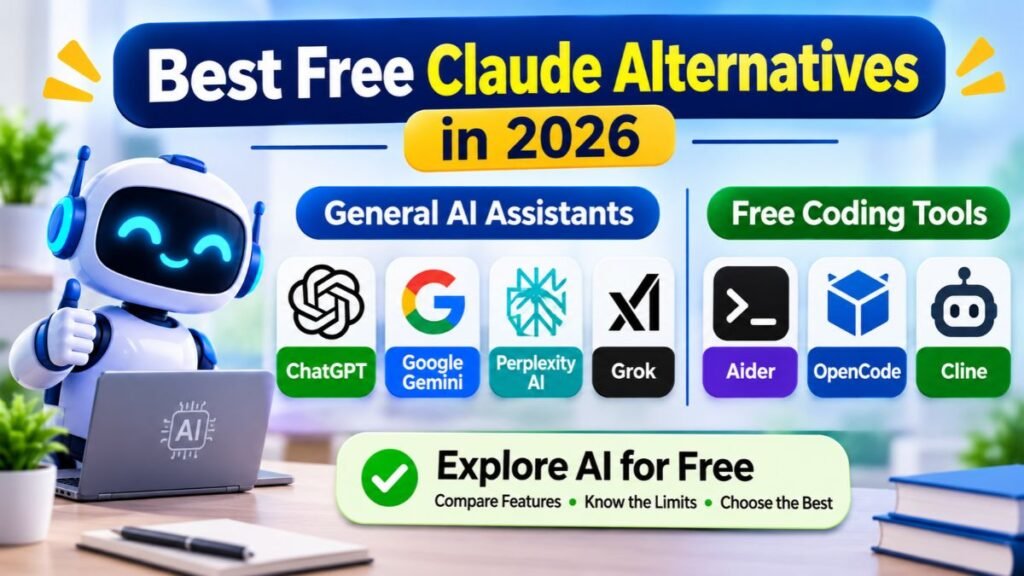
Free coding tools need a little more explanation. Aider, OpenCode, and Cline are free or open-source software, but the models they connect to may charge separately. A local model can reduce reliance on paid cloud APIs, although your computer needs enough memory and processing power. Therefore, compare the full cost of using a tool rather than looking only at its download price.
Best Free General-Purpose AI Assistants
ChatGPT and Google Gemini are practical starting points for general questions, writing, brainstorming, and learning. Grok also provides free access, including limited real-time web and X search. Their free versions are useful for everyday tasks, but access to advanced models and higher usage allowances may require a subscription.
The best choice depends on the services you already use. Gemini can fit naturally into a Google-centered workflow, while ChatGPT offers a broad range of tools in one interface. Grok may be useful when current online discussions are part of your research. Try the same task on two or three platforms and compare the clarity, accuracy, and usefulness of their answers.
Best Free AI Research Alternative to Claude
Perplexity AI is worth trying if your main goal is finding information online. Its free plan provides search answers with citations, making it easier to locate sources than with a chatbot that only gives a conversational response. It can help with early research, topic exploration, and discovering pages that deserve a closer look.
However, free access does not provide every advanced research feature. Perplexity’s plan information distinguishes basic searches from advanced models and deeper research capabilities. For serious work, open the cited sources and check publication dates, author credentials, and original evidence. This is especially important when researching health, finance, law, or rapidly changing technology.
Best Free AI Coding Alternatives
Aider, OpenCode, and Cline are useful options for developers who want more control over their coding setup. Aider is designed for terminal-based pair programming, OpenCode supports multiple model providers, and Cline can work with files and commands through an approval-based process. Their software can be free, but connected models may require paid API access.
Another option is GitHub Copilot Free, which offers a limited allowance for code completions and other AI features. The free plan can help beginners understand how AI coding assistance works without an immediate subscription. If you use a local model through a tool such as Ollama, you may avoid per-request cloud charges, but hardware, setup, and model quality become important considerations.
Are Free Claude Alternatives Good Enough?
Free plans are often enough for occasional questions, basic writing, simple explanations, and early research. They can also help students learn how AI tools work. The main limitation is usually access: a free tier may restrict advanced models, file uploads, research tasks, or the number of requests you can make within a given period.
A paid plan becomes more useful when AI is part of your daily work. Frequent users may need higher limits, advanced reasoning, team features, or coding agents. Before upgrading, track which free-plan limitation actually interrupts your work. Paying for a feature you rarely use does not automatically improve productivity.
Best Claude Alternatives for Coding and Software Development
General-purpose chatbots can explain code and generate examples, but software development often requires deeper project context. Developers may need an assistant that understands a repository, edits several files, runs commands, and helps investigate errors. This is where AI coding assistants and agentic development tools become useful. They can support the development process, but they do not remove the need for technical judgment.
The strongest Claude Code alternatives include Cursor, Windsurf, Aider, OpenCode, Cline, OpenAI Codex, and GitHub Copilot. These products approach coding differently. Some work inside an editor, some operate through a terminal, and others can delegate tasks to cloud environments. Choose based on how much autonomy you want and how carefully you need to control changes.
Best Claude Code Alternatives for Developers
Cursor and Windsurf are worth comparing if you prefer an AI-focused editor. GitHub Copilot is a natural fit for developers who want assistance inside familiar IDEs. Aider and OpenCode suit people who prefer terminal workflows and model flexibility, while Cline focuses on agentic tasks with user approval. OpenAI Codex is another option when you want to delegate a coding task and review its result.
| Tool | Main coding approach | Suitable user |
| Cursor | AI-supported code editor | Developers who edit projects interactively |
| Windsurf | Agentic development environment | Developers who want conversational coding workflows |
| GitHub Copilot | IDE assistance and code completion | Developers who want help while writing code |
| Aider | Terminal-based pair programming | Developers comfortable with Git |
| OpenCode | Open-source coding agent | Developers who want provider flexibility |
| Cline | Approval-based coding agent | Developers who want controlled task execution |
| OpenAI Codex | Delegated and cloud coding tasks | Developers who want remote task execution |
The right tool depends on your preferred working style. A developer who spends most of the day in VS Code may prefer Copilot or Cline. Someone who wants a terminal-based workflow may prefer Aider. If you need remote tasks and repository environments, Codex may be a better fit. Test each tool on a small project before using it for production code.
Best AI Coding Tools for Large Projects
Large projects create a context problem. A single feature may depend on many files, shared functions, database structures, and external services. An AI assistant that only sees a small code snippet may suggest a change that breaks another part of the application. Tools with repository awareness and Repository mapping can help the model understand how different parts of a project connect.
Aider documents repository mapping and Git-based editing, while agentic tools such as Cursor, Cline, and Codex can support broader project tasks through their respective workflows. However, no tool understands every codebase perfectly. Developers should provide clear instructions, identify relevant files, and run tests after changes. For complex systems, smaller tasks with clear acceptance criteria are usually easier to review than one large instruction.
Best AI Coding Tools for Beginners
Beginners often benefit from tools that explain code instead of simply changing it. GitHub Copilot can provide suggestions in a familiar editor, while ChatGPT can explain programming concepts and help troubleshoot errors. Cursor may also be approachable for users who want to ask questions about a project while working inside an editor. The best starting point is the tool that makes it easier to understand what the code does.
A beginner should avoid accepting every generated change without reading it. Ask the assistant to explain the purpose of a function, describe possible side effects, and suggest a simple test. Learn basic Git commands and keep a working backup before experimenting with agentic tools. This habit makes AI assistance more useful because you can recognize when a suggested change is incomplete or incorrect.
Best AI Coding Tools for Professional Developers
Professional developers often need more than code generation. They may care about model choice, context handling, test execution, code review, team controls, and integration with existing development pipelines. Cursor, Copilot, Codex, Cline, and OpenCode each address parts of this workflow. Their differences matter when a team needs predictable review processes and consistent development practices.
For professional use, measure the time saved after reviewing and correcting AI-generated work. A tool that produces code quickly may still create extra work if it introduces subtle bugs or ignores project conventions. Consider security policies, logging, access permissions, and the provider’s data terms. AI should support engineering standards, not become a reason to skip code review.
Best Claude Cowork Alternatives for AI Automation and Productivity
People searching for Claude Cowork alternatives are often looking for more than a chatbot. They want an assistant that can organize information, work across applications, and complete multi-step tasks. This is a different category from basic text generation. It involves AI agents, integrations, permissions, and the ability to act on a user’s instructions. Product names and features in this area are changing quickly, so check the latest official documentation when comparing platforms.
Anthropic’s current product information has evolved from the earlier Cowork naming. Its pricing page now presents a broader Claude experience with task handoff and scheduling features on eligible plans. That means older articles describing Cowork as a separate product may not reflect the current packaging.
Alternatives should therefore be compared by what they can actually do, not just by their product labels.
What to Look for in a Claude Cowork Alternative
A useful productivity agent should understand the task, use relevant tools, and show what it has done. For example, an assistant might gather information, create a document, and prepare a summary for review. The most important features are reliable integrations, clear permissions, useful progress updates, and a way to inspect the final result. An agent should not make important decisions or external changes without appropriate user oversight.
You should also check how the tool handles files and connected applications. Browser automation can help with web-based tasks, while integrations can connect calendars, documents, project boards, and other systems. The Model Context Protocol (MCP) is one approach for connecting AI applications with external tools and data sources. However, an MCP connection does not automatically make every integration safe; review what information it can access and what actions it can perform.
AI Tools for Everyday Productivity
ChatGPT and Google Gemini can help with everyday work such as drafting emails, summarizing documents, preparing plans, and organizing research. Depending on the available features and connected apps, they can also support more involved tasks. These tools are useful when you want one assistant to help with several activities rather than using a separate application for every small task.
For example, a small business owner might ask an assistant to summarize customer feedback, draft a response, and prepare a weekly report. The owner should still check the source information and approve anything sent to customers. This balance is important because productivity tools can save time, but a mistaken message or incorrect summary can create problems if it is used without review.
AI Tools for Workflow Automation
Workflow automation connects steps that would otherwise require repeated manual work. A simple example is saving a form submission to a spreadsheet and notifying the right team member. AI can add value when a workflow needs language understanding, classification, summarization, or decisions based on unstructured information. Traditional automation remains useful for predictable tasks with clear rules.
The best automation setup depends on the applications involved and the risks of each action. A business might use an AI system to classify incoming support requests, then route them to the right team. A human can review uncertain cases before the system sends a response. This approach combines automation with oversight and reduces the chance of an AI error reaching a customer.
AI Agents vs Traditional AI Assistants
A traditional AI assistant mainly responds to prompts. An agent can use tools and perform several steps toward a goal, depending on its permissions and design. For example, a chatbot might explain how to organize a project, while an agent may create tasks in a connected project tool. This is the practical difference between answering a question and taking action.
Agentic systems can be powerful, but autonomy introduces risk. An agent may misunderstand a request, use the wrong file, or take an action that is difficult to reverse. Start with limited permissions and require approval for important changes. This is especially important when an agent can access customer records, financial information, production systems, or external accounts.
Claude Alternatives Compared: Features, Pricing, and Free Plans
Choosing between AI products is easier when you compare the same features across every option. A general chatbot, research platform, and coding agent should not be judged by one identical score. Instead, consider which tasks each tool supports and whether its workflow matches your needs. The comparison below focuses on broad product categories rather than claiming that every feature is available on every plan.
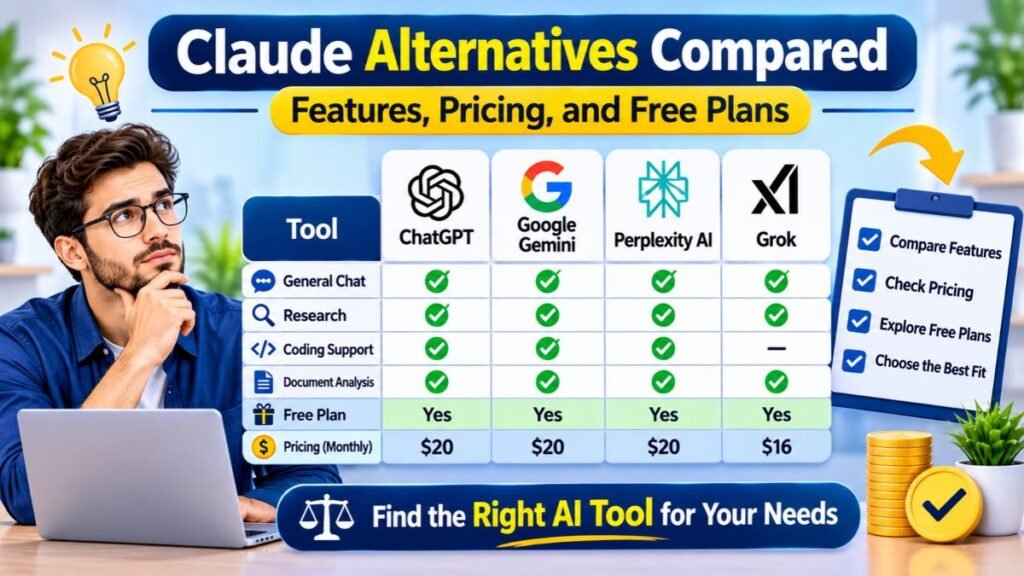
Pricing also needs careful attention. Some products charge a monthly subscription, while others use credits, API consumption, or model-specific billing. A free editor may still require paid model access. A subscription may include a certain amount of usage but charge extra when you exceed it. Always check the official plan details before treating a listed price as your total cost.
Claude Alternatives Feature Comparison
The table below gives a high-level view of each product’s main purpose. Feature availability can depend on model, plan, region, and product version. A tool marked as a coding assistant may still support general chat, but its strongest workflow is software development. Likewise, a research platform may write summaries without being designed for advanced coding.
| Tool | Writing and chat | Research and search | Coding focus | Automation or agent features |
| ChatGPT | Strong general use | Research features available | Codex and coding help | Tool-assisted workflows |
| Google Gemini | Strong general use | Research features available | Coding assistance | Google ecosystem features |
| Perplexity AI | Research summaries | Core strength | Not its main focus | Research and computer features vary by plan |
| Grok | Conversational AI | Web and X search | General coding help | Features vary by plan |
| Cursor | Coding-focused chat | Project context | Core strength | Agentic coding |
| Windsurf | Coding-focused chat | Project context | Core strength | Agentic development |
| Aider | Developer interaction | Web content can be added | Core strength | Terminal-based editing |
| OpenCode | Developer interaction | Depends on connected tools | Core strength | Coding agent and SDK |
| Cline | Developer interaction | Browser support | Core strength | Approval-based agent actions |
| OpenAI Codex | Coding task interaction | Repository investigation | Core strength | Cloud coding tasks |
| GitHub Copilot | Developer chat | Coding context | Core strength | Agent and code review features |
| Amazon Q Developer | Developer assistance | AWS context | Core strength | Agentic development features |
The table is a starting point rather than a benchmark. A real comparison should test the same task on each product and review the output. For coding, use a small project with clear requirements. For research, check whether the sources actually support the answer. For writing, compare clarity, factual accuracy, and how much editing the result needs.
Claude Alternatives Pricing Comparison
The following prices are examples shown on official US pricing pages at the time of research. They are not guaranteed future prices. Taxes, annual billing, promotional offers, regional availability, and usage-based charges may change the final amount. Some providers also change plan names and included features, so use the linked official pricing pages for the latest information.
| Tool | Example listed pricing | Important pricing detail |
| ChatGPT | Free plan available | Paid plans and usage allowances vary |
| Google Gemini | Google AI Pro: $19.99/month | Free access also available |
| Perplexity AI | Pro: $20/month, with annual pricing options shown | Free plan has limits |
| Grok | SuperGrok: $30/month | Free access and other tiers available |
| Cursor | Free; Plus $8; Premium $30/month | Model usage and pools vary |
| Aider | Free software | Model/API costs may apply |
| OpenCode | Free core software | External providers may charge |
| GitHub Copilot | Free; Pro $10/month | Higher tiers and usage credits available |
| Amazon Q Developer | Free; Pro $19/user/month | AWS pricing and limits apply |
| OpenAI Codex | Included with eligible ChatGPT plans | Usage depends on the plan |
Which Claude Alternatives Offer Free Plans?
Several major platforms let users start without paying. ChatGPT, Gemini, Perplexity, and Grok provide free access with different limits. GitHub Copilot also offers a free tier for developers. Open-source tools such as Aider and OpenCode can be installed without paying for the core software, although external models may have separate costs.
The phrase Free Claude alternatives can therefore mean two different things. It may describe a free chatbot subscription, or it may describe software that is free to install but requires a paid model. Check whether the plan includes the model, how many requests are allowed, and whether extra usage is billed separately. This prevents an unexpected API bill after choosing a supposedly free coding tool.
Which Claude Alternative Offers the Best Value?
The best value is the product that saves enough time or improves enough work to justify its cost. A student who asks occasional questions may not need a paid plan. A developer who spends several hours each day editing code may benefit from a specialist coding subscription. A research professional may find a source-focused tool more useful than a broad chatbot.
Compare the monthly cost with your actual usage. Include extra API charges, usage credits, and any other subscriptions needed to make the tool work. If two tools perform similarly for your main task, the simpler or cheaper option may be the better choice. Do not pay for the largest plan simply because it advertises more advanced models.
Claude vs ChatGPT vs Gemini: Which AI Assistant Is Better?
Claude, ChatGPT, and Google Gemini are three major options for people who want a general-purpose AI assistant. All three can help with writing, explanations, brainstorming, and other everyday tasks. Their strengths differ across models, tools, integrations, and subscription plans. The best choice is not simply the platform with the most features; it is the one that performs well on your actual tasks.
A fair comparison should use the same prompts and source material. Ask each assistant to summarize the same document, explain the same technical subject, and draft the same type of content. Then compare accuracy, clarity, instruction following, and the amount of editing required. This practical test is more useful than relying only on online rankings or model claims.
Claude vs ChatGPT
Claude and ChatGPT both support general writing, reasoning, document work, and coding assistance. Claude may appeal to users who prefer its writing style and document-focused workflows. ChatGPT offers a broad product experience with different tools for research, file analysis, and coding. The available features depend on the selected plan and the models currently offered by each provider.
For developers, the comparison also includes the surrounding tools. Claude offers Claude Code on eligible plans, while ChatGPT includes Codex access across supported plans with different usage limits. Codex Cloud is available only on eligible plans and can run tasks in remote environments. This makes ChatGPT worth considering if you want coding agents alongside a general-purpose assistant.
Claude vs Google Gemini
Claude and Gemini can both help with writing, analysis, and everyday questions. Gemini’s main advantage is its connection with Google’s ecosystem. This may be useful when your work already depends on Google products and compatible integrations. Claude offers its own project, research, and connected-tool features, with availability based on the plan.
The better option depends on your workflow. If you frequently work with Google services, test Gemini’s available integrations using your own account. If your work involves long documents, detailed writing, or coding tasks, compare Claude’s current features with Gemini on the same material. Do not assume that an integration is included in every subscription or available in every region.
ChatGPT vs Gemini
ChatGPT and Gemini are both broad AI platforms, but they are not identical. ChatGPT offers a range of tools for conversation, file work, research, and coding. Gemini combines its assistant experience with Google’s AI services and ecosystem. Both provide free access and paid plans, but their usage limits and included capabilities differ.
A useful way to choose is to test your most common tasks. If you regularly work with documents and connected Google services, explore Gemini. If you need a flexible assistant for writing, research, file analysis, and coding workflows, try ChatGPT. Compare the quality of the final result rather than judging the tools by their interfaces alone.
Which AI Assistant Should You Choose?
Choose Claude if its current writing, reasoning, and project features suit your work. Choose ChatGPT if you want a broad assistant with several tools and Codex access. Choose Gemini if Google’s ecosystem is central to your daily workflow. Perplexity may be a better fit when cited web research is your main priority.
You can also use more than one assistant. For example, a researcher might use Perplexity to discover sources and ChatGPT to organize notes. A developer might use a general chatbot to understand a problem and Cursor to edit the project. The goal is not to collect subscriptions. It is to use the smallest set of tools that reliably supports your work.
Open-Source Claude Alternatives: Are They Worth Using?
Open-source tools and models give users more flexibility than many closed AI services. They can support local deployment, custom workflows, and connections to different providers. However, the terms open source, open weights, and free to use do not always mean the same thing. Some models publish weights under specific licenses, while other products make their application code available but rely on third-party models.
Options such as OpenCode and Aider are open-source coding tools, while Ollama helps users run supported models locally. These options can be attractive to developers and technically confident users. They also require more decisions about hardware, model selection, security, and maintenance. Open-source is not automatically cheaper or more private in every setup.
Best Open-Source Alternatives to Claude
OpenCode is an open-source coding agent that can connect to multiple model providers and local models. Aider is another option for terminal-based pair programming, with Git integration and repository mapping. Both tools can work with different AI models, which gives developers more choice over how their coding assistant operates.
For local model use, Ollama provides a way to run compatible models on your own hardware. This can reduce the need to send prompts to a cloud provider, depending on the model and configuration. The quality and speed of local results depend on the model, computer, memory, and graphics hardware. A smaller model may be convenient, but it may not match a more capable hosted model on complex tasks.
Self-Hosted AI Models vs Cloud-Based AI Tools
A self-hosted model runs on infrastructure you control, such as a local computer or private server. This can provide greater control over data storage, access, and configuration. It may be useful for teams with technical staff and clear data-handling requirements. However, self-hosting also means managing updates, security, hardware, backups, and model performance.
Cloud-based AI tools are usually easier to start using. The provider manages the infrastructure and makes models available through a website, application, or API. This reduces setup work, but it means you must understand the provider’s data policies and service terms. The right choice depends on your security requirements, available technical resources, and expected workload.
Benefits of Using Open-Source AI Models
Open-source AI models and tools can provide more control over customization and deployment. Developers may select a model for a specific task, run it locally, or connect it to an existing application. Some tools also support several providers, making it easier to compare models without rebuilding the entire workflow. This flexibility can be useful for experimentation and specialized software projects.
Another benefit is the ability to inspect or modify parts of the software when the license permits it. Teams can build internal workflows and adjust tools to match their development process. Still, review the license for each model and application. Open-source availability does not remove licensing obligations, and it does not guarantee that a model is suitable for commercial use.
Limitations of Open-Source Claude Alternatives
Local and open-source systems can require technical setup. You may need to install dependencies, configure model files, manage memory, and troubleshoot performance problems. Large models can require substantial hardware resources. If you use an API provider instead, costs may increase with frequent requests or large inputs.
Support and reliability can also differ from commercial services. Some projects have active communities and frequent updates, while others may have limited maintenance. You are responsible for evaluating security, model quality, and compatibility. For a business-critical workflow, test the complete setup before moving real customer information or production code into it.
Claude Alternatives: Privacy, Security, and Data Protection
Privacy should be part of your AI tool selection, especially when you work with customer records, internal documents, financial information, or source code. Different providers may collect, store, and process information in different ways. Their policies can also differ between free, paid, team, and enterprise accounts. Read the current terms for the exact product and plan you intend to use.
A local model may reduce the amount of information sent to an external AI provider, but it does not make the entire system automatically secure. Your device, network, backups, plugins, and connected applications still matter. Businesses should review access controls and data-handling practices before adopting an AI platform. A convenient tool is not worth the risk of exposing confidential information.
How AI Tools Handle Your Data
AI platforms may process prompts, uploaded files, conversation history, and connected application data to provide their services. The way they store or use this information depends on the provider’s policy and account settings. Some services offer separate business terms or controls for organizations. Users should not assume that a personal subscription has the same protections as an enterprise agreement.
Before sharing sensitive information, review the provider’s privacy policy and data controls. Check whether conversations can be used for model improvement, how long data is retained, and whether administrators can manage access. Also consider what happens when you connect external applications. An assistant may gain access to more information than the prompt itself contains.
Which Claude Alternatives Are Better for Privacy?
There is no universal privacy winner because the answer depends on your setup. A locally run model can keep prompts on your device when it operates entirely offline. Ollama states that locally run prompts and responses are not visible to its service, while cloud-hosted model use follows a different processing arrangement.

Cloud providers may offer business controls, retention options, or enterprise agreements. These can be suitable for organizations that need managed infrastructure and administrative features. However, you should verify the exact terms for your account and region. For confidential workloads, involve your security or legal team rather than relying on a product’s general privacy summary.
AI Security for Businesses and Teams
Businesses need to consider more than whether an AI provider stores prompts. They should also review user permissions, account management, access logs, data retention, and integration controls. Enterprise security features can help administrators manage how employees use AI tools. Some platforms offer single sign-on, role-based controls, and centralized billing on business or enterprise plans.
An AI assistant connected to company systems can create additional risks. If it can read shared documents or execute commands, a poorly configured permission may expose more information than intended. Teams should apply the principle of least privilege, which means giving each tool only the access it needs. Sensitive actions should require approval, and important activity should be reviewed.
Tips for Using AI Assistants Safely
A simple safety habit is to avoid entering passwords, payment details, private customer records, or confidential business information into a personal AI account. Use approved business tools for company data and check the provider’s terms before uploading internal documents. Remove unnecessary personal details from examples and test files whenever possible.
You should also review connected applications and agent permissions. Limit access to the folders, repositories, and accounts required for the task. Keep software updated and verify generated code before running it. If an AI tool can send messages, modify files, or execute commands, test it with low-risk tasks first. Human review remains important even when the product describes itself as autonomous.
How to Choose the Right Claude Alternative for Your Needs
The best alternative is the one that matches your main task, budget, and working style. A student who needs explanations has different requirements from a developer who wants an agent to edit a large codebase. A business may prioritize access controls and privacy, while a content researcher may care most about citations. Start with your actual problem rather than the tool with the most attention online.
It is also worth testing a few platforms before paying. Use the same sample task, compare the output, and record how much editing or troubleshooting each result needs. Look at the complete cost, including usage limits and external API charges. A short trial can reveal whether a tool genuinely improves your workflow or simply adds another subscription.
Choose Based on Your Main Use Case
For everyday questions, writing, and general assistance, compare ChatGPT, Google Gemini, and Claude. For web research and cited answers, test Perplexity AI. For coding, compare Cursor, Windsurf, GitHub Copilot, Aider, OpenCode, and Cline. If you want delegated coding tasks, consider OpenAI Codex. AWS developers may also find Amazon Q Developer relevant.
For automation, focus on whether the tool can connect to the applications you use and perform the actions you need. Check its support for APIs, connected tools, and the Model Context Protocol where relevant. A chatbot that gives good instructions may not be able to update your project board or process a file automatically. Make sure the product supports the actual workflow you want.
Consider Your Budget and Usage Requirements
A free plan may be enough if you only use AI occasionally. If you rely on it every day, higher limits and advanced features may justify a paid subscription. Developers should include model and API charges when comparing coding tools. A free coding interface can become expensive if it sends many requests to a premium model.
Also check whether the provider bills monthly or offers a discount for annual payment. Review cancellation terms and whether unused credits expire. Avoid paying for several overlapping assistants before you understand which one performs best. Start with one tool for your main task, then add another only when it provides a clear benefit.
Check Integrations and Compatibility
An AI tool is more useful when it fits the applications you already use. Developers should check IDE support, terminal access, repository compatibility, and Git workflows. Business users should review integrations with their document systems, communication platforms, and project management software. A tool may advertise many integrations, but the specific connector you need might only be available on certain plans.
Check whether integrations can only read information or can also make changes. Read-only access is usually lower risk than permission to edit files or send messages. If a product supports MCP, review the servers and permissions you connect. Good integration design should make work easier without giving an AI agent unnecessary access to your accounts.
Evaluate Privacy and Security Requirements
Think about the type of information you plan to share. Public research and general writing may not need the same controls as customer records or source code. If you work with sensitive data, compare retention policies, business agreements, access management, and local deployment options. Ask your organization’s security team to approve tools before using them with company information.
For local models, check the security of the computer and the model source. For cloud products, understand how prompts and files are processed. Do not assume that a provider’s general privacy statement answers every enterprise requirement. The best choice is the platform whose documented controls match your organization’s policies.
Test Multiple Claude Alternatives Before Deciding
A practical test is more reliable than choosing from feature lists. Prepare three tasks that represent your real work. For example, ask each assistant to summarize a document, research a topic with sources, and solve a small coding problem. Use the same instructions and compare the results side by side.
Record accuracy, clarity, speed, ease of use, and any extra editing required. For coding agents, also check whether the tool changes files safely and whether tests pass. For research assistants, open the citations and confirm that they support the claims. This small evaluation can help you choose a platform based on evidence rather than marketing.
Illustrative example: Imagine a small US marketing team that needs research, content drafts, and occasional spreadsheet analysis. It could test Perplexity for source discovery, ChatGPT for drafting and analysis, and Gemini for work connected to Google services. The team should compare the time saved and the quality of the final work before purchasing multiple subscriptions. This is a practical evaluation scenario, not a measured customer case study.
Conclusion
The best Claude alternatives in 2026 depend on what you want AI to do. ChatGPT is a strong general-purpose choice, Google Gemini fits Google-centered workflows, and Perplexity AI is useful for research. Developers can compare Cursor, Windsurf, GitHub Copilot, Aider, OpenCode, and Cline. For delegated coding tasks, OpenAI Codex is worth considering, while Amazon Q Developer is relevant to AWS users. Each tool solves a different problem, so there is no single winner for everyone.
If you are unsure, begin with a free plan and test the platform against your everyday tasks. Upgrade only when you need higher limits, advanced models, or features that genuinely save time. Review privacy settings before sharing sensitive information, and always check important AI-generated results. The smartest choice is not necessarily the most expensive assistant. It is the one that helps you work more effectively without adding unnecessary cost or complexity. The best AI assistant is the one that fits your workflow, earns your trust, and makes your work easier.
Frequently Asked Question
1. Is there any AI like Claude but free?
Yes, ChatGPT, Google Gemini, and DeepSeek offer free AI assistants similar to Claude.
2. What are the top 5 best free AI?
ChatGPT, Google Gemini, DeepSeek, Microsoft Copilot, and Perplexity AI are popular free options.
3. Is there any 100% free AI?
Yes, some AI tools offer free access without subscriptions, although usage limits and features may vary.
4. Is there any way to get Claude.ai for free?
Yes, Claude offers a free plan with limited usage. You can sign up at claude.ai.
5. Which AI does Elon Musk use?
Elon Musk is closely associated with Grok, the AI assistant developed by his company, xAI.
Meta Description
Discover the best free Claude AI alternatives in 2026. Compare features, benefits, and free plans to find the right AI tool.