10 Best Gong Alternatives in 2026: Top Competitors Compared
Finding the right sales conversation platform can make a significant difference in how your team manages calls, tracks deals, and closes revenue. While Gong provides powerful conversation intelligence and sales analytics, its pricing, complexity, or feature set may not suit every business. Fortunately, several Gong alternatives offer similar capabilities with different pricing models, integrations, and features. Some focus on AI-powered call analysis, while others prioritize sales coaching, meeting summaries, or CRM automation.
Whether you run a small sales team, manage a growing business, or lead an enterprise sales organization, the right conversation intelligence platform can improve productivity and simplify daily workflows. This guide explores the best Gong competitors in 2026, compares their key features and pricing, and helps you choose a Gong replacement that matches your team’s needs and budget.
What Is Gong, and Why Are Teams Looking for Alternatives?
Gong is a sales intelligence platform that helps businesses understand customer conversations and improve revenue performance. It records meetings, transcribes calls, and uses AI to identify important details. Sales managers can review conversations, monitor deal progress, and find areas where representatives need support. These capabilities make Gong useful for organizations managing complex sales processes.
However, Gong isn’t the right fit for every business. Its per-user licenses and platform fees can increase the total cost as teams grow. Smaller companies may also find its advanced features unnecessary. Meanwhile, other platforms focus on simpler meeting assistance, better workflow automation, or specialized customer support. These changing needs explain the growing interest in Gong competitors across different industries.
What Is Gong and How Does It Work?
Gong for Deal Execution: How to truly understand your sales pipeline
Gong captures customer conversations from supported meeting and calling platforms. Its AI analyzes these interactions to identify topics, objections, questions, and buying signals. Managers can review recordings and examine patterns across multiple deals. This makes conversation recording more useful than storing audio files without context.
The platform also supports call analysis, sales coaching, deal tracking, and forecasting. For example, a sales manager can examine how representatives respond to pricing objections. They can also identify whether prospects discuss budgets, decision-makers, or implementation timelines. These insights help teams improve sales team performance using actual customer conversations rather than assumptions.
Why Are Businesses Searching for Gong Alternatives?
The biggest reason is that business requirements have changed. Some companies need a straightforward AI meeting assistant instead of a complete revenue intelligence platform. Others want software that automatically updates their CRM after every meeting. These smaller tasks can save significant time when representatives handle dozens of conversations each week.
Pricing also influences purchasing decisions. Gong charges per-user license fees and a platform fee based on supported users. Consequently, growing teams should calculate their complete subscription costs before signing a contract. Other businesses need stronger CRM automation, simpler onboarding, or better support for customer success operations.
What Are the Main Limitations of Gong?
Gong offers extensive capabilities, but those capabilities come with practical considerations. Smaller organizations might not use advanced forecasting, deal intelligence, or enterprise reporting every day. Paying for features that employees rarely use can reduce the software’s overall value.
Another consideration is implementation. Large teams may need time to configure integrations, permissions, recording settings, and reporting processes. Businesses should also examine data retention, recording consent, and access controls. A suitable Gong replacement should solve the problems that matter most without introducing unnecessary complexity.
What to Look for When Choosing a Gong Alternative
Choosing the right platform starts with understanding your sales process. A company that mainly conducts video meetings needs different features from an outbound sales organization. The first may prioritize transcription and summaries, while the second needs call analytics and coaching. Therefore, evaluate software according to daily requirements rather than marketing claims.
A modern conversation intelligence platform should capture useful information and make it easy to act. Look for reliable transcription, searchable recordings, useful AI insights, and suitable CRM connections. Also consider security, support, and long-term costs. The best choice should fit your existing AI-powered sales stack instead of forcing your employees to change every workflow.
Conversation Intelligence and Call Analysis
Conversation intelligence turns ordinary meetings into searchable business information. Good software should support accurate call transcription, speaker identification, keyword tracking, and automated summaries. It should also identify important moments, such as pricing discussions, customer objections, and agreed next steps.
For example, a representative might promise to send a proposal by Friday. An effective platform should capture that commitment and make it easy to find later. Strong AI meeting summaries reduce manual note-taking and help employees prepare useful meeting follow-up messages. However, transcription quality should be tested with different accents and recording conditions.
AI Sales Coaching and Performance Management
Sales coaching becomes more effective when managers can examine real customer interactions. Instead of relying entirely on personal observations, they can review recordings and identify specific improvement areas. A platform with actionable coaching insights may highlight missed discovery questions, weak objection handling, or unclear explanations.
Look for automated scorecards, conversation benchmarks, and customizable sales methodologies. These features help managers compare calls against established standards. They also reveal coaching opportunities across the team. Strong sales performance analytics should show more than call volume. They should help explain why certain conversations move deals forward while others fail.
CRM Integrations and Workflow Automation
CRM integration is essential when representatives manage multiple prospects and active opportunities. Software should connect with platforms such as Salesforce and HubSpot. It should also support reliable synchronization of contacts, activities, meeting notes, and deal information.
Advanced post-call automation can create tasks, update customer records, and prepare follow-up emails automatically. This reduces repetitive sales administration and improves CRM data accuracy. Before purchasing, check whether the integration is native or requires a third-party connector. Also test how the software handles duplicate records and custom CRM fields.
Pricing, Security, and Scalability
Pricing models vary across the market. Some providers charge per-user pricing, while others use usage-based billing or custom enterprise contracts. Compare the complete cost, including minimum seats, add-ons, storage, onboarding, and annual commitments.
Security deserves equal attention. Businesses should review data encryption, user permissions, recording consent, and retention policies. Growing organizations also need flexible administration and reliable support. A platform should handle increasing conversation volumes without making management difficult. These factors become especially important when customer information includes sensitive commercial details.
10 Best Gong Alternatives and Competitors in 2026
The market includes several products that approach conversation intelligence differently. Some focus on sales engagement, while others specialize in meeting transcription, coaching, or automated CRM updates. The following comparison covers ten platforms with distinct capabilities and customer profiles.
Not every product is a direct replacement for Gong. Some offer broader sales execution features, while others solve a narrower problem at a lower entry price. Understanding these differences will help you select suitable software instead of paying for capabilities your team doesn’t need.
1. Salesloft Best for Sales Engagement and Revenue Intelligence
Salesloft Command Center | Real-Time Sales Performance Insights
Salesloft combines sales engagement, conversation intelligence, deal management, and revenue forecasting capabilities. Its platform helps sales organizations coordinate prospect communication and monitor progress across opportunities. Representatives can manage outreach activities, while managers gain visibility into engagement and pipeline performance. Its connection with Clari also brings forecasting and revenue intelligence capabilities into the broader platform.
Salesloft is worth considering when your organization wants more than call recording. Its broader sales engagement capabilities help teams coordinate outreach and follow-ups. However, its extensive functionality may be unnecessary for businesses that only need meeting transcripts. Pricing is quote-based, so request a proposal that explains licensing, implementation, and included capabilities.
2. Outreach Best for AI-Powered Sales Execution
Conversation Intelligence Platform for Sales Teams | Outreach
Outreach focuses on sales execution and engagement. Its platform helps representatives manage prospect communication, sales activities, and customer follow-ups. Kaia adds AI-powered conversation capabilities that help teams capture information and improve sales interactions. This approach connects customer conversations with the actions needed to move opportunities forward.
Outreach may suit larger revenue teams that already manage structured outbound sales processes. Its value comes from connecting engagement activities with sales execution rather than offering only a meeting assistant. However, smaller companies should evaluate its implementation requirements and overall subscription costs. Ask the vendor to demonstrate the exact Kaia capabilities included in your proposed package.
3. Chorus by ZoomInfo – Best for Sales Conversation Intelligence
Chorus by ZoomInfo Reviews 2026: Details, Pricing, & Features | G2
Chorus is known for analyzing sales conversations and helping managers understand customer interactions. Its capabilities include recording, transcription, conversation analytics, and coaching insights. Sales teams can review calls to identify objections, examine customer questions, and understand how representatives handle important discussions.
Chorus may be particularly relevant for organizations already using ZoomInfo’s sales intelligence products. Its conversation data can support deal analysis and help managers understand what happens during customer meetings. However, buyers should verify current product packaging, availability, integrations, and licensing directly with ZoomInfo. Existing customers should also check how Chorus capabilities fit into their current contracts.
4. Avoma – Best for Affordable Meeting and Conversation Intelligence
AI Meeting Assistant by Avoma Automate Notes & CRM Updates
Avoma combines meeting assistance with conversation and revenue intelligence features. It records meetings, creates transcripts, generates summaries, and helps teams manage follow-up activities. Its AI can identify important topics and provide insights into speaker participation. It also supports CRM connections with platforms such as Salesforce, HubSpot, Zoho, Pipedrive, and Copper.
One advantage is its modular pricing structure. Businesses can begin with meeting assistance and add more advanced intelligence capabilities as their needs grow. This makes Avoma relevant to smaller sales teams and growing companies. However, advanced coaching and revenue features may require additional subscriptions. Teams should calculate the combined price before comparing it with Gong.
5. Jiminny – Best for Sales Coaching and Team Performance
Jiminny focuses on conversation intelligence, sales coaching, and performance management. Its platform captures meetings, creates transcripts, and helps managers review representative performance. Teams can examine conversations and identify areas where employees need additional support. Its pipeline features also help leaders monitor deal health and spot potential risks.
The platform supports integrations with Salesforce and HubSpot. Its pricing is customized according to seat types, including recording, insights, and listener access. Jiminny also advertises a 14-day trial without a credit card. This structure may suit organizations that want different access levels for representatives and managers.
6. Fireflies.ai – Best for AI Meeting Transcription and Summaries
Fireflies for Effective Sales Coaching
Fireflies.ai helps businesses record, transcribe, summarize, and search meetings. Its AI assistant can capture important discussion points and generate useful summaries. Users can search conversations instead of listening to complete recordings. This makes it helpful for sales teams, recruiters, project managers, and other customer-facing teams.
Fireflies offers several subscription levels. Its published annual prices include Free at $0, Pro at $10 per user monthly, Business at $19, and Enterprise at $39. Monthly billing can cost more. The platform’s higher tiers add deeper analytics, integrations, and administrative controls.
Fireflies works well when the main requirement is meeting intelligence rather than advanced revenue forecasting. Its searchable transcripts help employees revisit customer conversations and find important information quickly. However, organizations should check recording limits, storage, and conversation intelligence features before selecting a plan.
7. Fathom – Best for Free AI Meeting Notes
Top 13 conversational intelligence software of 2026
Fathom is an AI meeting assistant that records, transcribes, and summarizes online meetings. Its free individual plan includes unlimited recordings and transcriptions. Users can also create meeting summaries, save clips, and search previous conversations. These features make it useful for individuals and small teams that want to reduce manual note-taking.
Fathom’s paid plans add features for collaboration, CRM synchronization, and coaching. Its published annual Team pricing starts at $15 per user monthly, while Business starts at $25. Enterprise pricing requires contacting sales. The team plans have a two-user minimum.
Fathom is a practical option when employees mainly need accurate notes and clear action items. Its simplicity can make adoption easier for smaller organizations. However, companies seeking advanced forecasting or complete revenue intelligence should compare its capabilities carefully.
8. Sybill – Best for Automated CRM Updates and Deal Intelligence
Odoo vs Salesforce: Complete CRM Comparison for Sales Teams (2026)
Sybill focuses on sales meeting intelligence, deal context, and administrative automation. It captures meetings and calls, creates summaries, and helps representatives understand their opportunities. Its AI can also generate follow-up messages and assist with CRM-related work. This makes it relevant to teams that spend too much time updating records after conversations.
Sybill offers a free plan, a Pro plan, a Business plan, and custom Enterprise pricing. Its published annual prices show Pro at $30 per user monthly and Business at $90. The Business tier connects more context across CRM, calls, emails, and collaboration tools.
The platform may appeal to teams exploring AI sales agents and more advanced AI-powered workflows. However, its credit limits and plan differences deserve attention. Buyers should check how many AI actions their expected workload will require before choosing a subscription.
9. Dialpad Sell – Best for AI-Powered Calling and Live Sales Coaching
Dialpad Launches Dialpad Sell: Boost Your Team’s Productivity & Revenue | Dialpad
Dialpad Sell combines business calling with AI-powered sales intelligence. It supports call transcription, summaries, sentiment analysis, and coaching features. Managers can monitor conversations and help representatives during calls. Its live guidance can also assist with objection handling and sales playbooks.
Dialpad’s published Sell pricing lists Essentials at $39, Advanced at $59, and Premium at $79 per user monthly. These prices are shown on its pricing page, but plan availability and billing terms should be confirmed before purchasing. Higher tiers add capabilities such as real-time coaching and quality management.
Dialpad may suit businesses that rely heavily on phone-based sales. Unlike a standalone meeting assistant, it combines business telephony with conversation intelligence. Its CRM integrations also help automate call logging and customer record updates. However, companies primarily using video meetings may not need its full calling infrastructure.
10. HubSpot Sales Hub – Best for Teams Already Using HubSpot CRM
Track Sales Progress with Free Deal Pipeline Software | HubSpot
HubSpot Sales Hub connects sales activities with its wider CRM platform. It helps businesses manage contacts, deals, sales pipelines, reporting, and automation. Depending on the subscription, teams can also access forecasting, conversation intelligence, playbooks, and AI-powered productivity features. Its main advantage is the connection between sales activities and customer records.
HubSpot offers a free CRM option and paid Sales Hub subscriptions. Its pricing page lists a free tier for up to two users and a Starter entry price that varies by billing selection. Professional and Enterprise plans provide more advanced capabilities.
HubSpot may be suitable for businesses that already use its CRM. Keeping customer information and sales activities in one environment can reduce the need for separate applications. However, its conversation intelligence and reporting capabilities depend on the selected plan. Buyers should compare those limits before treating it as a complete Gong replacement.
Gong vs Alternatives: How Do the Top Tools Compare?
A side-by-side comparison makes it easier to understand the differences between these products. Some focus on conversation intelligence, while others offer broader sales engagement or calling capabilities. Pricing also varies widely, so a low entry price doesn’t always mean lower total ownership costs.
The following table summarizes their main strengths and published pricing information. Prices are indicative starting points where publicly listed. Custom quotations, billing terms, add-ons, and regional availability can change the final amount.
| Platform | Best suited for | Pricing information | Main strength |
| Gong | Enterprise sales teams | Custom quote | Revenue intelligence |
| Salesloft | Sales engagement | Custom quote | Sales execution |
| Outreach | Sales organizations | Custom quote | Sales workflows |
| Chorus | Conversation intelligence | Custom quote | Call analysis |
| Avoma | Growing sales teams | From $19/recorder/month annually | Meeting intelligence |
| Jiminny | Sales coaching | Custom quote | Rep performance |
| Fireflies.ai | Meeting transcription | Free; paid from $10/user/month annually | AI summaries |
| Fathom | Individuals and teams | Free; Team from $15/user/month annually | Meeting notes |
| Sybill | CRM automation | Free; Pro from $30/user/month annually | Deal context |
| Dialpad Sell | Phone-based sales | From $39/user/month | AI calling |
| HubSpot Sales Hub | CRM-based sales | Free; paid plans available | CRM integration |
Feature Comparison: Gong vs Its Main Competitors
Feature availability matters more than the number of features listed on a pricing page. A meeting assistant may offer unlimited transcription but lack deal forecasting. Meanwhile, a revenue intelligence platform may provide advanced analytics without including a complete business phone system.
| Feature | Gong | Avoma | Fireflies | Fathom | Jiminny |
| Meeting recording | Yes | Yes | Yes | Yes | Yes |
| AI transcription | Yes | Yes | Yes | Yes | Yes |
| AI summaries | Yes | Yes | Yes | Yes | Yes |
| Sales coaching | Yes | Yes, advanced plans | Plan-dependent | Business features | Yes |
| CRM integration | Yes | Yes | Available | Paid plans | Yes |
| Revenue intelligence | Yes | Add-on | Limited | Limited | Available |
| Forecasting | Yes | Revenue features | Limited | Limited | Available |
Which Gong Alternative Offers the Most Features?
The answer depends on what your business considers important. Salesloft and Outreach focus on broader sales execution, while Avoma and Jiminny provide more direct conversation intelligence capabilities. Fireflies and Fathom prioritize meeting capture and summaries.
For phone-based sales teams, Dialpad brings calling and AI coaching together. Sybill focuses on deal context and administrative work. HubSpot connects sales activities with CRM records. Therefore, the most useful platform is the one that covers your actual workflow without unnecessary overlap.
Gong vs Chorus, Avoma, and Fireflies.ai: Which Is Better?
Gong, Chorus, Avoma, and Fireflies.ai all help businesses understand customer conversations. However, their capabilities and intended customers differ. Gong focuses on revenue intelligence, Chorus specializes in sales conversation analysis, Avoma combines meeting assistance with sales intelligence, and Fireflies emphasizes transcription and meeting automation.
The right choice depends on your priorities. A large sales organization may need advanced deal analysis, while a small business may simply want searchable transcripts. When comparing Gong alternatives, consider how much of your sales process each platform can support and whether its additional capabilities justify the cost.
Gong vs Chorus: Which Offers Better Conversation Intelligence?
Gong and Chorus both focus on recording and analyzing customer conversations. Gong provides a broader revenue intelligence approach with deal insights and forecasting capabilities. Chorus emphasizes conversation analytics, call reviews, and sales coaching. Both can help managers identify customer objections and understand representative performance. Organizations already using ZoomInfo should investigate Chorus’s current product availability and packaging before making a decision.
Gong vs Avoma: Which Is Better for Growing Sales Teams?
Avoma offers a modular approach that may appeal to smaller organizations. Its AI meeting assistant handles recording, transcription, summaries, and follow-up tasks. Additional conversation and revenue intelligence capabilities extend its usefulness for sales teams. Gong provides a broader enterprise-focused experience, while Avoma allows businesses to start with simpler meeting requirements. Companies should compare the complete cost of Avoma’s add-ons rather than its entry-level price alone.
Gong vs Fireflies.ai: Which Is Better for AI Meeting Management?
Fireflies.ai focuses on capturing meetings and making their information easier to access. It offers transcription, searchable conversations, AI summaries, and integrations. Gong provides more extensive sales intelligence and deal management capabilities. Therefore, Fireflies may suit teams that mainly need meeting documentation, while Gong may better match organizations requiring advanced revenue analysis. Their differences are especially important when comparing basic meeting software with enterprise sales intelligence.
Which Platform Should You Choose?
Consider the type of work your team performs every day. Gong and Chorus are relevant when sales conversation analysis is a central requirement. Avoma combines meeting assistance with additional revenue features, while Fireflies provides a more meeting-focused experience.
| Your main requirement | Platform to investigate |
| Enterprise revenue intelligence | Gong |
| Sales conversation analysis | Chorus |
| Meeting and revenue intelligence | Avoma |
| Affordable meeting transcription | Fireflies.ai |
| Free AI meeting notes | Fathom |
The table provides a starting point rather than a universal ranking. Actual suitability depends on your existing software, team size, and required integrations.
Best Gong Alternatives for Different Business Needs
A platform that works well for a large enterprise may frustrate a small business. Smaller teams usually need straightforward software, predictable costs, and quick onboarding. Larger organizations may prioritize advanced analytics, administrative controls, and integrations across several departments.
The most effective selection process starts with your team’s daily challenges. Identify whether you need better coaching, faster CRM updates, or more accurate meeting notes. Then compare suitable sales automation tools against those requirements. This approach prevents unnecessary spending and helps you build a more efficient sales process.
Best Gong Alternatives for Small Businesses
Small businesses rarely need every feature available in enterprise software. Their main priorities often include recording meetings, capturing customer requirements, and organizing follow-up tasks. Fireflies.ai and Fathom offer accessible starting points for these needs. Avoma can also work for growing teams that want additional conversation intelligence features. Before choosing, examine recording limits, user restrictions, and the cost of upgrading.
Best Gong Alternatives for Startups
Startups often operate with limited budgets and small teams. They need software that saves time without creating complicated administrative work. Fathom can help founders document meetings, while Fireflies provides searchable transcripts. Sybill may suit startups that want to automate deal-related administration. Avoma is another option when a startup needs more structured sales coaching and CRM connections as its customer base grows.
Best Gong Alternatives for Enterprise Sales Teams
Enterprise sales organizations usually manage complex buying processes and multiple decision-makers. They need consistent reporting, strong access controls, and visibility across large pipelines. Salesloft, Outreach, Gong, and Jiminny provide capabilities worth evaluating in this environment. Their broader features can support pipeline management, forecasting, coaching, and coordinated sales execution. However, implementation requirements and contract terms deserve careful attention.
Best Gong Alternatives for Sales Coaching
Sales coaching requires more than listening to random call recordings. Managers need a consistent way to evaluate conversations and provide useful feedback. Jiminny offers coaching and performance features, while Gong supports deeper revenue intelligence. Avoma also provides coaching-related capabilities through its advanced offerings. Dialpad Sell may suit teams that need real-time guidance during phone calls.
Best Gong Alternatives for Customer Support Teams
Customer support teams often need different capabilities from sales representatives. They may prioritize response quality, issue resolution, and customer satisfaction instead of pipeline forecasting. Dedicated platforms such as Intercom Fin focus on automating support conversations and handling routine questions. Fin uses a knowledge base and configured procedures to answer customer queries. It can also transfer complex issues to human agents when additional assistance is needed.
This is an important distinction because Fin isn’t a direct replacement for Gong. It belongs to the wider category of customer support automation and AI-powered customer service. Businesses should compare it when their main goal is to automate support rather than analyze sales calls.
Best Gong Alternatives for Budget-Conscious Teams
Budget-conscious businesses should examine the features included in each subscription. Fathom and Fireflies provide free plans, while Avoma offers entry-level meeting assistance. Sybill also has a free tier with limited AI usage. These options can reduce initial spending, but businesses should review storage, credits, integrations, and premium feature restrictions before relying on them for daily operations.
How Much Do Gong Alternatives Cost?
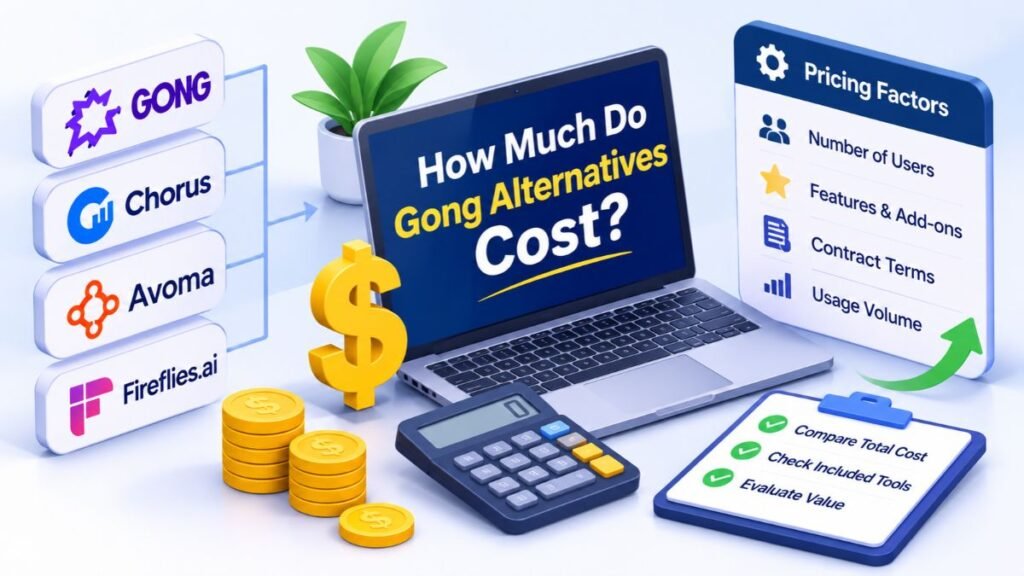
Software pricing varies according to features, user numbers, contract terms, and usage. Some vendors publish monthly subscriptions, while others prepare custom quotations after reviewing business requirements. Gong uses per-user licensing alongside a platform fee. This means the total cost can include more than the number of employee licenses.
When comparing Gong alternatives, calculate the cost for your complete team rather than looking only at the advertised starting price. A low-cost meeting assistant may require separate coaching software or CRM automation tools. Likewise, a more expensive platform may replace several subscriptions. The important question is how much value your complete software setup delivers.
Gong Pricing vs Competitor Pricing
The following table summarizes publicly available pricing information. Annual prices are shown where the vendor publishes them. Custom quotations and optional add-ons are identified separately.
| Platform | Published starting price | Pricing structure |
| Gong | Custom quote | Per-user license plus platform fee |
| Salesloft | Custom quote | Contact sales |
| Outreach | Custom quote | Contact sales |
| Chorus | Contact vendor | Product and contract dependent |
| Avoma | $19/recorder/month | Annual billing |
| Jiminny | Custom quote | Seat-based |
| Fireflies.ai | $10/user/month | Annual billing |
| Fathom | Free | Paid plans available |
| Sybill | Free | Pro from $30/user/month annually |
| Dialpad Sell | $39/user/month | Published Essentials price |
| HubSpot Sales Hub | Free | Paid plans available |
Avoma’s pricing deserves special attention because its basic meeting assistant and advanced intelligence features have separate costs. Its annual Startup plan begins at $19 per recorder seat monthly. Conversation Intelligence and Revenue Intelligence are additional offerings. Jiminny, Salesloft, and Outreach generally require direct pricing discussions.
Free vs Paid Gong Alternatives
Free plans are useful when a team needs basic recording and transcription. Fathom provides unlimited recordings and transcriptions on its free individual plan. Fireflies also has a free tier, although its storage and usage limits differ from paid subscriptions. Sybill provides free access with weekly AI credits and limits on meeting summaries.
Paid plans become more useful when businesses need shared workspaces, advanced analytics, CRM synchronization, or administrative controls. For example, Fathom’s paid Business plan adds CRM field synchronization and coaching metrics. Fireflies offers additional conversation intelligence and team analytics on higher tiers.
Hidden Costs to Consider Before Purchasing
The subscription price doesn’t always represent the complete cost of ownership. Some vendors charge separately for advanced features, additional seats, or specific usage levels. Others require annual commitments or minimum user counts. These details can change the financial value of a platform.
Implementation also requires attention. Teams may spend money configuring integrations, migrating historical recordings, and training employees. Additional third-party integrations can introduce their own subscription fees. Businesses using usage-based pricing should estimate their expected monthly activity before signing. A proper cost review should include licenses, add-ons, onboarding, storage, support, and future expansion.
How Much Does Conversation Intelligence Software Cost for a Sales Team?
Consider a team with ten representatives that needs meeting recording and AI summaries. Using published annual prices, Fireflies Pro would cost approximately $100 monthly. Fathom Team would cost approximately $150 monthly, subject to its two-user minimum. Avoma Startup would cost approximately $190 monthly for ten recorder seats.
Illustrative calculations using published annual rates, before taxes, add-ons, or contract adjustments.
These figures show why businesses should compare similar features rather than headline prices. A team that needs coaching, forecasting, and advanced CRM automation may require a higher subscription. A team that only needs searchable meeting notes may not. Always request a written quotation for custom-priced platforms.
Gong Alternatives That Integrate With HubSpot, Salesforce, and Other CRMs
CRM compatibility can make or break a sales software purchase. Representatives need customer information, meeting notes, and deal updates in the same place. Without reliable synchronization, employees may spend more time copying information between applications than speaking with prospects.
Good CRM integrations connect conversations with the wider sales process. They can support automated CRM updates, activity logging, and follow-up tasks. Some platforms also provide AI workflow automation that connects meeting information with existing business systems. However, integration quality depends on supported fields, permissions, and the selected subscription.
Best Gong Alternatives for HubSpot
HubSpot users should examine Avoma, Fireflies, Fathom, Jiminny, and Dialpad. Their CRM connections can help teams associate meeting records with contacts and deals. Sybill also provides CRM-related automation on its higher plans. However, available features differ between products and subscription levels.
A good integration should transfer meeting summaries, contact details, and relevant sales activities accurately. It should also avoid creating duplicate records. Before choosing a platform, test whether custom fields synchronize correctly. Check whether representatives can review and edit updates before they reach important customer records.
Best Gong Alternatives for Salesforce
Salesforce users should prioritize integrations that connect call information with accounts, contacts, and opportunities. Gong, Avoma, Jiminny, and Dialpad provide relevant capabilities to investigate. Outreach and Salesloft also support broader sales workflows that can connect engagement activity with revenue operations.
The most useful integration should make customer information available without requiring repeated manual entry. For example, a completed discovery call could produce a summary linked to the correct opportunity. A representative could then review the notes and create the next task. This helps maintain accurate records throughout the sales process.
Gong Competitors That Support Multiple CRM Integrations
Some organizations use more than one business application. Their software may include Salesforce, HubSpot, Microsoft Dynamics 365, Pipedrive, or other CRM systems. They may also connect meeting platforms, calendars, email, and communication tools.
Check whether a vendor supports native connections, APIs, or external automation services. Native integrations generally provide a more direct connection, while external connectors can offer additional flexibility. However, each method has limitations. Review synchronization frequency, supported objects, authentication, and error handling before relying on an integration for important business data.
How CRM Integration Improves Sales Workflow Automation
A connected sales system reduces repetitive administrative work. After a meeting, AI can prepare notes and suggest the next steps. Depending on permissions and configuration, the software may update a contact record or create a follow-up task. This type of sales workflow automation helps representatives focus on customer communication.
For example, imagine a prospect requesting a product demonstration and a revised proposal. The meeting assistant captures both requests. Its automation can prepare a summary and create tasks for the responsible representative. These actions support better customer communication and more consistent deal management. However, important updates should still receive human review when accuracy matters.
How to Switch From Gong to Another Conversation Intelligence Platform
Switching sales software requires more planning than creating a new account. Businesses may have years of recordings, transcripts, customer notes, and connected workflows. Losing access to this information can disrupt ongoing opportunities and reduce visibility across the sales team.

Before canceling Gong, review your contract and migration options. Compare the replacement’s features, integrations, security, and data retention policies. A successful transition should preserve important information while improving daily operations. This is especially important for revenue execution, where missing customer details can affect active deals and future forecasts.
Step 1: Evaluate Your Current Gong Usage
Start by examining how employees currently use Gong. Identify which features support daily activities and which remain unused. Review recording frequency, coaching workflows, CRM connections, and reporting requirements. Also speak with sales managers and representatives to understand their frustrations. This creates a practical list of requirements for the new platform.
Pay particular attention to your existing sales methodologies and reporting standards. If managers rely on specific scorecards, the replacement should support similar evaluations. Review how Gong tracks pipeline health, identifies deal risks, and supports rep performance analysis. These details help prevent important capabilities from disappearing during migration.
Step 2: Choose the Right Gong Replacement
Once you understand your requirements, compare suitable platforms. Create a shortlist based on team size, budget, integrations, and essential features. Arrange product demonstrations and ask vendors to show real workflows. A recording feature may look impressive, but the real test is how quickly employees can find useful information.
Check whether the platform supports your meeting applications and CRM. Review its reporting tools, user permissions, and customer support. Also investigate whether it offers AI agents that can handle repetitive administrative work. Your new platform should improve existing processes rather than introduce another complicated system.
Step 3: Check Data Export and Migration Options
Historical conversations can contain important customer details. These records may include pricing discussions, product requirements, objections, and previous commitments. Before switching, determine which recordings and transcripts you can export. Check whether the new provider can import existing files and preserve their original dates and associated customer information.
Not every vendor supports direct migration from Gong. Some platforms may accept uploaded recordings but cannot recreate all historical analytics or metadata. Ask about supported file formats, storage limits, and migration assistance. Also review data ownership, retention rules, and deletion requirements before closing your old account.
Step 4: Reconnect Your CRM and Business Applications
After selecting a platform, configure its integrations carefully. Connect your CRM, calendar, meeting applications, and communication tools. Then check whether recordings appear under the correct customer and opportunity records. Test automatic updates before allowing the entire sales team to use the system.
Pay special attention to permissions and field mapping. A poorly configured integration can attach notes to the wrong contact or overwrite existing information. Test several realistic workflows before launch. These checks protect CRM data accuracy and reduce problems caused by disconnected applications.
Step 5: Train Employees and Monitor Performance
A successful migration depends on employee adoption. Explain how the new platform works and show representatives where to find recordings, summaries, and customer information. Managers should also learn how to review calls and use analytics. Short practical training sessions often work better than lengthy presentations.
Monitor adoption during the first few weeks. Compare meeting documentation, CRM completion, and follow-up times with previous performance. Collect employee feedback and address problems quickly. The goal is to make the new system a natural part of daily work rather than another application employees avoid.
Gong Migration Checklist
| Migration task | What to verify |
| Contract review | Renewal dates and cancellation terms |
| Data export | Recordings, transcripts, and notes |
| Security | Access controls and data retention |
| CRM setup | Contacts, accounts, and opportunities |
| Integrations | Calendars and meeting applications |
| Employee training | Managers and representatives |
| Testing | Recording and synchronization accuracy |
| Performance review | Adoption and workflow improvements |
A careful migration also needs to consider recording consent laws. US businesses may operate across states with different consent requirements. Review applicable federal and state rules before recording customer conversations. Consult qualified legal counsel when necessary, particularly when handling sensitive customer information.
Frequently Asked Questions
Is Gong an Israeli company?
Gong was founded by two Israeli entrepreneurs, but its headquarters are in San Francisco, USA. It also has major operations in Israel.
Which is better, Momentum or Gong?
Gong is better for comprehensive sales conversation intelligence, while Momentum is worth considering for sales workflow automation. The best choice depends on your team’s needs.
Who does Gong compete with?
Its competitors include Chorus, Avoma, Salesloft, Outreach, Jiminny, Fireflies.ai, and Fathom.
Is Gong a competitor of Salesforce?
Not directly. Gong specializes in revenue intelligence, while Salesforce is a broader CRM platform, although some features overlap.
Is Gong going to IPO?
Gong is privately held, and no confirmed IPO date or announcement is available.
Which ai company is Israeli?
Examples include AI21 Labs, Mobileye, Aidoc, Lightricks, Hailo, and Gong.
Conclusion
The right platform should match your team’s actual workflow. A large enterprise may benefit from advanced forecasting and revenue intelligence, while a startup may need affordable meeting assistance. There isn’t one solution that fits every business. For organizations exploring Gong alternatives, the most important step is identifying which tasks consume the most time. If representatives spend hours preparing notes, choose a strong meeting assistant. If managers struggle with coaching, prioritize conversation analytics and performance tracking. If customer records remain incomplete, focus on CRM automation. Modern workflow automation tools can also extend beyond traditional sales software. For example, AI agents can connect meeting information with email, CRM records, and internal applications. These connections can reduce repetitive work across sales, operations, and customer success teams.
Ultimately, compare the complete cost, integration quality, and features before signing a contract. The right software should help your employees understand customer conversations, improve follow-ups, and manage opportunities more effectively. It should also support your business as its requirements evolve. For businesses that handle inbound and outbound calls, phone-based platforms may provide additional value. Other organizations may benefit from broader automation across their customer support teams. Consider whether you need AI-powered call summaries, advanced call analytics, or a dedicated knowledge base before choosing a platform. The goal isn’t simply to replace one subscription with another. It’s to build a connected system that supports better customer experiences and more consistent sales results.
Research note: Product features and pricing can change during the year. Confirm current plans, integrations, and contract terms on official vendor websites before purchasing.