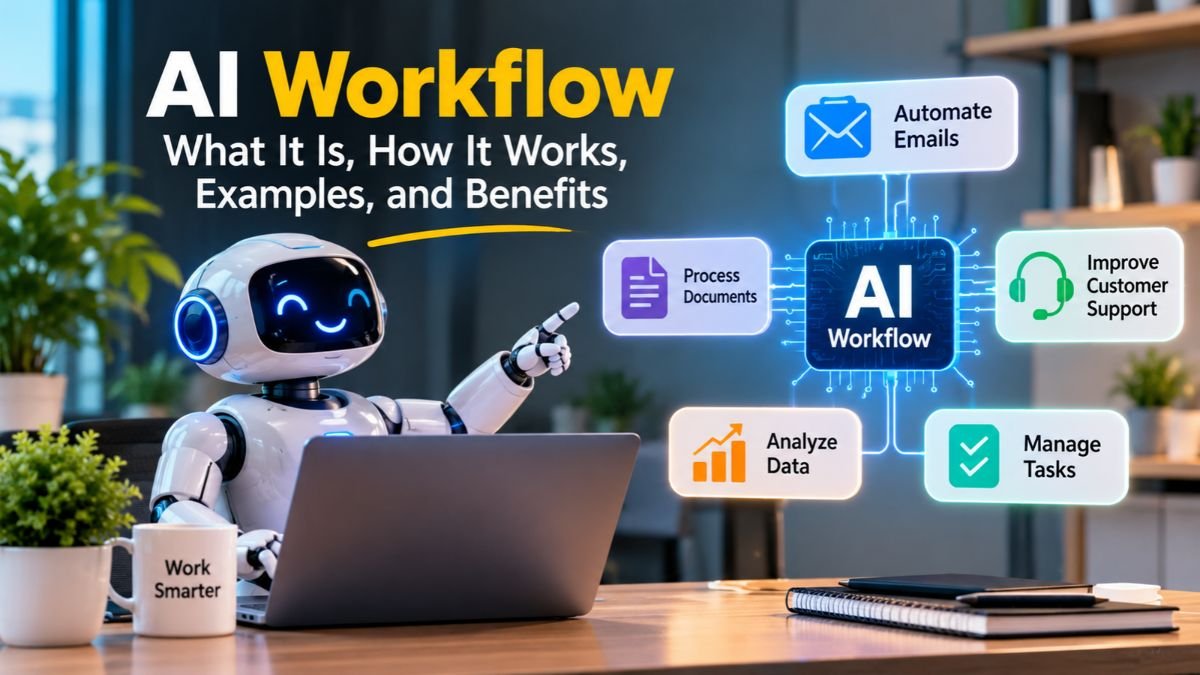
AI Workflow: What It Is, How It Works, Examples, and Benefits
An AI workflow uses artificial intelligence to automate tasks, process information, and improve business operations. Unlike traditional automation, it can analyze data, recognize patterns, and support decisions with minimal human involvement. Businesses use AI workflow automation to manage repetitive activities such as email handling, document processing, customer support, and data entry. By combining machine learning, natural language processing, and intelligent tools, these workflows can handle complex tasks more efficiently.
They also help teams reduce manual work, minimize errors, and save valuable time. Whether you run a small business or manage a large organization, understanding AI-powered workflows can help you improve productivity and build smarter, more efficient processes.
What Is an AI Workflow?
An AI workflow is a sequence of connected tasks that uses artificial intelligence to complete a particular process. It combines different applications, data sources, and AI models to move work from an initial input to a final result. For example, a business can use one system to receive customer emails, another to understand their requests, and another to update customer records. Together, these steps create a coordinated process.
Unlike ordinary automation, an AI workflow can interpret information and handle tasks that require some level of judgment. Traditional workflow automation usually follows predefined instructions, while intelligent systems can analyze different situations before selecting an appropriate action. They can process documents, understand customer messages, and recognize patterns in large datasets. However, their decisions still depend on model quality, available information, and the organization’s established rules.
Understanding the Meaning of an AI Workflow
Think of a workflow as a digital assembly line where every stage has a specific responsibility. One application collects information, another processes it, and another delivers the result. An intelligent system adds AI capabilities to selected stages, allowing the process to handle more than simple information transfers. This makes AI-powered workflows useful for complicated business activities.
For instance, imagine a company receiving hundreds of job applications. Its workflow can extract information from resumes, identify relevant qualifications, and organize candidates according to specific requirements. A recruiter can then review the results and decide which applicants deserve further consideration. This approach combines automated tasks with human judgment rather than removing people from the process entirely.
How AI Workflows Differ From Individual AI Tools
Individual AI applications usually perform specific tasks when someone provides instructions. A writing assistant creates content, a chatbot answers questions, and an image generator produces visuals. However, these applications may not automatically communicate with other business systems. Connecting them creates a broader process that moves information between stages without repeated manual input.
For example, a marketing team might use an AI model to draft email campaigns. A connected workflow can then send the draft to an approval system, schedule the approved message, and record campaign activity. This workflow integration turns separate capabilities into one coordinated process. It also reduces the time employees spend switching between applications.
AI Workflow Automation Explained
AI workflow automation combines artificial intelligence with software automation to manage tasks across connected applications. It can interpret incoming information, categorize requests, generate responses, and trigger additional actions. Meanwhile, ordinary automation handles predictable steps such as copying records, sending notifications, or updating databases. Combining both approaches creates more flexible business processes.
Consider an online store that receives product return requests. A traditional system might send every request to the same department. An intelligent workflow can examine the customer’s message, identify the reason for returning an item, and select the appropriate process. However, refunds or unusual requests can still require employee approval.
AI Workflow vs. AI Agents vs. AI Chatbots
These three technologies often work together, but they serve different purposes. A chatbot communicates with users and answers questions. An AI agent can use connected tools to perform tasks and pursue specific goals. A workflow provides the structure that coordinates these activities, including triggers, approvals, and application connections.

For example, a customer support workflow might receive a message through a chatbot. An AI agent can investigate the request and retrieve relevant account information. The workflow then updates the support ticket or sends the case to an employee. This distinction becomes especially important when designing reliable business automation.
How Does an AI Workflow Work?
An AI workflow process generally starts when a system receives information or detects a specific event. It then processes the information, evaluates possible actions, and produces an outcome. Different technologies handle these stages, depending on the workflow’s purpose. Some processes use a single AI model, while more advanced systems coordinate several models and applications.
The complete process can involve Data input and collection, Processing and analysis, Decision-making, and Output and feedback. These stages create a logical path from the original request to the final result. Businesses can also introduce approval checkpoints, error handling, and monitoring between stages. This structure makes complex operations easier to manage and improve.
Step 1: Data Input and Trigger Activation
Every workflow needs an event or information source to begin its work. A trigger might occur when someone submits a website form, sends an email, uploads a document, or updates a database. The system collects the relevant information and prepares it for the next stage. These inputs may include text, images, audio recordings, or numerical records.
For example, an insurance company might receive a new claim through its website. The workflow collects the customer’s details, attached documents, and claim description. It then sends this information to the appropriate processing stage. Reliable data processing begins with accurate input and clear instructions about what information the system should collect.
Step 2: AI Processing and Data Analysis
After collecting information, the system uses suitable AI technologies to understand its contents. Natural language processing helps interpret written language, while computer vision can examine images and scanned documents. Machine learning models can identify patterns, classify information, or make predictions based on available data. These capabilities allow workflows to handle information beyond simple spreadsheet entries.
For example, a document-processing system can examine an uploaded contract and identify important dates, payment terms, and company names. It can also summarize lengthy sections for easier review. The system uses pattern recognition and contextual understanding to interpret information. However, extracted details should still undergo validation before important business decisions rely on them.
Step 3: Decision-Making and Automated Actions
Once the information has been analyzed, the workflow determines what should happen next. Some decisions follow fixed conditions, while others use AI-generated classifications or recommendations. For example, a customer support system might send billing questions to the finance team and technical issues to support specialists. This combination of AI reasoning and business rules creates more adaptable processes.
At this stage, AI agents can perform specialized tasks through connected applications and services. One agent might investigate a customer request, while another prepares a response using approved information. The workflow coordinates their activities and checks whether the required conditions have been satisfied. Important actions can remain subject to Human oversight and Human intervention.
Step 4: Output, Monitoring, and Feedback
The final stage delivers the result to the appropriate application or person. Outputs might include updated customer records, completed documents, notifications, reports, or approved transactions. The system can also record execution details and identify failed steps. These records help employees understand what happened and where problems occurred.
Feedback loops provide another important layer of control. Businesses can compare AI outputs with reviewed results and identify recurring mistakes. They can then improve instructions, adjust decision rules, update models, or correct their data. This process supports Continuous learning, although not every AI workflow automatically trains itself from previous executions.
A Practical Example of an AI Workflow in Action
Consider a medium-sized US company that processes hundreds of supplier invoices every month. Employees previously opened each document, copied financial details, checked purchase orders, and forwarded invoices for approval. This created delays and increased the chance of mistakes. An automated invoice workflow can coordinate these activities through connected software.
The system receives an invoice, extracts the supplier name and payment amount, and compares the information against purchasing records. It flags missing details or unusual amounts for employee review. Once approved, it updates the accounting system and sends the payment request to the appropriate department. This illustrates how Document processing and Invoice processing can reduce repetitive administrative work.
What Are the Key Components of an AI Workflow?
Behind every intelligent process lies a combination of software, data, and automation technology. Each component performs a specific function, from understanding information to connecting applications. The exact setup depends on the complexity of the task and the business requirements. A simple workflow might need one AI model and two applications, while enterprise systems require more advanced coordination.
Modern AI workflow systems often combine AI models, APIs, databases, automation platforms, and monitoring tools. These components must communicate reliably to produce useful results. If one part receives incorrect information or fails to complete its task, the entire process may produce an unreliable outcome. Understanding these building blocks helps businesses design systems that remain practical and manageable.
Artificial Intelligence and Machine Learning
Artificial intelligence gives software the ability to perform tasks that normally require human intelligence. These tasks include recognizing patterns, interpreting language, classifying information, and generating content. Machine learning supports many of these capabilities by identifying relationships within training data. Different models serve different purposes, so businesses should select technologies according to their actual requirements.
For example, a retail company might use a prediction model to estimate future product demand. Another model could classify customer feedback into different categories. Both applications use AI, but their objectives are different. Selecting the right model helps improve Operational efficiency without adding unnecessary complexity.
Large Language Models and Natural Language Processing
Large language models, commonly called LLMs, can understand and generate human-like text. They support tasks such as summarization, question answering, content drafting, and information extraction. Natural language processing also helps software interpret written requests and identify important details. Together, these technologies make it easier to build workflows around emails, documents, and customer conversations.
For example, a legal team can use an LLM to summarize lengthy agreements and highlight important clauses. The workflow can send the summary to an employee for review before updating internal records. Generative AI can also create draft responses or reports using approved information. However, generated content should not be treated as verified fact without appropriate checks.
Data Sources, Inputs, and Processing Systems
Data provides the foundation for almost every intelligent process. A workflow may collect information from databases, spreadsheets, cloud storage, website forms, and business applications. Some sources contain structured data, such as customer IDs and transaction amounts. Others contain unstructured data, including emails, scanned documents, recordings, and written feedback.
The system must organize and prepare this information before using it. Data cleaning removes duplicates and incorrect entries, while Data validation checks whether information meets specific requirements. Accurate records improve processing quality and reduce unnecessary errors. Without reliable data, even advanced AI technologies can produce poor results.
APIs, Integrations, and Workflow Orchestration
An API allows different software applications to exchange information and perform actions. For example, an automation platform can retrieve customer details from a CRM and send them to an AI model. After processing, it can return the results to another application. This Application integration connects separate tools without requiring employees to transfer information manually.
Workflow orchestration coordinates multiple automated tasks across applications and services. It manages the order of operations, dependencies, notifications, and approvals. For example, a lead generation process might collect a prospect’s details, enrich the record, calculate a qualification score, and assign the lead to a salesperson. IBM explains how workflow orchestration connects automated tasks into end-to-end business processes.
AI Agents, Rules, and Human Oversight
AI agents are software systems that can use models and connected tools to complete specific goals. They may examine information, select suitable actions, and perform multiple steps. Some workflows use several specialized agents instead of relying on one general-purpose system. These Agentic AI workflows can coordinate research, customer support, and other complex activities.
However, autonomy needs clear boundaries. Businesses should define which applications agents can access and which actions require approval. For example, an agent might prepare a payment request but leave the final authorization to an employee. These safeguards improve accountability and limit the damage caused by incorrect decisions.
Monitoring, Feedback Loops, and Performance Tracking
A workflow needs ongoing monitoring after deployment. Businesses should track completed tasks, failed executions, processing times, and unexpected outputs. Monitoring helps identify problems before they affect larger operations. It also reveals whether the system delivers the results expected during its initial design.
Feedback loops help teams improve the workflow using actual performance data. They might revise prompts, update classification rules, improve source records, or change model settings. These improvements support Workflow optimization and help maintain consistent results. Importantly, monitoring should continue even when a workflow appears to run successfully.
What Are the Different Types of AI Workflows?
Not every business needs the same automation approach. Some workflows follow simple instructions, while others interpret information and make more complex decisions. The right design depends on task complexity, risk, data quality, and the level of independence required. Choosing an appropriate structure prevents unnecessary costs and makes maintenance easier.
Most businesses combine several workflow approaches rather than relying on one technology. A customer support process might use fixed rules for ticket routing and an AI model for understanding messages. Another process might use agents for research while employees approve the final result. These Intelligent workflows combine predictable execution with AI-assisted reasoning.
Rule-Based AI Workflows
Rule-based workflows follow predefined conditions to determine what happens next. They may include AI models for classification or information extraction, but their overall structure remains controlled by explicit instructions. For example, a system might examine an incoming email and categorize it as billing, sales, or technical support. Each category then follows a predetermined route.
This approach works well when businesses need consistent results and clear decision boundaries. It also makes troubleshooting easier because employees can inspect the rules behind each action. However, unusual requests may require additional logic or human review. Rule-based designs are particularly useful for predictable business operations.
AI-Powered Automated Workflows
AI-powered automated workflows combine intelligent models with connected software applications. They can interpret incoming information and trigger actions based on their results. For example, a marketing system might analyze customer feedback, identify common complaints, and create a summary for the marketing team. It can then save that report in a shared workspace.
These systems are useful when tasks involve different information formats or require some interpretation. They can also connect AI-generated results with existing business applications. However, companies should establish validation steps when outputs influence financial, legal, or customer-related decisions.
Agentic AI Workflows
Agentic workflows use AI agents to complete tasks through planning, tool usage, and repeated actions. Instead of following only a fixed sequence, an agent can select from available tools according to its instructions. For example, a research agent might collect information, compare sources, and prepare a summary for another agent to review.
More advanced systems can coordinate several specialized agents through an orchestration layer. One agent gathers information, another checks its accuracy, and a third prepares the final document. This approach can support complex tasks, but it also requires careful permissions, monitoring, and clear stopping conditions. Microsoft explains agentic workflows and their iterative think-and-act process.
Human-in-the-Loop AI Workflows
Human-in-the-loop workflows combine automated processing with employee review. The system handles routine activities but pauses when a decision requires human judgment. For example, an insurance workflow might extract information from a claim and identify missing documents. An employee then reviews the case before approving further action.
This approach is especially useful when errors could create financial, legal, or operational problems. It also allows businesses to maintain control over sensitive decisions. Rather than removing employees, the workflow directs their attention toward cases that genuinely require experience and judgment.
Generative AI Workflows
Generative AI workflows use models that create new content based on supplied instructions and information. They can draft emails, summarize documents, prepare reports, and produce marketing materials. For example, a content team might generate an article outline, create an initial draft, and send it through an editorial review process.
These workflows can also combine generated content with other applications. An approved email draft might move into a marketing platform for scheduling. However, generated information may contain inaccuracies or unsupported claims. Human review remains important, especially when content includes technical, financial, or factual statements.
What Are the Common Examples and Use Cases of AI Workflows?
AI workflows can support almost every department that handles repeated information-based tasks. Marketing teams use them to organize campaigns, sales departments manage prospects, and finance teams process documents. Their usefulness comes from connecting multiple activities rather than automating isolated actions. This allows information to move through an organization with fewer manual handoffs.

The most effective applications usually begin with a clear business problem. A company might struggle with slow customer responses or inconsistent data entry. Another might spend too much time preparing reports. By identifying these problems, organizations can choose automated processes that deliver practical improvements without changing every existing system.
AI Workflows for Marketing Automation
Marketing departments handle large amounts of customer information and campaign activity. An intelligent workflow can collect audience data, organize customer segments, and prepare personalized email drafts. It can also analyze campaign responses and summarize performance for marketing managers. This reduces the time spent handling repetitive campaign tasks.
For example, a US e-commerce company might connect its website, email platform, and customer database. When someone signs up, the workflow records their preferences and sends relevant information. Later, it can summarize engagement patterns and identify opportunities for improvement. This form of automated task management helps marketing teams coordinate their daily activities.
AI Workflows for Sales and Lead Generation
Sales teams often receive leads through websites, advertisements, social media, and referral channels. Managing these prospects manually can create delays and inconsistent records. An intelligent workflow can collect prospect details, analyze their requirements, and organize them according to predefined qualification criteria. Qualified leads can then move into the appropriate sales pipeline.
Consider a software company receiving demo requests through its website. The workflow extracts company information, categorizes the prospect’s needs, and creates a CRM record. It can then assign the lead to a sales representative and prepare a follow-up reminder. This improves Customer relationship management (CRM) and makes lead handling more organized.
AI Workflows for Customer Support
Customer support teams receive questions through email, live chat, phone transcripts, and contact forms. An AI workflow can analyze these messages and identify their main purpose. It can retrieve relevant information from approved knowledge sources and prepare a response for the customer. Complex requests can move directly to human representatives.
For example, an online retailer might receive hundreds of questions about delivery updates. The workflow can identify order-related requests and retrieve the relevant tracking information. It can prepare a response or route the inquiry to an employee when the order requires investigation. This improves Customer service automation while keeping human support available for difficult situations.
AI Workflows for Content Creation
Content teams manage research, writing, editing, approvals, and publishing. AI can support each stage by organizing research notes, generating draft sections, and improving sentence clarity. A connected workflow can also send documents to editors and notify writers when revisions are required. This creates a more organized production process.
For example, a marketing department might collect topic ideas from a shared spreadsheet. An AI model can group related subjects and prepare draft outlines. Editors then review the material before writers create the final articles. This supports Content creation without treating generated text as publication-ready material.
AI Workflows for Finance and Accounting
Finance departments handle invoices, receipts, expense claims, payment records, and financial reports. These documents often contain information that employees must extract and verify. An intelligent workflow can read incoming files, identify relevant amounts, and compare details against accounting records. Unusual transactions can be flagged for further investigation.
For instance, a company might receive supplier invoices through a shared email account. The workflow extracts invoice numbers, dates, and payment amounts before checking the purchase records. Approved documents move toward payment authorization, while mismatches go to an accountant. This improves Data entry and supports more consistent financial administration.
AI Workflows for Human Resources
Human resources teams coordinate recruitment, employee onboarding, training, and internal communication. An AI workflow can organize applications, extract qualifications, and schedule interviews. It can also prepare onboarding documents and send reminders to relevant departments. These tasks often involve repeated communication and document handling.
For example, when a new employee joins a company, the workflow can create an onboarding checklist. It may notify IT, prepare account requests, and send required documents to the employee. However, hiring decisions should involve qualified people. AI should support recruitment administration rather than make unsupported judgments about applicants.
AI Workflows for Healthcare and Professional Services
Healthcare organizations manage appointments, patient documents, billing records, and administrative communication. AI can assist with organizing documents, extracting information, and preparing routine summaries. However, workflows involving patient information need strict privacy controls and professional supervision. Clinical decisions should remain with qualified healthcare professionals.
Law firms and accounting companies can also use intelligent document workflows. For example, a legal team might organize contract details and highlight clauses for attorney review. An accounting firm could extract figures from receipts and prepare records for reconciliation. These applications support administration without replacing professional judgment.
AI Workflows for Data Analysis and Reporting
Businesses collect information from sales platforms, advertising accounts, customer databases, and financial systems. An AI workflow can bring these sources together and organize their information for analysis. It can identify unusual changes, summarize performance, and prepare reports for managers. This makes large datasets easier to understand.
For example, a retail manager might receive weekly reports from several stores. The workflow can compare sales trends, highlight unusual changes, and prepare a summary. Managers can then investigate the reasons behind those patterns. This creates useful Data insights and supports better business planning.
What Are the Benefits of AI Workflows?
Businesses adopt intelligent automation because it can improve how employees and applications work together. Instead of handling every activity manually, teams can delegate suitable tasks to connected systems. This reduces unnecessary steps and creates more consistent processes. The value becomes greater when several departments use the same reliable information.
The benefits depend on how well a workflow is designed and maintained. A poorly planned system can introduce new problems instead of solving existing ones. However, when businesses choose appropriate tasks and monitor performance, intelligent automation can improve productivity, accuracy, and operational control. It can also help growing companies handle more work without increasing every administrative burden.
Increased Productivity and Operational Efficiency
Repetitive activities consume time that employees could spend on more important responsibilities. AI workflows can handle routine data collection, classification, notifications, and document preparation. This reduces the number of manual steps required to complete everyday processes. Employees can then focus on customer relationships, planning, and problem-solving.
For example, a sales representative may spend hours updating prospect records and organizing follow-ups. An automated system can manage many of these administrative steps. The employee can use that time to understand customer needs and prepare better conversations. This supports stronger Business productivity across the team.
Reduced Human Errors and Better Accuracy
Manual processes often create mistakes during copying, data entry, and document review. An intelligent workflow can apply consistent validation rules and identify missing information. It can also compare records across connected applications. These capabilities support Error reduction when the system receives reliable data and performs appropriate checks.
However, AI-generated results are not always correct. A document model might misread a number or misunderstand an unusual phrase. Businesses should therefore verify important information before using it for financial or legal decisions. Combining automated checks with human review creates a more dependable process.
Lower Operational Costs
Manual administration can increase labor expenses and create delays across departments. Automation reduces the time employees spend on repetitive activities and routine information handling. It may also reduce the cost of correcting mistakes and managing backlogs. Over time, these improvements can support meaningful Cost savings.
However, automation also introduces expenses. Businesses may pay for software subscriptions, AI model usage, integration work, and ongoing maintenance. They should compare these costs against measurable improvements rather than assuming every automated task produces financial value. A small pilot can reveal whether the investment makes sense.
Faster Decision-Making and Better Data Insights
Managers often need information from several departments before making important decisions. AI workflows can collect relevant records, organize them, and prepare summaries. Some systems can also use Predictive analysis to estimate possible outcomes from historical patterns. These capabilities help teams review information more efficiently.
For example, an ecommerce business might analyze previous sales, seasonal demand, and customer activity. A prediction model can estimate which products may need additional stock. Managers can review these estimates alongside current market conditions. AI supports the decision, but the business remains responsible for the final choice.
Improved Scalability and Business Growth
Growing companies often experience higher volumes of customer requests, transactions, and internal documents. Manual processes can become difficult to manage as demand increases. AI workflows can handle more routine tasks through connected applications and repeatable instructions. This supports Process scalability without requiring every activity to grow at the same rate.
For example, a small online store may initially process orders manually. As sales increase, it can automate order notifications, customer updates, and inventory checks. The business can then focus on customer experience and expansion. However, scaling still requires enough system capacity and regular performance checks.
Better Customer Experience and Employee Satisfaction
Customers usually expect quick answers and clear communication. AI workflows can organize incoming requests and help support teams respond faster. They can also personalize messages using relevant customer information. Employees benefit because they spend less time sorting requests and searching for records.
For example, a customer support team can use an AI system to summarize previous conversations before an employee handles a complaint. The representative receives useful context without reviewing every message manually. This can make customer interactions smoother while allowing employees to focus on problems that need personal attention.
Greater Consistency and Process Visibility
Connected workflows create clearer records of how tasks move through an organization. Managers can see which steps are completed, where delays occur, and which activities need review. This visibility helps identify bottlenecks and improve internal procedures. It also makes it easier to maintain consistent standards across departments.
For example, a finance manager can monitor invoice approval times and identify departments with repeated delays. The company can then review its approval process and adjust responsibilities. Reliable Performance monitoring makes workflow improvements more measurable and easier to maintain.
AI Workflow vs. Traditional Workflow Automation: What’s the Difference?
Both approaches help businesses reduce manual work, but they solve different problems. Traditional automation follows predefined instructions to complete predictable activities. AI workflows add capabilities such as language interpretation, classification, and context-based decisions. The distinction matters when choosing technology for a particular business process.

However, these approaches do not need to compete. Many effective systems combine fixed rules with AI capabilities. A workflow can use traditional automation to move records and AI to interpret customer messages. This hybrid design often provides a practical balance between flexibility, control, and reliability.
What Is Traditional Workflow Automation?
Traditional automation uses predefined rules to execute specific actions. For example, when someone submits a contact form, the system can save the information and send a confirmation email. The process follows instructions created by the user. It does not need to understand the meaning of the message to complete those actions.
This approach works particularly well for stable and repetitive tasks. Businesses use it for notifications, scheduled reports, record updates, and approval routing. Its main advantage is predictability. However, unexpected inputs may require additional rules or manual handling.
How AI Workflows Differ From Traditional Automation
AI workflows can interpret information that does not follow one fixed format. They can analyze written requests, classify documents, and generate responses using contextual information. Traditional systems usually depend on specific conditions and predefined actions. AI adds a layer of interpretation that can handle more varied inputs.
Still, AI does not make every process better. A simple notification does not need a language model. Adding AI to predictable tasks may increase costs and create unnecessary failure points. The best approach uses intelligent capabilities only where they provide clear value.
AI Workflow vs. Traditional Automation: Key Differences
The following comparison highlights the main differences between these approaches. Understanding their strengths helps businesses select suitable technology for different tasks.
| Comparison factor | Traditional automation | AI workflow |
| Main approach | Predefined rules | AI-assisted processing and decisions |
| Data handling | Mostly structured information | Structured and unstructured information |
| Decision-making | Fixed conditions | Model-assisted interpretation |
| Flexibility | Limited by configured rules | Can handle varied inputs |
| Learning | Requires manual rule updates | Can improve through feedback and model updates |
| Best applications | Repetitive predictable tasks | Tasks requiring interpretation |
| Human involvement | Depends on process design | Often useful for reviewing AI outputs |
| Complexity | Usually simpler | Can require additional monitoring |
When Should Businesses Use AI Workflows or Traditional Automation?
Traditional automation is suitable when a task follows clear instructions and produces predictable results. For example, sending an invoice reminder on a specific date does not require advanced AI. A simple trigger and action can complete the task reliably. This approach keeps implementation straightforward and avoids unnecessary model costs.
AI becomes more useful when information varies or requires interpretation. Customer message classification, document analysis, and content summarization are common examples. Businesses can also combine both approaches in one process. This hybrid method uses fixed rules for reliable execution and AI for tasks involving judgment.
How to Create and Implement an AI Workflow
Building an effective system starts with understanding the problem rather than choosing software immediately. Businesses should identify repetitive activities, examine existing processes, and decide what success looks like. This prevents unnecessary automation and keeps the project focused. A clear starting point also makes testing easier.
A practical implementation usually involves planning, tool selection, workflow design, application connections, and ongoing evaluation. Small businesses can begin with simple processes before introducing more advanced features. Larger organizations may need additional security, governance, and integration controls. In both cases, Business process automation should support real operational goals.
Step 1: Identify Repetitive Tasks and Business Requirements
Start by reviewing activities that consume significant employee time. Look for repeated data entry, document handling, customer inquiries, and routine reporting. Then examine where delays or errors occur. A useful automation opportunity usually has clear inputs, repeatable steps, and measurable outcomes.
For example, a small marketing agency might spend hours transferring website leads into its CRM. Automating this process could save time and reduce missing records. The agency should first document how leads arrive and which details employees need. This information becomes the foundation for the new workflow.
Step 2: Choose the Right AI Workflow Tools
The right platform depends on your technical skills, budget, and existing software. No-code tools offer visual builders that help beginners connect applications. Low-code platforms provide additional flexibility for custom logic and integrations. Developers may prefer systems that support custom code and deployment control.
Before choosing a platform, review its available integrations, AI features, security controls, and pricing model. Consider how the platform handles failed tasks and usage limits. A tool that looks simple may become expensive when processing large volumes. Start with a small test before committing to a larger deployment.
Step 3: Design the Workflow Structure
Once the requirements are clear, map every stage of the process. Identify the trigger, required information, AI processing steps, decision rules, and final output. Decide which actions should happen automatically and which need approval. A simple diagram can help employees understand how information moves.
For example, a lead management workflow might begin with a website submission. An AI model can categorize the inquiry and extract relevant company details. The system then creates a CRM record and assigns the lead. If information is missing, it can request clarification before continuing.
Step 4: Connect Applications and Data Sources
The next stage involves connecting the applications that participate in the process. APIs, built-in integrations, and automation connectors allow systems to exchange information. For example, a website form can send customer details to an AI model and then update a CRM. Each connection needs suitable permissions and accurate field mapping.
Businesses should also check how applications handle errors and missing information. A failed connection can interrupt the entire process. Testing each integration separately makes problems easier to locate. Secure credentials and restricted access also reduce unnecessary exposure of business information.
Step 5: Test, Monitor, and Optimize Performance
Before launching a workflow across an entire organization, test it with a small group of real-world examples. Include normal requests, incomplete records, unusual documents, and unexpected inputs. Check whether the system follows the correct steps and produces useful results. Testing helps reveal weaknesses before they affect daily operations.
After launch, review execution logs and performance reports regularly. Measure processing time, error rates, completed tasks, and employee intervention. Update instructions and decision rules when the results fall below expectations. This ongoing review supports Workflow optimization and keeps the system aligned with changing business needs.
How to Measure AI Workflow Performance
A successful workflow should produce measurable improvements rather than simply reduce the number of manual steps. Businesses can compare performance before and after implementation. They should also track operating costs and the amount of human review required. These measurements help determine whether the system delivers meaningful value.
| Performance metric | What it measures |
| Task completion rate | Percentage of tasks completed successfully |
| Processing time | Time required to complete a workflow |
| Error rate | Frequency of incorrect outputs or failed steps |
| Cost per task | Average operating cost for each completed task |
| Human intervention rate | Percentage of tasks requiring employee assistance |
| Return on investment | Financial value compared with implementation and operating costs |
For example, a company might discover that an invoice workflow completes routine documents quickly but sends too many exceptions for review. The team can investigate the reasons and improve its extraction rules. Measuring performance reveals where automation works well and where further adjustments are necessary.
What Are the Best AI Workflow Tools?
Choosing suitable software is an important part of building reliable automation. Different platforms support different levels of technical control, customization, and application connectivity. Some focus on simple app integrations, while others support complex processes and AI agents. Your choice should match the tasks you want to automate.
Several platforms are worth considering, including Zapier, Make, n8n, Microsoft Power Automate, and Workato. Their features and pricing can change, so compare current plans before making a decision. The most suitable platform is not necessarily the one with the most features. It is the one that handles your requirements reliably.
Zapier: Best for Connecting Multiple Business Applications
Zapier is a popular automation platform that connects different applications through triggers and actions. Users can create workflows without writing extensive code. For example, a new website submission can trigger a CRM update and send a notification to a sales representative. Its broad app ecosystem makes it useful for businesses with several software subscriptions.
Zapier also supports AI-powered automation, including steps for summarizing, classifying, and drafting information. Businesses can use these capabilities to connect AI models with existing applications. It is a practical starting point for beginners who want to automate common business activities without building a custom system.
Make: Best for Visual AI Workflow Automation
Make offers a visual environment for connecting applications and designing multi-step workflows. Users can create scenarios that move information through different modules and conditional routes. This makes it useful for processes involving several applications and decision points. Its visual interface also helps teams understand how tasks connect.
Make supports AI agents and AI integrations within its automation environment. Businesses can use them for activities such as information extraction, content generation, and request routing. Its flexible structure suits teams that need more visual control over their processes. Review its current plan limits before selecting it for high-volume operations.
n8n: Best for Customizable AI Workflows
n8n is a workflow automation platform that supports integrations, custom logic, and AI capabilities. Its node-based editor allows users to connect different services and control how information moves. Developers can also use custom code when built-in options do not meet their requirements. This makes the platform suitable for technical teams.
One notable advantage is its flexible deployment approach. Businesses can choose its cloud offering or explore self-hosting options according to their needs. However, self-hosting requires technical knowledge and ongoing maintenance. Teams should evaluate security, infrastructure, and operational responsibilities before choosing this approach.
Microsoft Power Automate: Best for Microsoft-Based Businesses
Microsoft Power Automate helps organizations automate processes across connected applications and services. It supports event-based workflows, scheduled actions, and integrations with Microsoft products. This makes it useful for companies that already rely on Microsoft 365 and other business applications.
Its AI Builder capabilities support tasks such as document processing, text classification, and information extraction. Users can also create workflows through natural-language assistance where available. For example, a business can process incoming receipts and transfer relevant details into another application. Microsoft documents these capabilities in its AI Builder overview.
Workato: Best for Enterprise Workflow Automation
Workato focuses on connecting business applications and coordinating enterprise processes. Organizations can use integration workflows to move information between departments and software systems. This is particularly useful when processes involve several applications and require consistent governance.
Larger businesses may need additional control over access, integrations, and workflow management. Enterprise automation platforms can help coordinate these requirements across departments. However, implementation should begin with a clear assessment of business needs. Platform complexity and pricing should match the scale of the intended project.
How to Choose the Right AI Workflow Tool
The best platform depends on your existing software, technical experience, and automation goals. A beginner might prefer a visual builder, while a development team may need custom integrations and hosting options. Enterprise organizations often place greater importance on governance and centralized management. Comparing these requirements helps narrow the available choices.
| Tool | Best suited for | General technical level |
| Zapier | Connecting common business applications | Beginner |
| Make | Visual and multi-step automation | Beginner to intermediate |
| n8n | Customizable and technical workflows | Intermediate to advanced |
| Power Automate | Microsoft-based business processes | Beginner to intermediate |
| Workato | Enterprise integrations and automation | Intermediate to advanced |
Also consider security, available integrations, support quality, and usage limits. Check whether the platform offers suitable controls for sensitive information. Test a small workflow before moving important operations onto it. This approach helps avoid expensive changes later.
What Are the Challenges and Limitations of AI Workflows?
Although intelligent automation offers useful capabilities, it also introduces risks that businesses must understand. AI models can produce incorrect information, integrations can fail, and sensitive data may require additional protection. Some workflows also need technical maintenance and regular human review. Ignoring these limitations can create problems across connected business systems.

The best approach is to introduce automation gradually and establish clear controls. Organizations should define which tasks AI can perform independently and which require approval. They should also monitor accuracy, access permissions, and system performance. The NIST AI Risk Management Framework guides identifying and managing AI-related risks.
Data Privacy and Security Risks
AI workflows may handle customer records, financial documents, employee details, and other sensitive information. Connecting multiple applications can increase the number of systems that access this data. Businesses should understand where information travels and how each provider stores or processes it. Access permissions should follow the principle of giving systems only what they need.
US organizations may also need to consider applicable privacy requirements. These can include state privacy laws and industry-specific obligations, depending on the business and information involved. Encryption, secure authentication, access controls, and clear retention policies help reduce exposure. Companies should also review vendor agreements before sharing confidential records.
AI Errors and Inaccurate Outputs
AI models can misunderstand instructions, misclassify documents, or generate information that sounds convincing but is incorrect. These mistakes can become more serious when workflows automatically pass results into other applications. For example, an incorrect invoice amount could affect accounting records if the system does not verify it.
Businesses should introduce validation rules and approval checkpoints for important actions. They can also test models using realistic examples before deployment. High-risk decisions should receive appropriate employee review. The NIST Generative AI Profile discusses risks and management practices for generative AI systems.
Integration and Compatibility Problems
Different applications may use different data formats, permissions, and connection methods. An integration that works correctly today might fail after a software update or authentication change. These problems can interrupt information transfers and leave tasks incomplete. Older business systems may also lack modern integration options.
Businesses should test every connection and establish clear error-handling procedures. They should monitor failed requests and verify whether records transfer correctly. Maintaining documentation also helps technical teams identify problems faster. Reliable Workflow integration requires regular attention rather than a one-time setup.
Implementation Costs and Technical Complexity
Building an intelligent workflow may involve software subscriptions, API usage, development, and maintenance expenses. Complex systems can also require technical employees or outside specialists. These costs vary according to workflow size, data volume, model selection, and integration requirements. A small automation project may be inexpensive, while an enterprise system needs more resources.
Businesses should estimate total costs before implementation. They should include ongoing usage charges and the time required for testing and maintenance. Starting with a simple process can help reveal whether the expected benefits justify the investment. Expanding gradually also reduces the risk of building an unnecessarily complicated system.
Human Oversight and Governance Requirements
AI systems should operate within clear business policies and defined responsibilities. Employees need to understand which decisions the system can make and when it must request approval. This is particularly important for financial transactions, employment decisions, and sensitive customer interactions. Clear governance helps maintain accountability.
Organizations should also keep records of important automated actions. These records make it easier to investigate unexpected outcomes and identify responsibility. The NIST AI Risk Management Framework emphasizes managing risks throughout the AI lifecycle. Strong oversight helps businesses use automation responsibly.
How to Overcome AI Workflow Challenges
A reliable implementation starts with manageable tasks and expands as the system proves useful. Businesses should use trusted data sources, restrict application permissions, and test workflows before deployment. They should also establish approval requirements for actions that could create financial or legal consequences.
Regular monitoring helps identify changing risks and performance problems. Teams should review failed tasks, update instructions, and check whether connected applications still work correctly. With clear responsibilities and suitable safeguards, businesses can build intelligent processes that remain useful as their operations grow.
Frequently Asked Question
What is the best AI workflow tool?
Zapier, Make, and n8n are popular AI workflow tools. The best choice depends on your budget, technical skills, and automation needs.
Can I make $1,000 a day using AI?
Yes, but it requires a profitable business model, valuable skills, and consistent effort. AI can help increase productivity, but earnings are never guaranteed.
What is the 30% rule in AI?
The 30% rule is an informal guideline suggesting that humans should review or contribute to a meaningful portion of AI-generated work. Its meaning can vary by context.
How can I create an AI workflow?
Choose a repetitive task, select suitable AI tools, connect your applications, and define automation steps. Test the workflow and monitor its performance.
What are examples of AI workflow?
Examples include automated email responses, invoice processing, lead qualification, content creation, and customer support automation.
Can I create my own AI like ChatGPT?
Yes, you can build a chatbot using existing AI models and APIs. Training a large language model like ChatGPT from scratch requires significant data, computing power, and expertise.
Meta Description
Discover how an AI workflow works, explore real-world examples, and learn how AI automation improves business productivity.