
What Is Intelligent Workflow Automation? A Complete Guide for Businesses
Intelligent workflow automation is changing how businesses manage daily operations by combining artificial intelligence with automated processes. It helps organizations reduce repetitive tasks, improve accuracy, and make faster decisions. Unlike traditional automation, intelligent automation can analyze information, recognize patterns, and adapt to changing business needs.
By using machine learning, natural language processing, and workflow orchestration, businesses can connect different systems and manage complex processes more efficiently. From customer service and finance to sales and human resources, this technology supports smoother operations across departments. Understanding how intelligent workflow automation works can help businesses identify practical opportunities, improve productivity, and build more efficient workflows for long-term growth.
What Is Intelligent Workflow Automation?
Intelligent Workflow Automation uses artificial intelligence, machine learning, and automation software to manage business processes. It connects multiple tasks, systems, and departments into coordinated workflows. Unlike basic automation, it can analyze information, recognize patterns, and adjust certain actions according to changing conditions.
Traditional workflows usually follow predefined instructions. However, intelligent systems can interpret incoming information and support decisions when situations change. According to IBM’s explanation of intelligent automation, AI, business process management, and RPA work together to streamline organizational processes. How Is Intelligent Workflow Automation Different From Basic Automation?
Basic automation handles predictable activities, such as sending confirmation emails or transferring information between applications. Intelligent systems go further by understanding incoming requests and selecting suitable actions. For example, customer support software can analyze a complaint and prioritize urgent cases automatically.
What Makes a Workflow Intelligent?
An intelligent workflow combines AI Models, Business Rules, contextual information, and automated actions. It can recognize different situations and determine appropriate next steps. Human-in-the-Loop controls also allow employees to review sensitive decisions and manage unusual situations when necessary.
How Does Intelligent Workflow Automation Work?
Behind every automated process, several technologies work together to move information and complete tasks. A workflow usually begins when someone submits a request or another system generates an event. The automation platform then collects relevant information and determines which actions should happen next.
During execution, AI analyzes incoming information and coordinates connected applications. AI-Driven Workflow Orchestration helps manage task dependencies, approvals, and communication between different systems. Microsoft explains that AI orchestration connects models, agents, APIs, and enterprise systems to support complex processes.
What Are the Main Steps in an Intelligent Workflow?
A typical process starts with Data Collection from forms, emails, or databases. AI performs Data Analysis before selecting suitable actions through Automated Decisioning. The system then manages Workflow Execution, records outcomes, and uses performance information to support future Workflow Optimization.
What Are the Core Components of Intelligent Workflow Automation?
Several technologies contribute to successful automation. Each component performs a different role, from understanding information to executing tasks. When combined, they create AI-Powered Workflows that can handle complex operations across departments. These technologies also support Enterprise Workflow Automation and more flexible business processes.

The main components include Artificial Intelligence (AI), Machine Learning (ML), Natural Language Processing (NLP), and Robotic Process Automation (RPA). Other important technologies include Workflow Orchestration, APIs, and document processing systems. Together, they support Digital Process Automation and more reliable operations.
Artificial Intelligence and Machine Learning
Artificial Intelligence (AI) enables software to interpret information and support decisions. Machine Learning (ML) identifies patterns in historical data and improves predictions. For example, an insurance company can use these technologies to review claims and identify unusual transactions.
Robotic Process Automation (RPA)
Robotic Process Automation (RPA) uses software bots to perform repetitive computer tasks. These bots can copy information, complete forms, and update records across applications. When combined with AI, RPA can support more complex processes that require information analysis.
Natural Language Processing (NLP)
Natural Language Processing (NLP) helps computers understand human language. It can analyze emails, customer messages, and written documents. For example, a support system can identify a refund request and send it to the appropriate department.
Workflow Orchestration and Integration
Workflow Orchestration coordinates tasks across applications, employees, and departments. API Integration allows different software platforms to exchange information. Meanwhile, Middleware connects systems that cannot communicate directly, helping organizations maintain consistent information.
Intelligent Document Processing
Intelligent Document Processing uses AI to extract information from invoices, contracts, forms, and scanned files. It can identify important details and transfer them into business applications. This reduces manual data entry and speeds up document approvals.
What Are the Key Benefits of Intelligent Workflow Automation?
Business operations become more manageable when software handles repetitive responsibilities. Companies can reduce administrative workloads and improve Operational Efficiency across departments. Instead of spending hours transferring information, employees can focus on customer relationships, problem-solving, and strategic decisions.
Another major advantage involves Cost Optimization and Scalability. Automated processes can handle growing workloads without requiring the same increase in manual effort. However, actual savings depend on implementation costs, process complexity, software licensing, and ongoing maintenance.
Increased Productivity and Operational Efficiency
Automation helps employees complete routine activities with fewer interruptions. For example, finance teams can process invoices while software handles document extraction and approval routing. This improves productivity and supports more consistent Automated Workflow Management.
Lower Operational Costs
Manual processing requires employee time, supervision, and repeated administrative work. Automation reduces some of these expenses by coordinating routine activities. Businesses should evaluate software costs, maintenance, training, and infrastructure before calculating their potential financial savings.
Improved Accuracy and Fewer Errors
Manual data entry often creates duplicate records and incorrect information. Automated validation can check required fields and identify inconsistencies before processing continues. However, businesses must regularly review AI outputs because incorrect source data can still produce unreliable results.
Faster Decisions and Shorter Processing Times
AI systems can analyze incoming information and prioritize tasks without waiting for manual review. Task Prioritization helps employees address urgent requests first. This can reduce Cycle Time and improve processing speed across departments.
Better Customer Experience
Customers expect quick answers and consistent support. Customer Service Automation can classify inquiries and direct them to appropriate teams. Better coordination also improves Customer Experience (CX) by reducing repeated questions and unnecessary waiting.
Greater Scalability and Business Flexibility
Growing companies often experience higher transaction volumes and more complicated processes. Enterprise Workflow Automation helps manage increasing workloads across connected departments. Flexible systems also allow organizations to modify workflows as customer needs and operational requirements change.
What Are the Common Use Cases of Intelligent Workflow Automation?
Almost every department manages processes that involve repeated tasks and information transfers. Automated Business Workflows can connect these activities and reduce unnecessary manual coordination. Businesses can apply automation to customer support, finance, sales, human resources, and supply chain operations.
The most valuable applications usually involve several systems or teams. For example, a customer order might require inventory verification, payment confirmation, shipping arrangements, and customer notifications. Business Process Automation connects these steps into one coordinated process instead of separate manual activities.
Customer Service and Support Automation
Customer support teams receive requests through emails, websites, phone calls, and social media. Case Management systems can organize these inquiries and assign them automatically. Context-Aware Routing helps direct complex requests according to urgency, customer history, and issue type.
Sales and Marketing Automation
Sales teams manage leads, customer information, follow-ups, and communication activities. AI can analyze incoming inquiries and support Intelligent Routing between sales representatives. Marketing platforms can also personalize campaigns and coordinate follow-up messages through connected CRM systems.
Finance and Accounting Automation
Finance departments process invoices, payments, expenses, and financial records. Automated systems can extract invoice details and compare them against purchase orders. They can also route approvals, flag unusual transactions, and support Regulatory Compliance through consistent documentation.
Human Resources and Employee Onboarding
HR departments manage recruitment, employee records, onboarding documents, and payroll information. Automation can coordinate interview scheduling and distribute required forms. Once someone joins, connected systems can arrange account access, training assignments, and internal notifications.
IT Operations and Service Management
IT teams handle technical issues, access requests, software updates, and system alerts. Automated Process Management can classify incidents and assign tickets according to priority. Exception Handling ensures unusual problems reach technicians instead of remaining trapped inside automated processes.
Supply Chain and Inventory Management
Supply chain operations involve suppliers, warehouses, transportation providers, and inventory systems. Automation can monitor stock levels and generate purchase requests when supplies become low. Predictive Analytics can also help identify potential delays using historical patterns and current operational information.
Example: An Automated Customer Refund Process
Consider an American online retailer receiving a refund request through its website. An intelligent workflow can review the order details and check the company’s refund policy. It can then coordinate the payment platform, inventory records, and customer communication.
| Workflow stage | Automated activity |
| Request received | Captures customer information |
| Order verification | Checks purchase and delivery records |
| Refund assessment | Applies relevant business rules |
| Approval | Requests human review when necessary |
| Payment processing | Sends an approved refund request |
| Customer notification | Sends an update automatically |
This example shows how several departments can work together without repeated manual handoffs. Complex or unusual requests can still reach an employee for review.
Intelligent Workflow Automation vs Traditional Automation and RPA
Not every automation technology solves the same problem. Traditional automation follows predefined instructions, while RPA performs repetitive computer-based activities. Intelligent systems combine these approaches with AI capabilities to support decisions and coordinate more complicated processes.
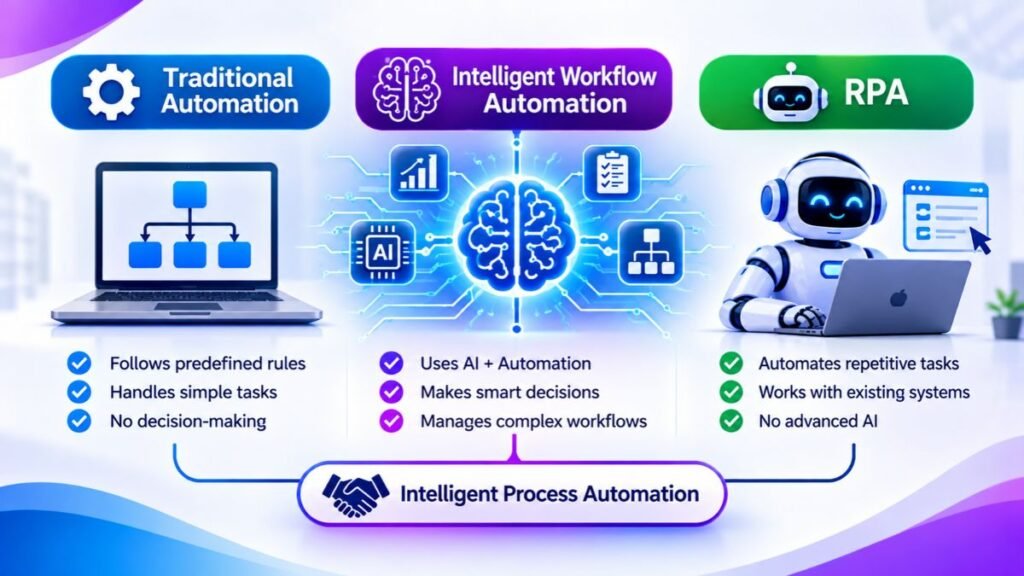
Understanding these differences helps businesses select suitable technologies. Intelligent Process Automation combines AI, process management, and robotic automation to support broader operations. IBM describes these technologies as complementary components of intelligent automation.
Intelligent Workflow Automation vs Traditional Automation
Traditional automation follows fixed instructions and predefined conditions. For example, an email system might send a confirmation whenever someone completes a form. Intelligent systems can examine the request’s context and choose different actions according to its contents.
Intelligent Workflow Automation vs RPA
RPA focuses on repetitive tasks such as copying information between applications. Intelligent automation adds capabilities for interpreting information and handling changing situations. Both technologies can work together when businesses need reliable task execution alongside more flexible decision-making.
| Comparison | Traditional automation | RPA | Intelligent automation |
| Main purpose | Repetitive rules | Computer-based tasks | Complex workflows |
| Decision-making | Predefined rules | Mostly predefined rules | AI-supported decisions |
| Data handling | Structured data | Mostly structured data | Structured and unstructured data |
| Flexibility | Limited | Moderate | Greater adaptability |
| Best application | Simple tasks | Repetitive activities | Connected business processes |
Which Automation Approach Should Your Business Choose?
Choose traditional automation for predictable tasks with stable conditions. RPA works well when employees repeatedly perform the same actions across software applications. Intelligent systems suit more complex processes involving changing information, multiple departments, and decisions requiring contextual understanding.
How to Implement Intelligent Workflow Automation in Your Business
Successful implementation starts with understanding how work currently moves through an organization. Before selecting software, businesses should examine existing processes and identify unnecessary steps. Process Mining can reveal bottlenecks by analyzing activity records from business applications.
A well-planned implementation also requires clear goals, suitable integrations, and employee involvement. Workflow Integration connects existing applications so information moves between departments. Testing smaller processes first helps organizations identify problems before expanding automation across their operations.
Step 1: Identify Repetitive Business Processes
Start by examining activities that consume significant employee time. Invoice processing, customer onboarding, and approval requests are common examples. Identify repeated handoffs, unnecessary data entry, and delays that affect overall productivity.
Step 2: Define Clear Automation Goals
Set measurable objectives before introducing new technology. Determine whether the priority involves faster processing, fewer errors, lower expenses, or improved customer support. Clear targets also make it easier to evaluate results after deployment.
Step 3: Choose the Right Automation Technology
Select software according to process complexity and existing infrastructure. Simple activities may require basic automation, while complex operations benefit from AI capabilities. Consider integration options, security controls, customization, and long-term maintenance requirements.
Step 4: Integrate Existing Business Systems
Connect CRM platforms, accounting applications, databases, and communication tools. Enterprise Systems often contain important information across separate departments. Reliable connections allow applications to exchange updates without requiring employees to enter identical information repeatedly.
Step 5: Test and Deploy Automated Workflows
Begin with a limited pilot project involving one department or process. Test normal situations and unusual requests before expanding deployment. Employee feedback can reveal practical problems that technical testing might overlook.
Step 6: Monitor and Optimize Performance
Use Real-Time Monitoring to understand how automated processes perform. Track Performance Metrics and Key Performance Indicators (KPIs) such as completion time, error rates, and approval delays. Regular reviews support continuous Business Process Optimization.
What Are the Challenges of Intelligent Workflow Automation?
Despite its advantages, automation introduces technical and organizational challenges. Poor planning can create disconnected systems, unreliable decisions, and unexpected expenses. Businesses should understand these limitations before introducing AI into important operational processes.
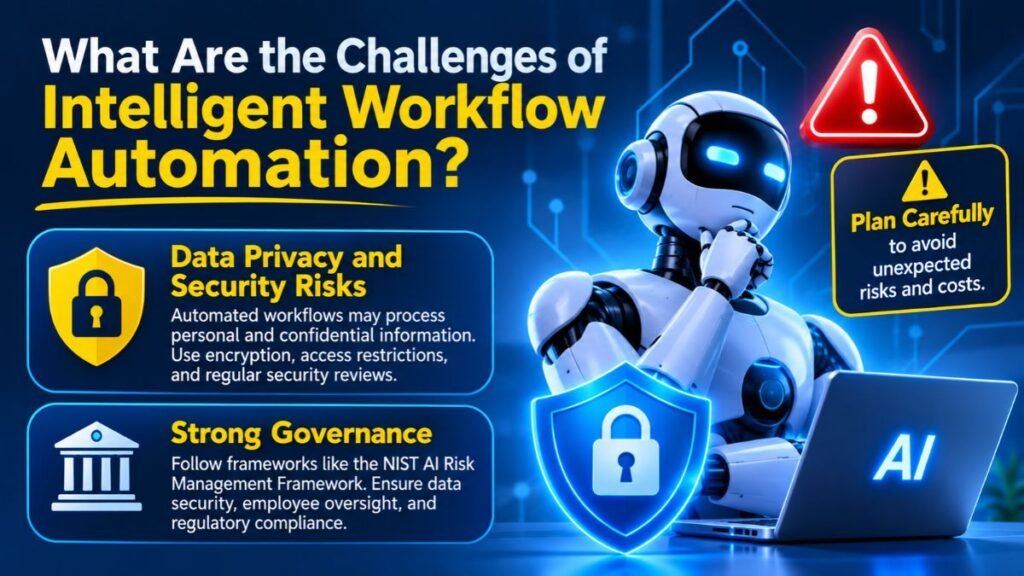
Strong governance becomes especially important when automated systems handle customer information or financial records. Data Security, employee oversight, and regulatory requirements must remain central throughout implementation. The NIST AI Risk Management Framework guides identifying and managing risks associated with AI systems. Data Privacy and Security Risks
Automated workflows may process personal details, payment records, and confidential business information. Organizations should use encryption, access restrictions, and secure storage. Regular security reviews also help identify vulnerabilities before they affect customers or employees.
Integration with Existing Systems
Older applications may lack modern integration features or reliable data connections. Businesses sometimes need additional connectors or customized development. Careful testing helps prevent synchronization problems and inconsistent information across connected platforms.
Implementation and Maintenance Costs
Software subscriptions represent only one part of the total investment. Integration, employee training, customization, and maintenance can increase expenses. Companies should calculate long-term costs before committing to an automation platform.
Employee Training and Resistance to Change
Employees may worry about unfamiliar technology or changing responsibilities. Clear communication helps explain how automation supports their work. Practical training also builds confidence and encourages employees to report problems during implementation.
AI Errors and Lack of Human Oversight
AI systems can misunderstand requests or produce incorrect recommendations. Organizations should establish approval checkpoints for sensitive decisions. Human reviewers should also handle unusual situations that automated systems cannot confidently resolve.
Governance and Regulatory Compliance
Businesses need clear policies covering access, accountability, and automated decisions. Role-Based Access Control limits system permissions according to employee responsibilities. Detailed Audit Trails record important activities and support internal reviews and compliance checks.
How to Choose the Best Intelligent Workflow Automation Software
Choosing suitable software requires more than comparing feature lists. Businesses should examine their processes, existing applications, security requirements, and future growth plans. The right platform should support practical Workflow Management without creating unnecessary technical complexity.
Modern platforms offer different capabilities, pricing structures, and integration options. Some specialize in robotic automation, while others focus on enterprise processes or application connections. A careful comparison helps organizations choose software that supports their actual operational needs.
Essential Features to Look For
Look for visual workflow builders, AI-powered routing, automated approvals, and exception management. Strong platforms also provide analytics and flexible integrations. These capabilities support reliable Digital Workflows and improve visibility across connected business operations.
Integration and Compatibility
Check whether the platform connects with your CRM, ERP, accounting, and communication software. Reliable integrations prevent information gaps between departments. Businesses should also evaluate API availability and compatibility with existing infrastructure.
Security, Governance, and Compliance
Review encryption methods, user permissions, data retention policies, and audit capabilities. Healthcare organizations must consider applicable HIPAA requirements. Financial businesses should examine relevant regulatory obligations before automating sensitive processes.
Scalability and Pricing
Compare subscription costs, usage limits, user licenses, and integration expenses. Consider whether the platform can handle additional departments and higher transaction volumes. Flexible pricing becomes important as automation expands across the organization.
Popular Intelligent Workflow Automation Platforms
Several established platforms support different automation requirements. Their capabilities overlap, but their main strengths vary. The following table provides a starting point for evaluating available options.
| Platform | Main strength | Suitable applications |
| Microsoft Power Automate | Microsoft ecosystem integration | Office tasks and business workflows |
| UiPath | RPA and process automation | Repetitive enterprise operations |
| ServiceNow | Enterprise service workflows | IT and customer operations |
| Zapier | Application connections | Small business automation |
| Workato | Enterprise integrations | Cross-system business processes |
| Nintex | Process and workflow management | Approvals and document processes |
For example, Microsoft Power Automate can connect Microsoft applications and supported third-party services. UiPath focuses strongly on robotic automation and process intelligence. Zapier is useful for connecting many everyday business applications without extensive development.
Before purchasing, review official product documentation, current pricing, integration limits, and security features. A platform’s suitability depends on the workflows it must support rather than its overall popularity.
What Is the Future of Intelligent Workflow Automation?
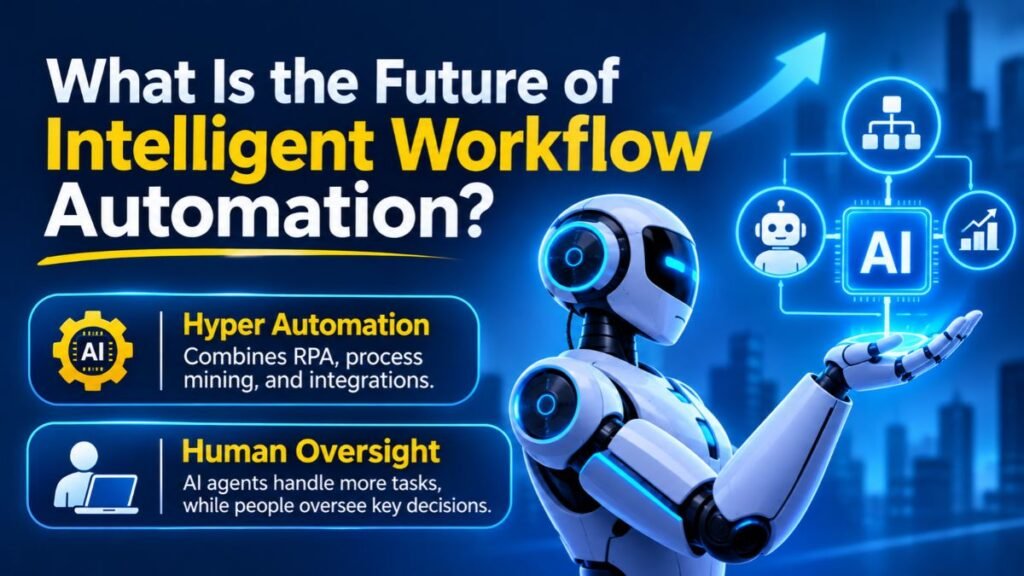
The next generation of business automation will involve more independent AI systems coordinating complex tasks. Hyper automation combines RPA, process mining, and integration technologies to automate broader operations. These developments will expand Intelligent Automation across industries and business functions.
As these technologies mature, companies will increasingly connect AI agents with existing applications. AI Workflow Automation will support more adaptive processes, while human employees retain oversight of important decisions. The future will depend on reliable systems, responsible AI adoption, and measurable business value.
AI Agents and Autonomous Workflows
AI agents can interpret goals, plan multiple steps, and interact with connected applications. For example, an agent might review a support request and retrieve relevant customer information. An orchestration layer coordinates its actions and manages required approvals.
Generative AI and Intelligent Decision-Making
Generative AI can summarize documents, draft responses, and extract useful information. Combined with AI-driven decision-making, these capabilities can speed up business processes. However, important decisions still require suitable validation and human oversight.
Hyper automation Across Business Operations
Hyper automation brings different automation technologies together to manage connected processes. Organizations can combine AI, RPA, APIs, and process mining. This approach supports broader automation strategies across finance, customer service, operations, and human resources.
Human and AI Collaboration
Automation doesn’t eliminate the importance of human judgment. Employees remain essential when situations require empathy, creativity, or complex decisions. Well-designed systems allow people to review sensitive actions while software handles predictable tasks.
Predictive and Self-Optimizing Workflows
Predictive Analytics can identify patterns that indicate possible delays or operational problems. Systems can use these insights to recommend adjustments before bottlenecks become serious. Continuous evaluation helps businesses improve workflows as their requirements change.
Example: A Future-Ready Business Workflow
Imagine a logistics company managing thousands of deliveries across the United States. AI systems could monitor shipment information and identify possible delays. They could coordinate alternative delivery arrangements and notify customers automatically.
Employees would handle unusual situations requiring negotiation or judgment. This combination of automated execution and human supervision creates more adaptable operations. It also demonstrates how businesses can apply emerging technology without removing accountability.
Conclusion
Modern businesses need more than simple task automation to manage increasingly connected operations. Intelligent Workflow Automation combines AI, integration technologies, and automated processes to coordinate work across departments. It helps organizations reduce repetitive activities and improve operational visibility.
However, successful adoption requires careful planning, secure integrations, and employee involvement. Businesses should begin with manageable processes and measure improvements before expanding their automation programs. With the right strategy, intelligent workflows can support long-term productivity, better customer experiences, and sustainable business growth.
Frequently Asked Question
What is the best AI workflow automation?
The best AI workflow automation depends on your needs. Popular options include Microsoft Power Automate, Zapier, Make, and UiPath.
What is intelligent process automation?
Intelligent process automation combines AI, machine learning, and automation to manage complex business processes with less manual effort.
What is intelligent workflow automation?
Intelligent workflow automation uses AI and automated systems to analyze information, make decisions, and complete business tasks efficiently.
What is an example of intelligent automation?
An automated invoice system that reads documents, extracts details, checks errors, and sends invoices for approval is one example.
Is intelligent automation the same as AI?
No. AI enables machines to perform intelligent tasks, while intelligent automation combines AI with automation to complete business processes.
Is automation a job killer or a job creator?
Automation can replace certain repetitive tasks while creating new roles in technology, system management, and AI development.
Is ChatGPT AI or ML?
ChatGPT is an AI application powered by large language models that use machine learning to understand and generate text.
Meta Description
Discover how intelligent workflow automation uses AI to streamline business processes, reduce manual tasks, and improve efficiency.




4 Comments